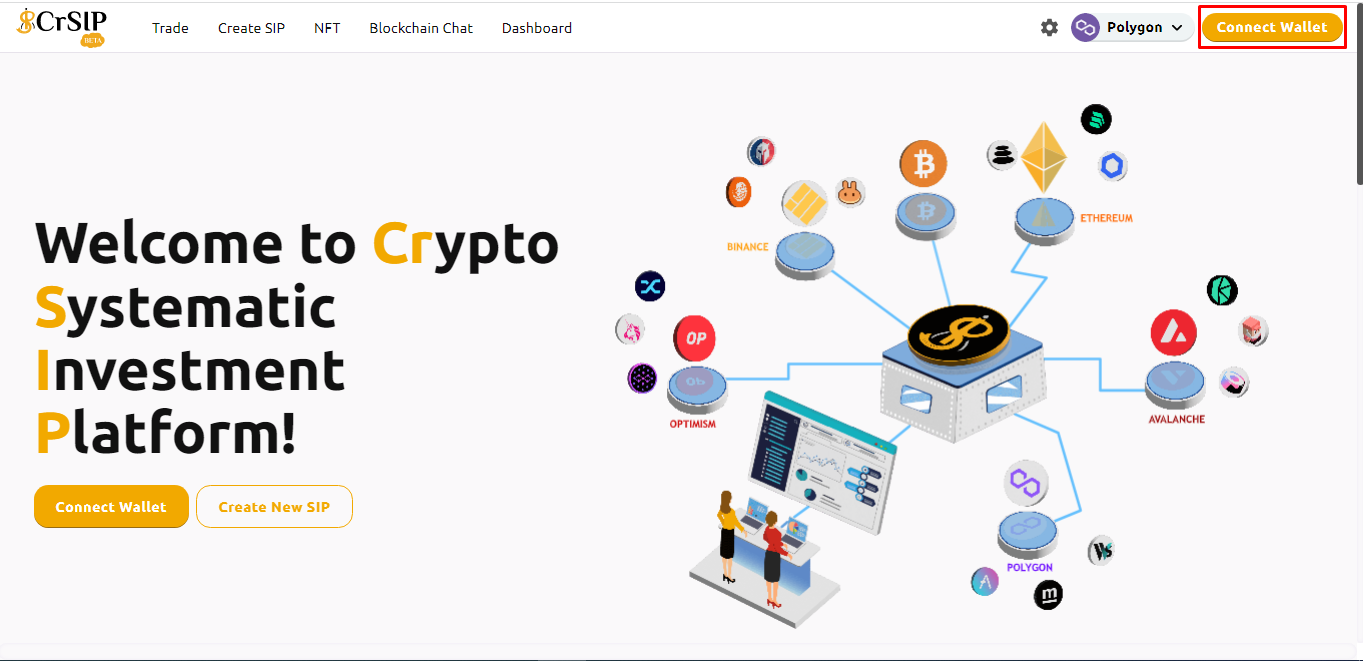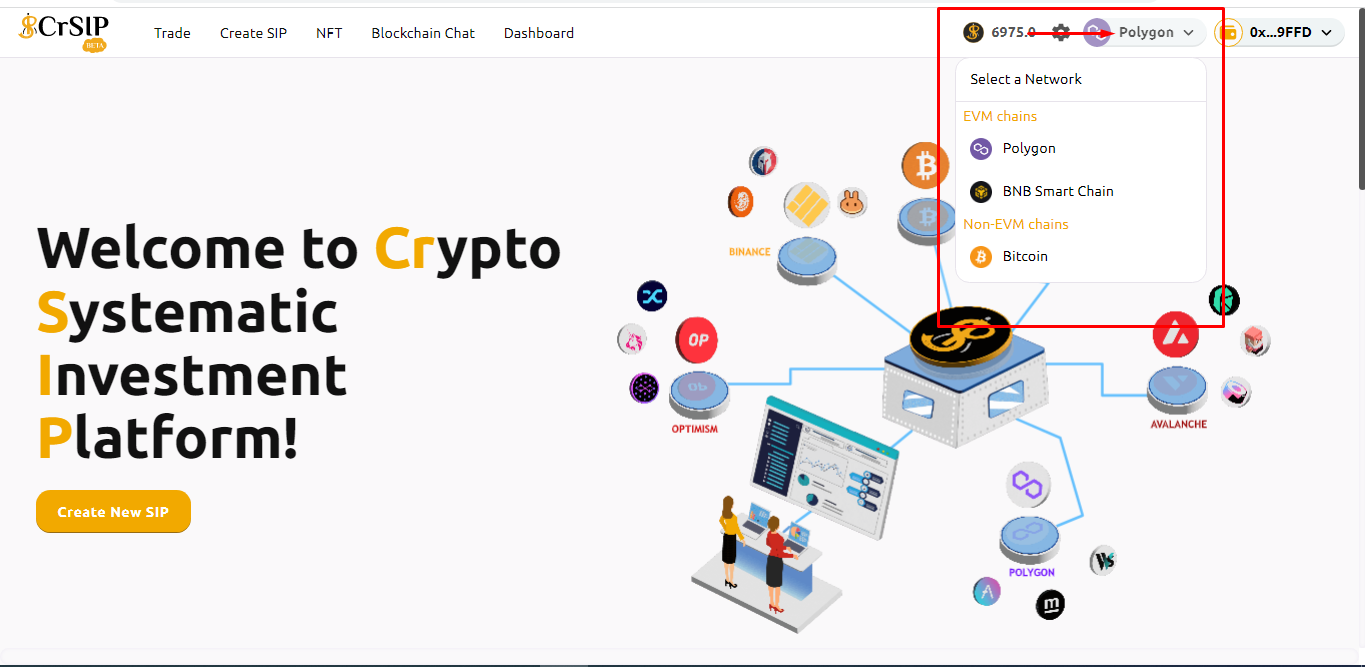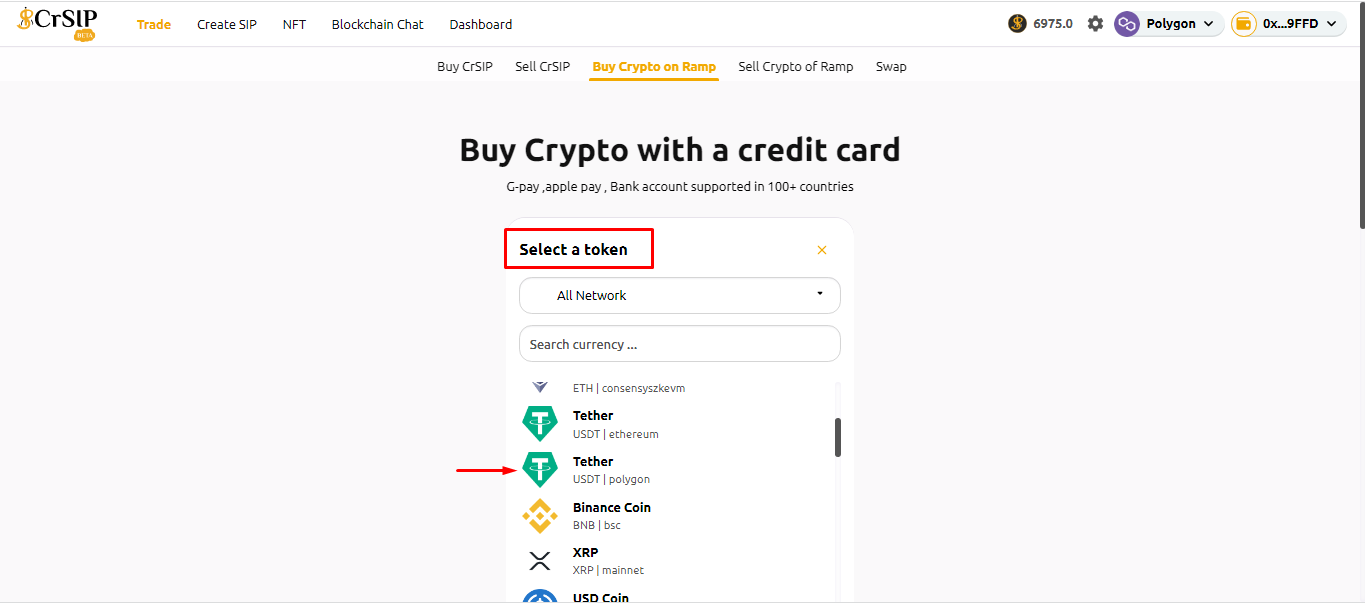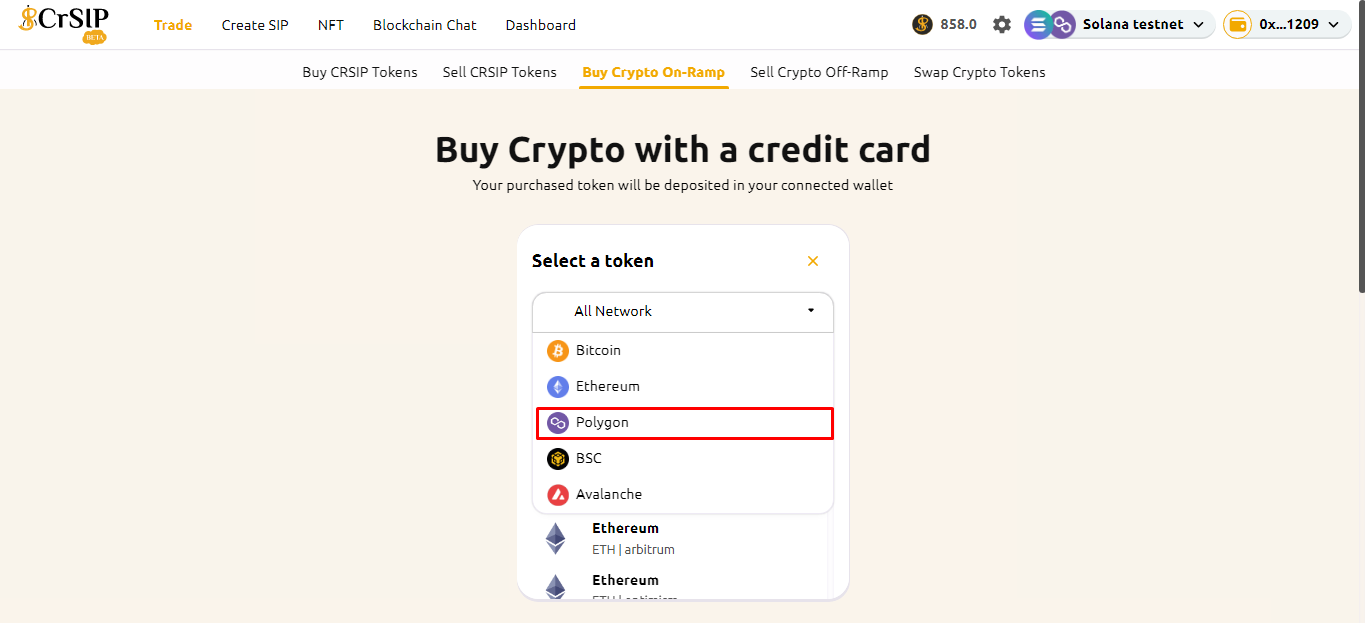
> Agents can also search and read this documentation through its [MCP server](https://docs.crsip.finance/~gitbook/mcp).

# Welcome to CrSIP

<figure><img src="https://1478603104-files.gitbook.io/~/files/v0/b/gitbook-x-prod.appspot.com/o/spaces%2FL8lItflvtIgpkNw9ssSm%2Fuploads%2FrzJjr12kJ5WBFE9WXvZq%2FScreenshot_1.png?alt=media&amp;token=d10dd2b8-0744-4474-91eb-ab96a323d193" alt=""><figcaption></figcaption></figure>

## Quick links

{% content-ref url="/pages/MH2BTpN4pszn9wASULlz" %}
[Getting started with CrSIP](https://docs.crsip.finance/getting-started-with-crsip)
{% endcontent-ref %}

{% content-ref url="/pages/ICUMYbRLQ63Kb1NOiL3J" %}
[How to connect your wallet to our platform?](https://docs.crsip.finance/how-to-connect-your-wallet-to-our-platform)
{% endcontent-ref %}

{% content-ref url="/pages/uy6S9trW0rMzZRigEpyN" %}
[How to create your first Crypto SIP?](https://docs.crsip.finance/how-to-create-your-first-crypto-sip)
{% endcontent-ref %}

{% content-ref url="/pages/aohtF7AuO5xHxHpNJbCW" %}
[Platform fees and charges](https://docs.crsip.finance/platform-fees-and-charges)
{% endcontent-ref %}

{% content-ref url="/pages/xqZz0ttPBCQhVjV1b54z" %}
[What is the use of CrSIP tokens?](https://docs.crsip.finance/what-is-crsip-token/what-is-the-use-of-crsip-tokens)
{% endcontent-ref %}

{% content-ref url="/pages/n8U2Alf1l3XUlzNa710x" %}
[Blockchain Chat](https://docs.crsip.finance/blockchain-chat)
{% endcontent-ref %}

{% content-ref url="/pages/WAfjRiBnYOR1ne6XclZu" %}
[On-Ramp & Off-Ramp](https://docs.crsip.finance/on-ramp-and-off-ramp)
{% endcontent-ref %}


# Getting started with CrSIP

### Which Blockchain Networks does the CrSIP platform support?

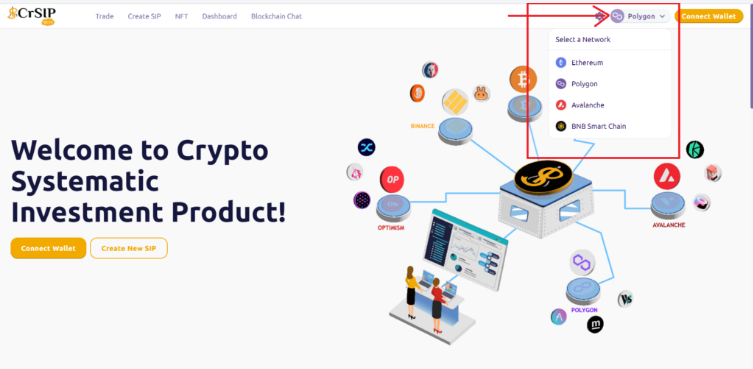
CrSIP platform supports the highly popular **Ethereum, Polygon, Avalanche, and Binance Smart Chain (BSC) blockchain network.**

Non-EVM Blockchain network: **Bitcoin and Solana.**

Coming soon........

EVM Blockchain network: **Celo, Optimism, Fantom, and Arbitrum**

### How many CrSIP tokens will we get in exchange for stablecoins (DAI/USDT/USDC) and vice-versa?

CrSIP gives a 1:1 exchange ratio for the exchange of stablecoins, i.e., you will get 100 CrSIP tokens in exchange for 100 stablecoins. We currently support USDC, USDT, and DAI as stablecoins on the following networks:

| Blockchain Network        | Stablecoins      |
| ------------------------- | ---------------- |
| Ethereum                  | USDT, USDC, DAI. |
| Binance Smart Chain (BSC) | USDT, USDC, DAI. |
| Avalanche                 | USDT, USDC, DAI. |
| Polygon                   | USDT, USDC, DAI. |

### Which stable coins are supported by the CrSIP platform?

CrSIP supports the three most popular stablecoins, i.e. DAI/USDT/USDC on the following blockchain networks:

| Blockchain Network        | Stablecoins      |
| ------------------------- | ---------------- |
| Ethereum                  | USDT, USDC, DAI. |
| Binance Smart Chain (BSC) | USDT, USDC, DAI. |
| Avalanche                 | USDT, USDC, DAI. |
| Polygon                   | USDT, USDC, DAI. |

### What is the minimum and maximum amount limit to create a crypto SIP on the CrSIP platform?

You can start investing in CrSIP platform by creating a crypto SIP with a minimum recurring amount of $5.

The Maximum recurring amount of crypto SIP can be $5,000.

### How does the CrSIP platform get the best and cheapest rates for crypto?

* Our platform ensures the best rates and helps to maximize profits by using Artificial Intelligence to predict the lowest price of the chosen cryptoassets for that day.
* CrSIP platform is a proprietary algorithm, that will automatically purchase the cryptoassets and tokens in concern after predicting the lowest price.
* We purchase the cryptoassets by comparing the rates from 25+ Centralized exchanges (CEX) and Decentralized exchanges (DEX).

### How is the CrSIP Platform different from others?

* The CrSIP platform is different from other platforms, as we purchase cryptoassets for our customers in the Systematic Investment Planning (SIP) method.&#x20;
* We get the lowest rate for your chosen cryptoassets on the day of your selected frequency intervals using our proprietary technology based on artificial intelligence and machine learning.
* We purchase the cryptocurrencies and tokens by comparing the rates from 25+ Centralized exchanges (CEX) and Decentralized exchanges (DEX), and we try to give you the best and cheapest rate compared to any other platform.
* It helps customers increase their profit margin.
* Our platform is decentralized, we transfer the cryptoassets purchased to the customer’s wallet on the same day between 9 p.m. to 12 a.m., as per UTC Time.
* We provide the best security, and the tokens always remain with the customer in their personal non-custodial wallet. The customers are always in custody of their purchased assets.


# How to create a crypto wallet?

To get started on the CrSIP platform, the first thing you'll need is to set up a wallet. Wallets are available both on desktop computers and on smartphone devices. You'll need to choose the wallet that fits your needs best.

You can find more in-depth information about different wallets below, as well as download links and installation guides.

{% tabs %}
{% tab title="MetaMask" %}

<figure><img src="https://1478603104-files.gitbook.io/~/files/v0/b/gitbook-x-prod.appspot.com/o/spaces%2FL8lItflvtIgpkNw9ssSm%2Fuploads%2Fa5YFKbBt25LeLUS7PQbY%2FCrSIP_metamask.png?alt=media&amp;token=28c4472f-4125-40d2-b37b-b644cc6c9657" alt=""><figcaption></figcaption></figure>

* MetaMask is a cryptocurrency wallet that enables users to store Ether and other ERC-20 tokens.
* The wallet can also be used to interact with decentralized applications or dapps.

&#x20;   [Click here](https://metamask.io/download/) to install MetaMask.

### How to create a MetaMask wallet?

1. Download the MetaMask app and click on "Get started".

<figure><img src="https://1478603104-files.gitbook.io/~/files/v0/b/gitbook-x-prod.appspot.com/o/spaces%2FL8lItflvtIgpkNw9ssSm%2Fuploads%2F0wETAUB1PMDwbILdz4GE%2FWhatsApp%20Image%202023-08-30%20at%2011.58.50%20AM.jpeg?alt=media&amp;token=71570d90-8466-4426-8ba3-6b6bc6f82d1c" alt=""><figcaption></figcaption></figure>

2. &#x20;Click on "**Create a new wallet**".

<figure><img src="https://1478603104-files.gitbook.io/~/files/v0/b/gitbook-x-prod.appspot.com/o/spaces%2FL8lItflvtIgpkNw9ssSm%2Fuploads%2Fm0dyOtDbnFssbSkwWgKu%2FWhatsApp%20Image%202023-08-30%20at%2011.58.50%20AM%20(1).jpeg?alt=media&amp;token=b679810a-79e9-447a-9268-76938f0ff198" alt=""><figcaption></figcaption></figure>

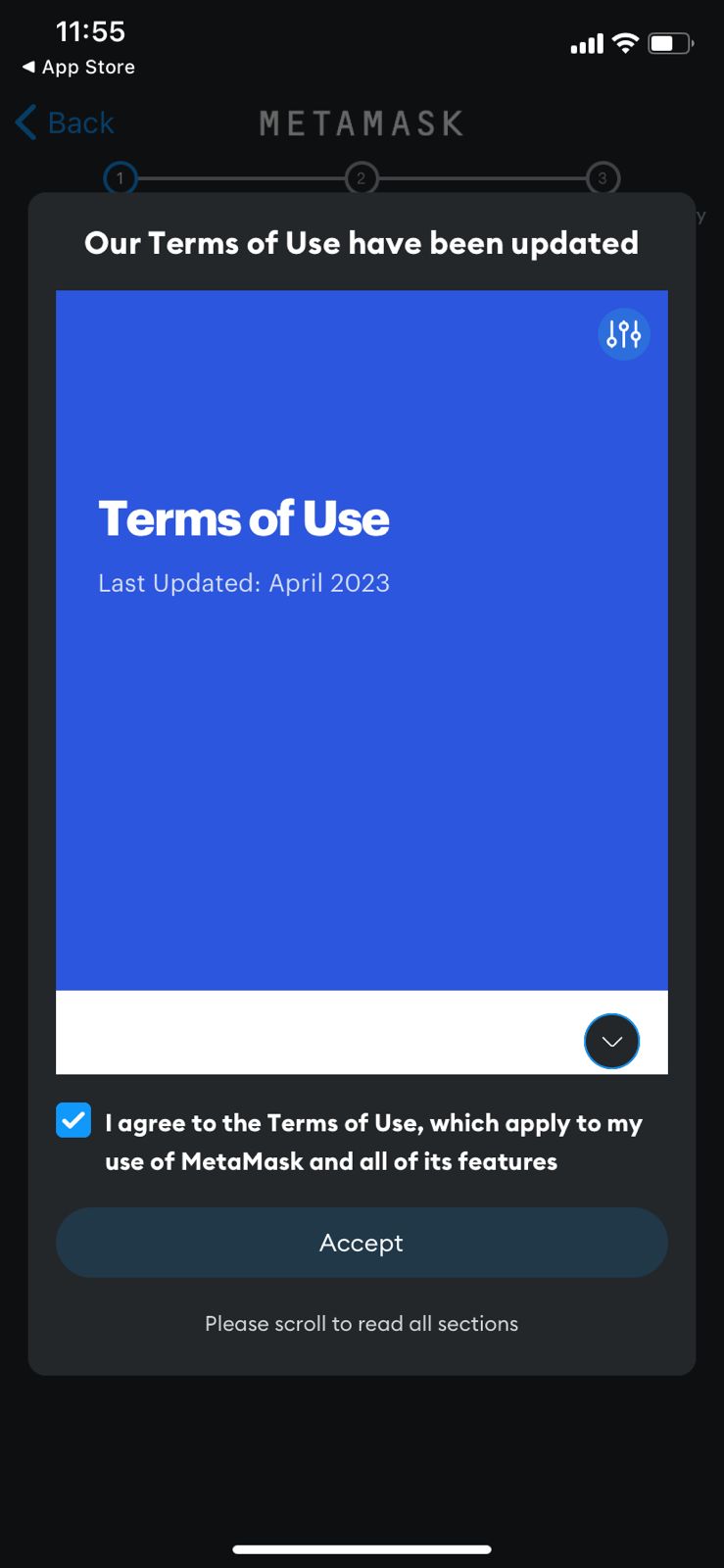
3. &#x20;Accept the terms & conditions.

<figure><img src="https://1478603104-files.gitbook.io/~/files/v0/b/gitbook-x-prod.appspot.com/o/spaces%2FL8lItflvtIgpkNw9ssSm%2Fuploads%2FAlPeZfHgAUZw9Lu3hy5m%2FWhatsApp%20Image%202023-08-30%20at%2011.58.49%20AM.jpeg?alt=media&amp;token=0e26c8fe-34ef-4718-a543-63e5ac8735d1" alt=""><figcaption></figcaption></figure>

4. &#x20;Create a new password for your MetaMask wallet.

<figure><img src="https://1478603104-files.gitbook.io/~/files/v0/b/gitbook-x-prod.appspot.com/o/spaces%2FL8lItflvtIgpkNw9ssSm%2Fuploads%2FHeCAmrj6V9Kdx4RPxL7M%2FWhatsApp%20Image%202023-08-30%20at%2011.58.48%20AM%20(1).jpeg?alt=media&amp;token=cf17bfe0-50ad-404f-8556-d190ee19e63c" alt=""><figcaption></figcaption></figure>

5. &#x20;Click on "**Start**" to secure your wallet.

<figure><img src="https://1478603104-files.gitbook.io/~/files/v0/b/gitbook-x-prod.appspot.com/o/spaces%2FL8lItflvtIgpkNw9ssSm%2Fuploads%2FYuoPRNAb0mFwqYzLmswr%2FWhatsApp%20Image%202023-08-30%20at%2011.58.47%20AM.jpeg?alt=media&amp;token=859c3f69-4044-469a-895f-5e518b679476" alt=""><figcaption></figcaption></figure>

6. After this, you'll be getting a Secret Recovery Phrase. Write it down on a paper and keep it in a safe place. You'll be asked to re-enter this phrase(in order) on the next step.

<figure><img src="https://1478603104-files.gitbook.io/~/files/v0/b/gitbook-x-prod.appspot.com/o/spaces%2FL8lItflvtIgpkNw9ssSm%2Fuploads%2FxwqyVHO8K3kuuzjbaiMl%2FWhatsApp%20Image%202023-08-30%20at%2011.57.17%20AM.jpeg?alt=media&amp;token=7a325079-7a79-49ba-8d0d-783268e3b32e" alt=""><figcaption></figcaption></figure>

7. Re-enter the phrase and Your account will be created.

<figure><img src="https://1478603104-files.gitbook.io/~/files/v0/b/gitbook-x-prod.appspot.com/o/spaces%2FL8lItflvtIgpkNw9ssSm%2Fuploads%2FwmNvWI8rZTk9VXEJVQ2A%2FWhatsApp%20Image%202023-08-30%20at%2011.58.47%20AM%20(2).jpeg?alt=media&amp;token=0f075622-9e1e-4e36-8bd8-46c9299e6067" alt=""><figcaption></figcaption></figure>

**Your MetaMask wallet will be created!**
{% endtab %}

{% tab title="Exodus" %}

<figure><img src="https://1478603104-files.gitbook.io/~/files/v0/b/gitbook-x-prod.appspot.com/o/spaces%2FL8lItflvtIgpkNw9ssSm%2Fuploads%2FCf3wJUqQf55ORbGBjqUv%2FCrSIP_Exodus.png?alt=media&amp;token=2dd08cc7-4caf-4f95-90a2-2f813903d752" alt=""><figcaption></figcaption></figure>

Exodus is a user-friendly cryptocurrency wallet supporting multiple assets, with a simple interface for managing and trading digital funds.

The software is free to download on Windows, macOS, and Linux systems.

No account sign-up is required because Exodus runs locally on your device. You control your assets through the 12-word secret recovery phrase and private keys that are generated when you first open your wallet.

You can start using your wallet right away. You can [buy some crypto](https://support.exodus.com/article/94-can-i-buy-crypto) or [receive](https://support.exodus.com/article/33-how-do-i-receive-a-crypto) crypto from another platform.

You can download all versions of Exodus on supported platforms from the website here: [Download Exodus](https://www.exodus.com/download/?utm_source=KB\&utm_medium=get-started\&utm_campaign=kb-opt).

If you want to know your Bitcoin wallet address click on "**Receive**".

<figure><img src="https://1478603104-files.gitbook.io/~/files/v0/b/gitbook-x-prod.appspot.com/o/spaces%2FL8lItflvtIgpkNw9ssSm%2Fuploads%2FkQRHq5z0xneVXa0pbG7n%2FWhatsApp%20Image%202023-08-31%20at%203.17.13%20PM.jpeg?alt=media&amp;token=4c801d38-07fb-4b59-b17b-4ed10cf363d2" alt=""><figcaption></figcaption></figure>

If you need your Bitcoin wallet address click on "**Copy**".

<figure><img src="https://1478603104-files.gitbook.io/~/files/v0/b/gitbook-x-prod.appspot.com/o/spaces%2FL8lItflvtIgpkNw9ssSm%2Fuploads%2FKPQwOgkxjRc5yHikuAWO%2FWhatsApp%20Image%202023-08-31%20at%203.17.13%20PM%20(1).jpeg?alt=media&amp;token=4373e35f-c2f8-432c-8b41-a778769fdbca" alt=""><figcaption></figcaption></figure>

If you want to add another token click on "**Add more**".

<figure><img src="https://1478603104-files.gitbook.io/~/files/v0/b/gitbook-x-prod.appspot.com/o/spaces%2FL8lItflvtIgpkNw9ssSm%2Fuploads%2FCK5p9K4hXBxlDqZprIlK%2FWhatsApp%20Image%202023-08-31%20at%203.17.14%20PM.jpeg?alt=media&amp;token=fb5cc0d5-592d-4d06-bae2-f13b0e285dcd" alt=""><figcaption></figcaption></figure>

Search for the token that you want to add.

<figure><img src="https://1478603104-files.gitbook.io/~/files/v0/b/gitbook-x-prod.appspot.com/o/spaces%2FL8lItflvtIgpkNw9ssSm%2Fuploads%2FxzF5lqYSyvzmaMHK18GY%2FWhatsApp%20Image%202023-08-31%20at%203.17.14%20PM%20(1).jpeg?alt=media&amp;token=4d8f6c96-837f-452b-aec9-c9fab71ca473" alt=""><figcaption></figcaption></figure>

**Note**: For a token, only one wallet can be created.
{% endtab %}

{% tab title="Coinbase" %}

<figure><img src="https://1478603104-files.gitbook.io/~/files/v0/b/gitbook-x-prod.appspot.com/o/spaces%2FL8lItflvtIgpkNw9ssSm%2Fuploads%2FBaCw1j3795AmwUyGDmE8%2FCrSIP_coinbase.png?alt=media&amp;token=3aa91913-aaaf-4736-bd70-8ba7ef182823" alt=""><figcaption></figcaption></figure>

Coinbase Wallet is a self-custody crypto wallet, putting you in control of your crypto, keys, and data.&#x20;

### How to create a Coinbase wallet?

Go to [https://www.coinbase.com](https://www.coinbase.com/) from a browser on your computer, or download and open the Coinbase app on [Android](https://play.google.com/store/apps/details?id=com.coinbase.android) or [iOS](https://apps.apple.com/us/app/coinbase-buy-sell-bitcoin/id886427730) to get started.

[Click here](https://chrome.google.com/webstore/detail/coinbase-wallet-extension/hnfanknocfeofbddgcijnmhnfnkdnaad?hl=en) to download on Chrome.

1. &#x20;Select “**Create new wallet**”.

<figure><img src="https://1478603104-files.gitbook.io/~/files/v0/b/gitbook-x-prod.appspot.com/o/spaces%2FL8lItflvtIgpkNw9ssSm%2Fuploads%2FyxkuAqiiCgEFRglchSuF%2FWhatsApp%20Image%202023-08-30%20at%203.02.09%20PM.jpeg?alt=media&amp;token=6740bc2b-c308-4949-bfd0-72e737e49449" alt=""><figcaption></figcaption></figure>

2. Review and accept the Privacy Policy and Terms of Service.

3. Backup your recovery phrase. Your recovery phrase is the key to your wallet. Keep this safe, as this is the key to accessing your wallet and Coinbase cannot recover this phrase for you. Verify your recovery phrase by tapping first then the last word.

<figure><img src="https://1478603104-files.gitbook.io/~/files/v0/b/gitbook-x-prod.appspot.com/o/spaces%2FL8lItflvtIgpkNw9ssSm%2Fuploads%2FDflwaCSsEzKskHoScSRY%2FWhatsApp%20Image%202023-08-30%20at%203.02.09%20PM%20(1).jpeg?alt=media&amp;token=c2a46788-243e-4815-8085-eaedc292b35a" alt=""><figcaption></figcaption></figure>

4. Choose your preferred security method, biometrics, or a passcode. We recommend biometric authentication.

<figure><img src="https://1478603104-files.gitbook.io/~/files/v0/b/gitbook-x-prod.appspot.com/o/spaces%2FL8lItflvtIgpkNw9ssSm%2Fuploads%2FMvQId6j5orXuqlB89wdY%2FWhatsApp%20Image%202023-08-30%20at%203.02.09%20PM%20(2).jpeg?alt=media&amp;token=a05290f7-57a8-4488-a837-4b5757ff1a4e" alt=""><figcaption></figcaption></figure>

5. Claim your username. This is how other Wallet users can find you and send you payments.

<figure><img src="https://1478603104-files.gitbook.io/~/files/v0/b/gitbook-x-prod.appspot.com/o/spaces%2FL8lItflvtIgpkNw9ssSm%2Fuploads%2F5H57GMEKb0ZbDXTuU8kF%2FWhatsApp%20Image%202023-08-30%20at%203.02.09%20PM%20(3).jpeg?alt=media&amp;token=b9b41654-72cc-4267-84d6-c1c8e75a8765" alt=""><figcaption></figcaption></figure>

**Your Coinbase wallet will be created!**
{% endtab %}
{% endtabs %}


# How to connect your wallet to our platform?

To connect your wallet to our website follow the below steps:

1\. Click on the **“Launch App”** button on the website's navigation bar.

<figure><img src="https://1478603104-files.gitbook.io/~/files/v0/b/gitbook-x-prod.appspot.com/o/spaces%2FL8lItflvtIgpkNw9ssSm%2Fuploads%2Fl2LQe0MzCdALCNBDgvMj%2F1.png?alt=media&amp;token=f7709133-861e-4184-bad4-a851d4501780" alt=""><figcaption></figcaption></figure>

<figure><img src="https://1478603104-files.gitbook.io/~/files/v0/b/gitbook-x-prod.appspot.com/o/spaces%2FL8lItflvtIgpkNw9ssSm%2Fuploads%2FhpsIMmx5jp6PIBOJAnz5%2Fline%202.png?alt=media&amp;token=644964ab-c87b-4efc-89dd-92bddbd4af7f" alt=""><figcaption></figcaption></figure>

2\. You will be redirected to our **CrSIP Platform**  >>  **Select the network** on which you would like to create your Crypto SIP.

<figure><img src="https://1478603104-files.gitbook.io/~/files/v0/b/gitbook-x-prod.appspot.com/o/spaces%2FL8lItflvtIgpkNw9ssSm%2Fuploads%2FUa4YHdbHlncKzuZlfKH2%2Fnetwork.png?alt=media&amp;token=5f5286b4-3b5d-4a72-85a1-583bd4159918" alt=""><figcaption></figcaption></figure>

<figure><img src="https://1478603104-files.gitbook.io/~/files/v0/b/gitbook-x-prod.appspot.com/o/spaces%2FL8lItflvtIgpkNw9ssSm%2Fuploads%2FhpsIMmx5jp6PIBOJAnz5%2Fline%202.png?alt=media&amp;token=644964ab-c87b-4efc-89dd-92bddbd4af7f" alt=""><figcaption></figcaption></figure>

3\. Click on the "**Connect Wallet"** button on the top right of the website dashboard.

<figure><img src="https://1478603104-files.gitbook.io/~/files/v0/b/gitbook-x-prod.appspot.com/o/spaces%2FL8lItflvtIgpkNw9ssSm%2Fuploads%2FbjFHa2PT6Ou6uvgiQpu2%2F2.png?alt=media&amp;token=e36dafd6-6058-487f-a327-432da3de7473" alt=""><figcaption></figcaption></figure>

<figure><img src="https://1478603104-files.gitbook.io/~/files/v0/b/gitbook-x-prod.appspot.com/o/spaces%2FL8lItflvtIgpkNw9ssSm%2Fuploads%2FehtlJ7mUGlNVP7zEXKg2%2Fline%202.png?alt=media&amp;token=ddd4b9a2-2324-481c-a0d4-27136fcca585" alt=""><figcaption></figcaption></figure>

4\. Customers can choose the Wallet service that they would like to connect to, like MetaMask, Wallet Connect, Coinbase Wallet, Trust Wallet, Opera Wallet, Brave Wallet, Binance Wallet, etc.

<figure><img src="https://1478603104-files.gitbook.io/~/files/v0/b/gitbook-x-prod.appspot.com/o/spaces%2FL8lItflvtIgpkNw9ssSm%2Fuploads%2FNpVIpytzWge3OaFpcIKP%2F4.png?alt=media&amp;token=dfbff6b7-40b2-4378-a19f-05e0e3b28440" alt=""><figcaption></figcaption></figure>

<figure><img src="https://1478603104-files.gitbook.io/~/files/v0/b/gitbook-x-prod.appspot.com/o/spaces%2FL8lItflvtIgpkNw9ssSm%2Fuploads%2FehtlJ7mUGlNVP7zEXKg2%2Fline%202.png?alt=media&amp;token=ddd4b9a2-2324-481c-a0d4-27136fcca585" alt=""><figcaption></figcaption></figure>

5. Give Confirmation / Approval to connect your wallet to the portal. Your wallet will get connected

<figure><img src="https://1478603104-files.gitbook.io/~/files/v0/b/gitbook-x-prod.appspot.com/o/spaces%2FL8lItflvtIgpkNw9ssSm%2Fuploads%2Fh6ZRPKWxbTOXlrgZP4qe%2Fconnected%20wallet.png?alt=media&amp;token=cf6311d3-deeb-4a31-921d-0d89fb350381" alt=""><figcaption></figcaption></figure>

You can also [click ](https://youtu.be/Is51XPc1YRU)Click here to watch the video on How to Connect your Wallet.

Note: You can connect only one wallet at a time<br>

### How can I disconnect my wallet from the web app?

To disconnect your wallet from the CrSIP platform, follow the following steps:

1\. Click on the **“Launch App”** button on the website's navigation bar.

<figure><img src="https://1478603104-files.gitbook.io/~/files/v0/b/gitbook-x-prod.appspot.com/o/spaces%2FL8lItflvtIgpkNw9ssSm%2Fuploads%2FBkZ8wn50BcRcUYlNjXaq%2F1.png?alt=media&amp;token=dc99ab62-5d32-4f0d-a41f-1557edf90ffb" alt=""><figcaption></figcaption></figure>

<figure><img src="https://1478603104-files.gitbook.io/~/files/v0/b/gitbook-x-prod.appspot.com/o/spaces%2FL8lItflvtIgpkNw9ssSm%2Fuploads%2FehtlJ7mUGlNVP7zEXKg2%2Fline%202.png?alt=media&amp;token=ddd4b9a2-2324-481c-a0d4-27136fcca585" alt=""><figcaption></figcaption></figure>

2. You will be redirected to our CrSIP platform.

<figure><img src="https://1478603104-files.gitbook.io/~/files/v0/b/gitbook-x-prod.appspot.com/o/spaces%2FL8lItflvtIgpkNw9ssSm%2Fuploads%2Fq1BIA1dIizs0uRuMO15c%2FScreenshot_4.png?alt=media&amp;token=95f4cdd8-8c20-4da5-8271-54f626e1b2a7" alt=""><figcaption></figcaption></figure>

<figure><img src="https://1478603104-files.gitbook.io/~/files/v0/b/gitbook-x-prod.appspot.com/o/spaces%2FL8lItflvtIgpkNw9ssSm%2Fuploads%2FhpsIMmx5jp6PIBOJAnz5%2Fline%202.png?alt=media&amp;token=644964ab-c87b-4efc-89dd-92bddbd4af7f" alt=""><figcaption></figcaption></figure>

3\. Click on Wallet connected **>>**  from the dropdown select **Disconnect**.<br>

<figure><img src="https://1478603104-files.gitbook.io/~/files/v0/b/gitbook-x-prod.appspot.com/o/spaces%2FL8lItflvtIgpkNw9ssSm%2Fuploads%2FEILIJcRLTCSbonl1F39F%2Fdisconected.png?alt=media&amp;token=9d537028-1b94-46e7-b4cf-db213280b46a" alt=""><figcaption></figcaption></figure>

<figure><img src="https://1478603104-files.gitbook.io/~/files/v0/b/gitbook-x-prod.appspot.com/o/spaces%2FL8lItflvtIgpkNw9ssSm%2Fuploads%2FhpsIMmx5jp6PIBOJAnz5%2Fline%202.png?alt=media&amp;token=644964ab-c87b-4efc-89dd-92bddbd4af7f" alt=""><figcaption></figcaption></figure>

4\. Your wallet will get disconnected.

<figure><img src="https://1478603104-files.gitbook.io/~/files/v0/b/gitbook-x-prod.appspot.com/o/spaces%2FL8lItflvtIgpkNw9ssSm%2Fuploads%2Fl7HCDdLRQCQtNrc0YQov%2F2.png?alt=media&amp;token=b61a0eda-62cf-498b-8d3b-23e6cbde5f23" alt=""><figcaption></figcaption></figure>

Click here to watch the full video of How to Disconnect the Wallet from CrSIP platform.

**To learn about how to Disconnect a wallet** [**click here.**](#how-can-we-connect-our-wallet-to-the-web-app)

### Which wallets does CrSIP platform supports?

Currently, we support MetaMask, WalletConnect, Coinbase Wallet, Trust Wallet, Opera Wallet, Brave Wallet, MathWallet, TockenPocket, SafePal, Coin98 and Blocto.

### How many wallets we can connect to the CrSIP Platform?

You can connect only one wallet at a time.&#x20;

To connect a different wallet you have to disconnect from the existing connected wallet and then connect a new wallet.

### When and where will we receive our chosen SIP cryptoassets token in our Non-custodial wallet?

You will receive your chosen cryptoassets on the same day of your investment date and token on the same day of your SIP cycle purchase (i.e. the day of your selected intervals) between 9 AM to 12 PM, according to the UTC timezone.

Example: On 5th Feb 2023, Alex creates a SIP for Aave token on the polygon blockchain network. He chooses a recurring amount of 10$ and sets a duration of 7 days. He chooses daily purchase frequency.

<figure><img src="https://1478603104-files.gitbook.io/~/files/v0/b/gitbook-x-prod.appspot.com/o/spaces%2FL8lItflvtIgpkNw9ssSm%2Fuploads%2FSYDI1QPuRqvYeCvLUYNl%2F2.5.png?alt=media&amp;token=661dab88-9a98-496c-b687-e00916fb108e" alt=""><figcaption></figcaption></figure>

In the above example, Aave tokens worth 10$ will be purchased on daily basis for 7 days and transferred to Alex to his personal Non-custodial wallet.

<figure><img src="https://1478603104-files.gitbook.io/~/files/v0/b/gitbook-x-prod.appspot.com/o/spaces%2FL8lItflvtIgpkNw9ssSm%2Fuploads%2FxPSpg3Q1mbuyUyT2HcON%2F2.6.png?alt=media&amp;token=9f72a093-95f1-4bf5-8f67-0d51a9998fac" alt=""><figcaption></figcaption></figure>

| Purchased for Alex              | Transferred to Alex                |
| ------------------------------- | ---------------------------------- |
| 5th February 2023 (12am to 9pm) | 5th February 2023 (9pm to 11:59pm) |
| 6th February 2023 (12am to 9pm) | 6th February 2023 (9pm to 11:59pm) |
| 7th February 2023 (12am to 9pm) | 7th February 2023 (9pm to 11:59pm) |
| 8th February 2023 (12am to 9pm) | 8th February 2023 (9pm to 11:59pm  |

### How do I buy CrSIP tokens from my Non-custodial wallet such as MetaMask?

CrSIP tokens can be purchased from CrSIP platforms using popular stablecoins such as (DAI/USDT/USDC). The exchange ratio of Stablecoins to CrSIP Tokens is 1:1. You can buy CrSIP tokens by following the below steps:

1\. You will be redirected to the portal once you click on the **“Launch App”** button on the website.

<figure><img src="https://1478603104-files.gitbook.io/~/files/v0/b/gitbook-x-prod.appspot.com/o/spaces%2FL8lItflvtIgpkNw9ssSm%2Fuploads%2FexwVZWKxY4bIlzEHbTuu%2F1.png?alt=media&amp;token=a0082b05-65ff-43da-832e-2fea32863e65" alt=""><figcaption></figcaption></figure>

<figure><img src="https://1478603104-files.gitbook.io/~/files/v0/b/gitbook-x-prod.appspot.com/o/spaces%2FL8lItflvtIgpkNw9ssSm%2Fuploads%2FhpsIMmx5jp6PIBOJAnz5%2Fline%202.png?alt=media&amp;token=644964ab-c87b-4efc-89dd-92bddbd4af7f" alt=""><figcaption></figcaption></figure>

2\. Click on **“Trade”** >> then choose **“Buy CRSIP Tokens”**

<figure><img src="https://1478603104-files.gitbook.io/~/files/v0/b/gitbook-x-prod.appspot.com/o/spaces%2FL8lItflvtIgpkNw9ssSm%2Fuploads%2FDyNeb2A36nD3gbHcgisd%2FBuy.png?alt=media&amp;token=da29b2b7-0149-49bc-a6f5-74a4ff53756b" alt=""><figcaption></figcaption></figure>

<figure><img src="https://1478603104-files.gitbook.io/~/files/v0/b/gitbook-x-prod.appspot.com/o/spaces%2FL8lItflvtIgpkNw9ssSm%2Fuploads%2FhpsIMmx5jp6PIBOJAnz5%2Fline%202.png?alt=media&amp;token=644964ab-c87b-4efc-89dd-92bddbd4af7f" alt=""><figcaption></figcaption></figure>

3\. Select any one stablecoin >> Enter the No. of CrSIP tokens you wish to purchase >> click on **“Buy”**.

<figure><img src="https://1478603104-files.gitbook.io/~/files/v0/b/gitbook-x-prod.appspot.com/o/spaces%2FL8lItflvtIgpkNw9ssSm%2Fuploads%2FLvcIGVeoPDsZ1EhIYBIm%2Fbuy.png?alt=media&amp;token=f6cb173b-f181-4c0b-bed4-ca2db4a3049b" alt=""><figcaption></figcaption></figure>

<figure><img src="https://1478603104-files.gitbook.io/~/files/v0/b/gitbook-x-prod.appspot.com/o/spaces%2FL8lItflvtIgpkNw9ssSm%2Fuploads%2FehtlJ7mUGlNVP7zEXKg2%2Fline%202.png?alt=media&amp;token=ddd4b9a2-2324-481c-a0d4-27136fcca585" alt=""><figcaption></figcaption></figure>

4\. Click on **“Confirm”** to give permission to access your CrSIP.

<figure><img src="https://1478603104-files.gitbook.io/~/files/v0/b/gitbook-x-prod.appspot.com/o/spaces%2FL8lItflvtIgpkNw9ssSm%2Fuploads%2FPBpyy780eaQETzxxPdkx%2Fbuy%20confirm.png?alt=media&amp;token=d74c2632-5f0c-40d2-a523-6e86feba42b5" alt=""><figcaption></figcaption></figure>

<figure><img src="https://1478603104-files.gitbook.io/~/files/v0/b/gitbook-x-prod.appspot.com/o/spaces%2FL8lItflvtIgpkNw9ssSm%2Fuploads%2FhpsIMmx5jp6PIBOJAnz5%2Fline%202.png?alt=media&amp;token=644964ab-c87b-4efc-89dd-92bddbd4af7f" alt=""><figcaption></figcaption></figure>

5\. **“Confirm“** gas Fees.

<figure><img src="https://1478603104-files.gitbook.io/~/files/v0/b/gitbook-x-prod.appspot.com/o/spaces%2FL8lItflvtIgpkNw9ssSm%2Fuploads%2F95T1NWxqulJFLu3jncNv%2Ftotal%20buy%20confirm.png?alt=media&amp;token=cb5e0a14-ff08-4561-87c4-b2a39d27b51c" alt=""><figcaption></figcaption></figure>

**Note:** You will need to have some native tokens in your wallet such as Matic (for polygon)/ BNB (for Binance Smart Chain BSC) to pay gas fees when swapping stable coins for CrSIP tokens.

To find the list of native tokens as per the Blockchain network, click here.

<figure><img src="https://1478603104-files.gitbook.io/~/files/v0/b/gitbook-x-prod.appspot.com/o/spaces%2FL8lItflvtIgpkNw9ssSm%2Fuploads%2FhpsIMmx5jp6PIBOJAnz5%2Fline%202.png?alt=media&amp;token=644964ab-c87b-4efc-89dd-92bddbd4af7f" alt=""><figcaption></figcaption></figure>

6\. Click on “Dashboard” to check all the transaction details.

<figure><img src="https://1478603104-files.gitbook.io/~/files/v0/b/gitbook-x-prod.appspot.com/o/spaces%2FL8lItflvtIgpkNw9ssSm%2Fuploads%2FQ8jz2nstLuL60hoJzs7F%2Fbuy%20dashboard.png?alt=media&amp;token=6239da74-0051-4dd7-893a-eebb700e6114" alt=""><figcaption></figcaption></figure>

[Click here](http://crsipui.website/crsip-2/#buycrsip) to watch the video of How to Buy CrSIP tokens.

### **How do I sell CrSIP tokens from my Non-custodial wallet?**

&#x20;You can sell CrSIP tokens by simply following below steps:-

1\. You will be redirected to the portal once you click on the **“Launch App“** button.

<figure><img src="https://1478603104-files.gitbook.io/~/files/v0/b/gitbook-x-prod.appspot.com/o/spaces%2FL8lItflvtIgpkNw9ssSm%2Fuploads%2FKFmXMEaBHJOdMv36MhOf%2F1.png?alt=media&amp;token=af714b2d-8780-4372-96f9-529950ba215e" alt=""><figcaption></figcaption></figure>

<figure><img src="https://1478603104-files.gitbook.io/~/files/v0/b/gitbook-x-prod.appspot.com/o/spaces%2FL8lItflvtIgpkNw9ssSm%2Fuploads%2FhpsIMmx5jp6PIBOJAnz5%2Fline%202.png?alt=media&amp;token=644964ab-c87b-4efc-89dd-92bddbd4af7f" alt=""><figcaption></figcaption></figure>

2\. Click on Trade and then choose **“Sell CRSIP Tokens“.**

<figure><img src="https://1478603104-files.gitbook.io/~/files/v0/b/gitbook-x-prod.appspot.com/o/spaces%2FL8lItflvtIgpkNw9ssSm%2Fuploads%2FMDI4aPZm7yRqX3VQhR6n%2FSell.png?alt=media&amp;token=3ea42a26-9bf8-472f-ae2e-d0c3f8ae90ef" alt=""><figcaption></figcaption></figure>

<figure><img src="https://1478603104-files.gitbook.io/~/files/v0/b/gitbook-x-prod.appspot.com/o/spaces%2FL8lItflvtIgpkNw9ssSm%2Fuploads%2FhpsIMmx5jp6PIBOJAnz5%2Fline%202.png?alt=media&amp;token=644964ab-c87b-4efc-89dd-92bddbd4af7f" alt=""><figcaption></figcaption></figure>

3\. Enter the CrSIP amount you want to sell. A number of stablecoins will automatically be selected and then click **“Sell“**.

<figure><img src="https://1478603104-files.gitbook.io/~/files/v0/b/gitbook-x-prod.appspot.com/o/spaces%2FL8lItflvtIgpkNw9ssSm%2Fuploads%2F7JVH9aPJRqJj8Kw2dp9e%2Fsell2.png?alt=media&amp;token=ac054123-3347-46ee-9b85-e778764b5c72" alt=""><figcaption></figcaption></figure>

<figure><img src="https://1478603104-files.gitbook.io/~/files/v0/b/gitbook-x-prod.appspot.com/o/spaces%2FL8lItflvtIgpkNw9ssSm%2Fuploads%2FhpsIMmx5jp6PIBOJAnz5%2Fline%202.png?alt=media&amp;token=644964ab-c87b-4efc-89dd-92bddbd4af7f" alt=""><figcaption></figcaption></figure>

4\. Click on **“Confirm“** to give permission to access your CrSIP.

<figure><img src="https://1478603104-files.gitbook.io/~/files/v0/b/gitbook-x-prod.appspot.com/o/spaces%2FL8lItflvtIgpkNw9ssSm%2Fuploads%2FgUQG0HsTr1HR5rIb3tpc%2Fsell%20confirm.png?alt=media&amp;token=aa0dcf72-e0ba-4266-b4d6-847af3dff32c" alt=""><figcaption></figcaption></figure>

<figure><img src="https://1478603104-files.gitbook.io/~/files/v0/b/gitbook-x-prod.appspot.com/o/spaces%2FL8lItflvtIgpkNw9ssSm%2Fuploads%2FhpsIMmx5jp6PIBOJAnz5%2Fline%202.png?alt=media&amp;token=644964ab-c87b-4efc-89dd-92bddbd4af7f" alt=""><figcaption></figcaption></figure>

5\. **“Confirm“** gas Fees.

<figure><img src="https://1478603104-files.gitbook.io/~/files/v0/b/gitbook-x-prod.appspot.com/o/spaces%2FL8lItflvtIgpkNw9ssSm%2Fuploads%2F0TXq3SIA2kIlGAs4hKdu%2Fsell%20gas%20fee.png?alt=media&amp;token=53d145b7-1154-4c51-80ae-cfb1413ead9a" alt=""><figcaption></figcaption></figure>

<figure><img src="https://1478603104-files.gitbook.io/~/files/v0/b/gitbook-x-prod.appspot.com/o/spaces%2FL8lItflvtIgpkNw9ssSm%2Fuploads%2FhpsIMmx5jp6PIBOJAnz5%2Fline%202.png?alt=media&amp;token=644964ab-c87b-4efc-89dd-92bddbd4af7f" alt=""><figcaption></figcaption></figure>

6\. Click **“Dashboard“** to check the transaction details.

<figure><img src="https://1478603104-files.gitbook.io/~/files/v0/b/gitbook-x-prod.appspot.com/o/spaces%2FL8lItflvtIgpkNw9ssSm%2Fuploads%2Fm9kdI8uLTKuz3JyDzYk5%2Fsell%20dashboard.png?alt=media&amp;token=adda64e5-9d37-437f-b915-1064ac37cdf2" alt=""><figcaption></figcaption></figure>

[Click here](http://crsipui.website/crsip-2/#sellcrsip) to watch the video on How to Sell CrSIP tokens.

**Note:** **The exchange ratio of CrSIP token to Stablecoin is 1:1.**

### What are native tokens and why are they needed?

Native tokens are tokens which are required to pay Gas fees in order to confirm transactions on the blockchain networks.

These Gas fees are paid to the minors which helps in mine the transactions on the blockchain network.&#x20;

For an in-depth understanding on how blockchain works, what are gas fees and how they are interrelated, click here.

Note: CrSIP platform has nothing to do with gas fees. Gas fees are decided by the traffic on the Blockchain network and gas fees are paid directly to the minors of the blockchain network. They are never paid to CrSIP platform.

### What are the different native tokens of different blockchain networks?

The different blockchain networks and their native tokens are as below:

EVM Blockchain Networks:

| EVM Blockchain Network    | Native Tokens                                                                                                                                                                                                                                                                                   |
| ------------------------- | ----------------------------------------------------------------------------------------------------------------------------------------------------------------------------------------------------------------------------------------------------------------------------------------------- |
| Ethereum                  | ETH     <img src="https://1478603104-files.gitbook.io/~/files/v0/b/gitbook-x-prod.appspot.com/o/spaces%2FL8lItflvtIgpkNw9ssSm%2Fuploads%2Fer28wFnrKvKcaRo3Nrol%2Fpng-transparent-ethereum-eth-hd-logo.png?alt=media&amp;token=44049688-68d9-48e8-9090-cd5726aee960" alt="eth" data-size="line"> |
| Polygon                   | Matic   <img src="https://1478603104-files.gitbook.io/~/files/v0/b/gitbook-x-prod.appspot.com/o/spaces%2FL8lItflvtIgpkNw9ssSm%2Fuploads%2F0OS56vTzpzNgfpJ0P3u3%2FPOLIGON%20png.png?alt=media&amp;token=37eb6fdb-f26d-43dd-9f5f-debc19d5d13c" alt="Matic" data-size="line">                      |
| Avalanche                 | AVAX   <img src="https://1478603104-files.gitbook.io/~/files/v0/b/gitbook-x-prod.appspot.com/o/spaces%2FL8lItflvtIgpkNw9ssSm%2Fuploads%2FYu8NoXpU2N6ITmG91xyu%2Favalanche-avax-logo.png?alt=media&amp;token=5585e6b2-9675-41a4-9c5a-02414ae43ae8" alt="avax" data-size="line">                  |
| Binance smart chain (BSC) | BNB     <img src="https://1478603104-files.gitbook.io/~/files/v0/b/gitbook-x-prod.appspot.com/o/spaces%2FL8lItflvtIgpkNw9ssSm%2Fuploads%2FSECgwTJwd8r4auu3W78g%2FBNB.png?alt=media&amp;token=d33d828d-1c62-4e55-96b9-b3127f142cc8" alt="bnb" data-size="line">                                  |

### What browsers do you support?

Currently, we support Google Chrome & Mozilla Firefox


# How to create your first Crypto SIP?

You will be redirected to CrSIP Platform once you click on the **“Launch App”** button.

<figure><img src="https://1478603104-files.gitbook.io/~/files/v0/b/gitbook-x-prod.appspot.com/o/spaces%2FL8lItflvtIgpkNw9ssSm%2Fuploads%2FysDaZHKyTBzQqQUVwGCv%2F1.png?alt=media&amp;token=4a1b024a-b80d-45d5-8dea-9d6bac69072f" alt=""><figcaption></figcaption></figure>

<figure><img src="https://1478603104-files.gitbook.io/~/files/v0/b/gitbook-x-prod.appspot.com/o/spaces%2FL8lItflvtIgpkNw9ssSm%2Fuploads%2FehtlJ7mUGlNVP7zEXKg2%2Fline%202.png?alt=media&amp;token=ddd4b9a2-2324-481c-a0d4-27136fcca585" alt=""><figcaption></figcaption></figure>

1. &#x20;You will be redirected to our **CrSIP Platform**  >>  **Select the network** on which you would like to create your crypto SIP.

<figure><img src="https://1478603104-files.gitbook.io/~/files/v0/b/gitbook-x-prod.appspot.com/o/spaces%2FL8lItflvtIgpkNw9ssSm%2Fuploads%2FaHzk1eyCxCZUxI6QUwyF%2Fnetwork.png?alt=media&amp;token=d2602c77-c5e3-4404-9627-2f8de5504966" alt=""><figcaption></figcaption></figure>

<figure><img src="https://1478603104-files.gitbook.io/~/files/v0/b/gitbook-x-prod.appspot.com/o/spaces%2FL8lItflvtIgpkNw9ssSm%2Fuploads%2FehtlJ7mUGlNVP7zEXKg2%2Fline%202.png?alt=media&amp;token=ddd4b9a2-2324-481c-a0d4-27136fcca585" alt=""><figcaption></figcaption></figure>

2. Click on "**Connect Wallet**", then choose your wallet from the list (for example, MetaMask).

<figure><img src="https://1478603104-files.gitbook.io/~/files/v0/b/gitbook-x-prod.appspot.com/o/spaces%2FL8lItflvtIgpkNw9ssSm%2Fuploads%2FTmKgYoeJuXoxWDWIkaqW%2F2.png?alt=media&amp;token=4dd36ea8-e185-4669-9a91-879b9bc9084f" alt=""><figcaption></figcaption></figure>

<figure><img src="https://1478603104-files.gitbook.io/~/files/v0/b/gitbook-x-prod.appspot.com/o/spaces%2FL8lItflvtIgpkNw9ssSm%2Fuploads%2FDyXj2bOfY2Y4bx00PcIR%2F4.png?alt=media&amp;token=e8745d32-99ac-4d2f-a80e-060a642a0ca8" alt=""><figcaption></figcaption></figure>

<figure><img src="https://1478603104-files.gitbook.io/~/files/v0/b/gitbook-x-prod.appspot.com/o/spaces%2FL8lItflvtIgpkNw9ssSm%2Fuploads%2FehtlJ7mUGlNVP7zEXKg2%2Fline%202.png?alt=media&amp;token=ddd4b9a2-2324-481c-a0d4-27136fcca585" alt=""><figcaption></figcaption></figure>

3. On the navigation bar click on “**Create Crypto SIP**”, SIP manager dialogue box will be shown.

<figure><img src="https://1478603104-files.gitbook.io/~/files/v0/b/gitbook-x-prod.appspot.com/o/spaces%2FL8lItflvtIgpkNw9ssSm%2Fuploads%2FzslPFlG7uiSoxpg85xak%2Fcreate%20SIP.png?alt=media&amp;token=9a179898-c01f-4642-827c-4bc094b189ab" alt=""><figcaption></figcaption></figure>

<figure><img src="https://1478603104-files.gitbook.io/~/files/v0/b/gitbook-x-prod.appspot.com/o/spaces%2FL8lItflvtIgpkNw9ssSm%2Fuploads%2FehtlJ7mUGlNVP7zEXKg2%2Fline%202.png?alt=media&amp;token=ddd4b9a2-2324-481c-a0d4-27136fcca585" alt=""><figcaption></figcaption></figure>

4. Now, you have to choose between EVM Chain (Ethereum Virtual Machine Chain) and Non-EVM Chain (Ethereum Virtual Machine Chain) for creating Crypto SIP.

<figure><img src="https://1478603104-files.gitbook.io/~/files/v0/b/gitbook-x-prod.appspot.com/o/spaces%2FL8lItflvtIgpkNw9ssSm%2Fuploads%2FMMWTbMd2kQGytcoeI6Jz%2FEVM.png?alt=media&amp;token=80df67b5-cb38-4ae7-a278-62698ea0bf36" alt=""><figcaption></figcaption></figure>

<figure><img src="https://1478603104-files.gitbook.io/~/files/v0/b/gitbook-x-prod.appspot.com/o/spaces%2FL8lItflvtIgpkNw9ssSm%2Fuploads%2FehtlJ7mUGlNVP7zEXKg2%2Fline%202.png?alt=media&amp;token=ddd4b9a2-2324-481c-a0d4-27136fcca585" alt=""><figcaption></figcaption></figure>

5\. Choose your token **>>** Put the Recurring Amount of which you want to create the SIP (Recurring amount should not be less than 5 CrSIP) **>>** Select the Start Date, End Date & Frequency of the SIP (i.e., Daily, Weekly, Monthly)&#x20;

<figure><img src="https://1478603104-files.gitbook.io/~/files/v0/b/gitbook-x-prod.appspot.com/o/spaces%2FL8lItflvtIgpkNw9ssSm%2Fuploads%2FaN5Ve3pOvx00d2aus9QU%2FScreenshot_3.png?alt=media&amp;token=026b20b4-6bcf-4112-b0b3-7470dcea0b85" alt=""><figcaption></figcaption></figure>

<figure><img src="https://1478603104-files.gitbook.io/~/files/v0/b/gitbook-x-prod.appspot.com/o/spaces%2FL8lItflvtIgpkNw9ssSm%2Fuploads%2FehtlJ7mUGlNVP7zEXKg2%2Fline%202.png?alt=media&amp;token=ddd4b9a2-2324-481c-a0d4-27136fcca585" alt=""><figcaption></figcaption></figure>

6. **Click on "Create Crypto SIP**” (you will not be able to create SIP, if you don’t have a sufficient balance of CrSIP).

<figure><img src="https://1478603104-files.gitbook.io/~/files/v0/b/gitbook-x-prod.appspot.com/o/spaces%2FL8lItflvtIgpkNw9ssSm%2Fuploads%2FFZFuq5q2MhiSizZatD2r%2FScreenshot_4.png?alt=media&amp;token=a45d04da-96cc-446c-bc62-752d9d388506" alt=""><figcaption></figcaption></figure>

<figure><img src="https://1478603104-files.gitbook.io/~/files/v0/b/gitbook-x-prod.appspot.com/o/spaces%2FL8lItflvtIgpkNw9ssSm%2Fuploads%2FOeZedq2pqVj0VtkoISzZ%2Fline%202.png?alt=media&amp;token=bfa5d056-880e-478e-9b31-9f1d3a9e2e6c" alt=""><figcaption></figcaption></figure>

7. Click on "**Confirm**” to give permission to access your CrSIP.

<figure><img src="https://1478603104-files.gitbook.io/~/files/v0/b/gitbook-x-prod.appspot.com/o/spaces%2FL8lItflvtIgpkNw9ssSm%2Fuploads%2Fu5MHt6JKhwNl3w24ME1s%2Fbuy%20confirm.png?alt=media&amp;token=5653ecd3-c141-43ab-92d0-2a55d10a061d" alt=""><figcaption></figcaption></figure>

<figure><img src="https://1478603104-files.gitbook.io/~/files/v0/b/gitbook-x-prod.appspot.com/o/spaces%2FL8lItflvtIgpkNw9ssSm%2Fuploads%2FehtlJ7mUGlNVP7zEXKg2%2Fline%202.png?alt=media&amp;token=ddd4b9a2-2324-481c-a0d4-27136fcca585" alt=""><figcaption></figcaption></figure>

8. Check the total Gas fees and click on “**Confirm**”.

<figure><img src="https://1478603104-files.gitbook.io/~/files/v0/b/gitbook-x-prod.appspot.com/o/spaces%2FL8lItflvtIgpkNw9ssSm%2Fuploads%2FuAoP96u45ve6C3xl6l6E%2FScreenshot_6.png?alt=media&amp;token=b8bfded2-fc85-4148-a737-613de2096464" alt=""><figcaption></figcaption></figure>

On Dashboard, you will get the details for your Crypto SIPs –&#x20;

A. Click on **“Dashboard”** on the navigation bar.

<figure><img src="https://1478603104-files.gitbook.io/~/files/v0/b/gitbook-x-prod.appspot.com/o/spaces%2FL8lItflvtIgpkNw9ssSm%2Fuploads%2FpOEFHKs4hzDNvK7Lqaw4%2FDashboard.png?alt=media&amp;token=6d135b81-8912-404c-a537-082a73cd2b52" alt=""><figcaption></figcaption></figure>

B. You can see all your Crypto SIPs in "**My recent SIP transaction**" section.&#x20;

You can click on “**View All**” for all your SIP transactions. And then click on any particular SIP for a detailed view.

<figure><img src="https://1478603104-files.gitbook.io/~/files/v0/b/gitbook-x-prod.appspot.com/o/spaces%2FL8lItflvtIgpkNw9ssSm%2Fuploads%2Fu3Q1uoMKT96cEZrGF6Ka%2FScreenshot_9.png?alt=media&amp;token=a9959a55-309f-4ced-b392-eb47e48774ef" alt=""><figcaption></figcaption></figure>

### What do you mean by EVM and Non-EVM blockchain network?

EVM-based networks like Polygon and Ethereum use a programming language called Solidity to create smart contracts. Solidity is specifically designed for creating smart contracts on the blockchain, and it is the most widely used programming language for smart contract development. These networks use a virtual machine called the Ethereum Virtual Machine (EVM) to execute smart contracts. The EVM is like a virtual computer that runs on top of the Ethereum blockchain.

On the other hand, Non-EVM-based networks like Solana use different programming languages, such as Rust, to create smart contracts. These networks use different virtual machines than the EVM to execute smart contracts.

In terms of functionality, EVM-based networks like Polygon and Ethereum are more flexible and support a wider range of use cases because Solidity is a more complex and powerful language. This means that developers can create more complex and advanced smart contracts on these networks. Non-EVM-based networks like Solana, on the other hand, are more focused on specific use cases, such as high-speed transactions and scalability. These networks are optimized for executing smart contracts quickly and efficiently, which makes them a good choice for certain types of applications.

Tokens on EVM (eg Polygon, Ethereum, BNB Smart chain) VS Tokens on NON-EVM (eg Solana)

Tokens on EVM networks like Ethereum and Polygon are typically ERC-20 tokens, which means they are built using the ERC-20 standard on the Ethereum blockchain. These tokens are stored on the Ethereum blockchain and are executed using the Ethereum Virtual Machine (EVM). ERC-20 tokens are popular because they are widely supported by wallets, exchanges, and other blockchain applications, and can be easily traded across different platforms.

On the other hand, tokens on non-EVM networks like Solana are typically built using Solana's own token standards, such as SPL tokens. These tokens are stored on the Solana blockchain and are executed using Solana's unique technology and infrastructure. SPL tokens are optimized for Solana's high-speed transactions and low fees, making them a good choice for certain types of applications that require fast and efficient transactions.

### What are the different purchase frequency duration supported on CrSIP platform for starting a new Crypto SIP?

When the customer starts a new SIP, he can choose any of the following options as purchase frequency duration for that particular Crypto SIP :

* Daily (every day).
* Weekly (every 7 days).
* Monthly (every 30 days).

### **What is the Minimum and Maximum duration for creating a new** Crypto **SIP?**

For creating a new Crypto SIP with our Platform minimum duration is **two days**, while the maximum duration is **five years**.

Example:

David wants to create 2 Crypto SIPs on 24th January 2023, let’s assume he creates SIP 1 with a minimum period of **2 days** and creates SIP 2 with a maximum duration of **5 years**.

**SIP 1 (2 days)**

**Start date:** 24th January 2023.

**End date:** 25th January 2023.

<figure><img src="https://1478603104-files.gitbook.io/~/files/v0/b/gitbook-x-prod.appspot.com/o/spaces%2FL8lItflvtIgpkNw9ssSm%2Fuploads%2FEWbY977NjBhFQTrnKFV2%2FScreenshot_10.png?alt=media&amp;token=caf9c488-aa9c-472d-9dad-1796d5392bd7" alt=""><figcaption></figcaption></figure>

**SIP 2** **(5 years)**

**Start date:** 24th January 2023.

**End date:** 24th January 2028.

<figure><img src="https://1478603104-files.gitbook.io/~/files/v0/b/gitbook-x-prod.appspot.com/o/spaces%2FL8lItflvtIgpkNw9ssSm%2Fuploads%2FlMfcdqmFBzQvXaoAf4jP%2FScreenshot_11.png?alt=media&amp;token=9d420da2-351e-4279-b8e4-89f53cb2f830" alt=""><figcaption></figcaption></figure>

### What does recurring amount mean, while creating a new Crypto SIP on the CrSIP platform?

Recurring amount means the amount for which crypto will be purchased for the customer at each purchase frequency interval chosen.

Example: David Creates a new Crypto SIP for the **UNI coin token**, on starting date as 1st January 2023 and the end date as 7th January 2023 for a recurring amount of 10$ on a daily frequency basis.&#x20;

In this Scenario, **10 CrSIP = 10USD$**, 10USD$ worth of UNI coins will be purchased for David **daily** at the predicted lowest rate during the 24hr cycle and those many UNI coins will be transferred to David’s non-custodial wallet, which David had connected during the time of SIP creation.&#x20;

### What does the staking amount mean and how is it used on the CrSIP platform?

The staking amount is the total amount you are investing in the SIP.

Example:

David Creates a new Crypto SIP for the **UNI coin**, starting date as 1st January 2023 and the end date as 7th January 2023 for the recurring amount of 10$ on a daily frequency basis.&#x20;

In this scenario,  70 CrSIP tokens will be staked which CrSIP platform sent smart contracts at the time of Crypto SIP creation.

Every day 10 CrSIP tokens (worth 10$) will be liquidated for David and UNI tokens worth 10$ will be purchased and transferred to David daily at the predicted lowest rate of the 24-hour cycle.

### Can I create a Crypto SIP directly with Stablecoins, i.e. (DAI/USDT/USDC)?

#### No.

To create a new Crypto SIP on our platform you first have to purchase stablecoins and with that, you can buy CrSIP tokens. Once you have purchased CrSIP tokens, you can create one or more Crypto SIPs on the platform.&#x20;

Example: If David wants to invest 1000$ in the crypto market and create multiple Crypto SIPs for the same. To start Crypto SIPs on the CrSIP platform, David will purchase 1000 CrSIP tokens using 1000 stable coins (DAI/USDT/USDC). Once he purchases 1000 CrSIP tokens David can create one or more Crypto SIPs for any cryptoassets with respect to the selected network.

### How can I see my CrSIP balance in any blockchain network?

To check your CrSIP Balance you need to follow these steps:

&#x20;1\. By clicking on the “**Launch App**” you will be redirected to the CrSIP Platform.

<figure><img src="https://1478603104-files.gitbook.io/~/files/v0/b/gitbook-x-prod.appspot.com/o/spaces%2FL8lItflvtIgpkNw9ssSm%2Fuploads%2FomVdMLrJE9ghkwY2ZHVO%2F1.png?alt=media&amp;token=4c63650f-6320-41fa-a15d-747bbb172721" alt=""><figcaption></figcaption></figure>

<figure><img src="https://1478603104-files.gitbook.io/~/files/v0/b/gitbook-x-prod.appspot.com/o/spaces%2FL8lItflvtIgpkNw9ssSm%2Fuploads%2FehtlJ7mUGlNVP7zEXKg2%2Fline%202.png?alt=media&amp;token=ddd4b9a2-2324-481c-a0d4-27136fcca585" alt=""><figcaption></figcaption></figure>

2\. **Select the network** on which you would like to create your Crypto SIP.

<figure><img src="https://1478603104-files.gitbook.io/~/files/v0/b/gitbook-x-prod.appspot.com/o/spaces%2FL8lItflvtIgpkNw9ssSm%2Fuploads%2FNbXrem4pymknPNE8yumF%2Fnetwork.png?alt=media&amp;token=a62538cd-f353-4924-800d-8f6407d9d4d6" alt=""><figcaption></figcaption></figure>

<figure><img src="https://1478603104-files.gitbook.io/~/files/v0/b/gitbook-x-prod.appspot.com/o/spaces%2FL8lItflvtIgpkNw9ssSm%2Fuploads%2FehtlJ7mUGlNVP7zEXKg2%2Fline%202.png?alt=media&amp;token=ddd4b9a2-2324-481c-a0d4-27136fcca585" alt=""><figcaption></figcaption></figure>

3. Click on the “**Connect Wallet**” button on the top right of the website dashboard.

<figure><img src="https://1478603104-files.gitbook.io/~/files/v0/b/gitbook-x-prod.appspot.com/o/spaces%2FL8lItflvtIgpkNw9ssSm%2Fuploads%2FTtDRdUkNbqCZ3ABDoer4%2F2.png?alt=media&amp;token=a1de3d26-afb2-4515-a05a-112ef90f7bca" alt=""><figcaption></figcaption></figure>

<figure><img src="https://1478603104-files.gitbook.io/~/files/v0/b/gitbook-x-prod.appspot.com/o/spaces%2FL8lItflvtIgpkNw9ssSm%2Fuploads%2FehtlJ7mUGlNVP7zEXKg2%2Fline%202.png?alt=media&amp;token=ddd4b9a2-2324-481c-a0d4-27136fcca585" alt=""><figcaption></figcaption></figure>

4. Customers can choose the Wallet service that you would like to connect.

<figure><img src="https://1478603104-files.gitbook.io/~/files/v0/b/gitbook-x-prod.appspot.com/o/spaces%2FL8lItflvtIgpkNw9ssSm%2Fuploads%2FRHqibbu62ZPY6AWbO4QT%2F4.png?alt=media&amp;token=85a5899e-f039-47ee-9cb7-bf751ed0fe72" alt=""><figcaption></figcaption></figure>

<figure><img src="https://1478603104-files.gitbook.io/~/files/v0/b/gitbook-x-prod.appspot.com/o/spaces%2FL8lItflvtIgpkNw9ssSm%2Fuploads%2FehtlJ7mUGlNVP7zEXKg2%2Fline%202.png?alt=media&amp;token=ddd4b9a2-2324-481c-a0d4-27136fcca585" alt=""><figcaption></figcaption></figure>

5. On the Navigation Bar, you will find your CrSIP Balance.

<figure><img src="https://1478603104-files.gitbook.io/~/files/v0/b/gitbook-x-prod.appspot.com/o/spaces%2FL8lItflvtIgpkNw9ssSm%2Fuploads%2FFZsVHHYaA5gsVmK0VlWr%2FScreenshot_5.png?alt=media&amp;token=91779629-1254-45b8-af93-b69092f2847d" alt=""><figcaption></figcaption></figure>

### Where can I see my transaction history?

To check the transaction history of Buy and Sell of CrSIP tokens or the created Crypto SIPs you can follow the below steps:&#x20;

1\. By Clicking on **“Launch App”** you will be redirected to the CrSIP Platform.

<figure><img src="https://1478603104-files.gitbook.io/~/files/v0/b/gitbook-x-prod.appspot.com/o/spaces%2FL8lItflvtIgpkNw9ssSm%2Fuploads%2FtPiDKkTfixAWM26W7jjK%2F1.png?alt=media&amp;token=e3ee7768-7eb2-4099-868d-f4a71aff1a6b" alt=""><figcaption></figcaption></figure>

<figure><img src="https://1478603104-files.gitbook.io/~/files/v0/b/gitbook-x-prod.appspot.com/o/spaces%2FL8lItflvtIgpkNw9ssSm%2Fuploads%2FehtlJ7mUGlNVP7zEXKg2%2Fline%202.png?alt=media&amp;token=ddd4b9a2-2324-481c-a0d4-27136fcca585" alt=""><figcaption></figcaption></figure>

2\. Connect your wallet to the CrSIP platform.

<figure><img src="https://1478603104-files.gitbook.io/~/files/v0/b/gitbook-x-prod.appspot.com/o/spaces%2FL8lItflvtIgpkNw9ssSm%2Fuploads%2FHTztU77hFI5UBIq4mIYB%2F2.png?alt=media&amp;token=1d2a63e3-0bf8-4d37-a92e-24cd775f1ead" alt=""><figcaption></figcaption></figure>

<figure><img src="https://1478603104-files.gitbook.io/~/files/v0/b/gitbook-x-prod.appspot.com/o/spaces%2FL8lItflvtIgpkNw9ssSm%2Fuploads%2FehtlJ7mUGlNVP7zEXKg2%2Fline%202.png?alt=media&amp;token=ddd4b9a2-2324-481c-a0d4-27136fcca585" alt=""><figcaption></figcaption></figure>

3\. On the navigation bar, you will find the **“Dashboard”** option.

<figure><img src="https://1478603104-files.gitbook.io/~/files/v0/b/gitbook-x-prod.appspot.com/o/spaces%2FL8lItflvtIgpkNw9ssSm%2Fuploads%2FECEDGHebY5wBASiPvApK%2FDashboard.png?alt=media&amp;token=ca5a02cb-4c59-4c2b-b5c5-acdcecc9ea42" alt=""><figcaption></figcaption></figure>

<figure><img src="https://1478603104-files.gitbook.io/~/files/v0/b/gitbook-x-prod.appspot.com/o/spaces%2FL8lItflvtIgpkNw9ssSm%2Fuploads%2FehtlJ7mUGlNVP7zEXKg2%2Fline%202.png?alt=media&amp;token=ddd4b9a2-2324-481c-a0d4-27136fcca585" alt=""><figcaption></figcaption></figure>

4\. After connecting your wallet, in the "**My recent transaction**" section, you can find different sections for Buy/Sell and Crypto SIPs.

<figure><img src="https://1478603104-files.gitbook.io/~/files/v0/b/gitbook-x-prod.appspot.com/o/spaces%2FL8lItflvtIgpkNw9ssSm%2Fuploads%2FCAMMEYDEcNJLdZ3t79Ib%2FScreenshot_9.png?alt=media&amp;token=a83f08dd-f523-446e-a690-457a7e1c6e9c" alt=""><figcaption></figcaption></figure>

### **How to terminate a** Crypto **SIP on the CrSIP platform?**

To terminate your Crypto SIP, follow the below steps:

1\. You will be redirected to the CrSIP platform once you click on the **“Launch App”** button on the website.

<figure><img src="https://1478603104-files.gitbook.io/~/files/v0/b/gitbook-x-prod.appspot.com/o/spaces%2FL8lItflvtIgpkNw9ssSm%2Fuploads%2FK50B3AejZjbw7tyiYceb%2F1.png?alt=media&amp;token=0b6a2fe2-641c-47ab-bd82-4918e2987c22" alt=""><figcaption></figcaption></figure>

<figure><img src="https://1478603104-files.gitbook.io/~/files/v0/b/gitbook-x-prod.appspot.com/o/spaces%2FL8lItflvtIgpkNw9ssSm%2Fuploads%2FehtlJ7mUGlNVP7zEXKg2%2Fline%202.png?alt=media&amp;token=ddd4b9a2-2324-481c-a0d4-27136fcca585" alt=""><figcaption></figcaption></figure>

2. &#x20;On the Navigation bar, select the “**Dashboard**” option.

<figure><img src="https://1478603104-files.gitbook.io/~/files/v0/b/gitbook-x-prod.appspot.com/o/spaces%2FL8lItflvtIgpkNw9ssSm%2Fuploads%2FTP58TvhLyOn8MPycyVpH%2FDashboard.png?alt=media&amp;token=01eef354-e5ff-4f7b-9456-4d663f699826" alt=""><figcaption></figcaption></figure>

<figure><img src="https://1478603104-files.gitbook.io/~/files/v0/b/gitbook-x-prod.appspot.com/o/spaces%2FL8lItflvtIgpkNw9ssSm%2Fuploads%2FOeZedq2pqVj0VtkoISzZ%2Fline%202.png?alt=media&amp;token=bfa5d056-880e-478e-9b31-9f1d3a9e2e6c" alt=""><figcaption></figcaption></figure>

3\. In "**SIP transactions history"** section, click on the SIP that you want to terminate, and a detailed view of that particular SIP will be displayed.

<figure><img src="https://1478603104-files.gitbook.io/~/files/v0/b/gitbook-x-prod.appspot.com/o/spaces%2FL8lItflvtIgpkNw9ssSm%2Fuploads%2FHM0HDzoXmpush6wr15LK%2Fterminated.png?alt=media&amp;token=7244bb7f-84af-4bcf-9a35-88a90e30341c" alt=""><figcaption></figcaption></figure>

<figure><img src="https://1478603104-files.gitbook.io/~/files/v0/b/gitbook-x-prod.appspot.com/o/spaces%2FL8lItflvtIgpkNw9ssSm%2Fuploads%2FhpsIMmx5jp6PIBOJAnz5%2Fline%202.png?alt=media&amp;token=644964ab-c87b-4efc-89dd-92bddbd4af7f" alt=""><figcaption></figcaption></figure>

4\. Click on the **"Terminate SIP"** option on the screen.

<figure><img src="https://1478603104-files.gitbook.io/~/files/v0/b/gitbook-x-prod.appspot.com/o/spaces%2FL8lItflvtIgpkNw9ssSm%2Fuploads%2FEO8e8y30xRC57dW5b2bo%2Ftarminate%20Sip.png?alt=media&amp;token=a69ce9fe-a261-4650-8597-bc9bd6f5d5d4" alt=""><figcaption></figcaption></figure>

<figure><img src="https://1478603104-files.gitbook.io/~/files/v0/b/gitbook-x-prod.appspot.com/o/spaces%2FL8lItflvtIgpkNw9ssSm%2Fuploads%2FhpsIMmx5jp6PIBOJAnz5%2Fline%202.png?alt=media&amp;token=644964ab-c87b-4efc-89dd-92bddbd4af7f" alt=""><figcaption></figcaption></figure>

5\. A pop-up for Termination charges will be displayed, click on **“YES”** for confirmation of termination of Crypto SIP.

<figure><img src="https://1478603104-files.gitbook.io/~/files/v0/b/gitbook-x-prod.appspot.com/o/spaces%2FL8lItflvtIgpkNw9ssSm%2Fuploads%2FudFZRM64TnfDyieFxm7G%2Fpop%20up%20tarmination.png?alt=media&amp;token=121e4492-d1a2-4bfb-96d0-655dac21dd86" alt=""><figcaption></figcaption></figure>

<figure><img src="https://1478603104-files.gitbook.io/~/files/v0/b/gitbook-x-prod.appspot.com/o/spaces%2FL8lItflvtIgpkNw9ssSm%2Fuploads%2FhpsIMmx5jp6PIBOJAnz5%2Fline%202.png?alt=media&amp;token=644964ab-c87b-4efc-89dd-92bddbd4af7f" alt=""><figcaption></figcaption></figure>

6. &#x20;Click on “**Confirm**” to give permission to Metamask to access your CrSIP.

<figure><img src="https://1478603104-files.gitbook.io/~/files/v0/b/gitbook-x-prod.appspot.com/o/spaces%2FL8lItflvtIgpkNw9ssSm%2Fuploads%2FdKAoi90JsKShZFdqgGLP%2F....png?alt=media&amp;token=297e5370-9d64-4028-bf9a-d4f71ab48367" alt=""><figcaption></figcaption></figure>

<figure><img src="https://1478603104-files.gitbook.io/~/files/v0/b/gitbook-x-prod.appspot.com/o/spaces%2FL8lItflvtIgpkNw9ssSm%2Fuploads%2FyAkQmLN94ypxsE0P4SBz%2Fline%202.png?alt=media&amp;token=dcfab033-0a64-4118-90fb-09b3a8872833" alt=""><figcaption></figcaption></figure>

7. &#x20;Check the total Gas fees and Click on “**Confirm**”.

<figure><img src="https://1478603104-files.gitbook.io/~/files/v0/b/gitbook-x-prod.appspot.com/o/spaces%2FL8lItflvtIgpkNw9ssSm%2Fuploads%2Fue5yoLG1Nlp0C6hrhVhF%2FScreenshot_13.png?alt=media&amp;token=d6731aaf-130a-4050-933b-bbdb7c5cc912" alt=""><figcaption></figcaption></figure>

### **What if I don’t have sufficient balance in my wallet to create a new** Crypto **SIP in the CrSIP platform?**

If you don’t have sufficient balance to create a new Crypto SIP, then you have to purchase CrSIP Tokens from our platform in exchange for Stablecoins.<br>

### **I want to create a** Crypto **SIP for a token but cannot find the token in the SIP creation form. What can I do?**

1\. First make sure the token you are interested in purchasing via SIP exists on the blockchain explorer.

**For example,** etherscan.io and polygonscan.com.

2\. Copy the address of the token from the blockchain explorer.

3\.  Go to the Crypto SIP creation form. Click on **“More tokens”** and paste the address of the token in the box.

If you see your token in the dropdown, it means the CrSIP platform supports the token.

### What would happen to my Crypto SIP if the token for which my SIP was created, runs out of liquidity in the market or Rug-Pulls?

If the token in which you have started your Crypto SIP, runs out of liquidity across all popular exchanges, there are a couple of scenarios you can deal with:

**Scenario 1:**

If the token is reputed and you believe that the lack of liquidity across all popular exchanges is temporary, and you believe in that token, then Do NOTHING.&#x20;

Our platform will automatically try to search for liquidity for your token on the date of Crypto SIP-CYCLE. If it cannot find liquidity on that day due to whatever reasons, our product will return you STABLE COINS worth the recurring amount of that SIP on that specific day.

**Scenario 2:**

If you believe the token is a fraudulent token and you feel there is a rug-pull in the market, you can simply just terminate your Crypto SIP for that token.&#x20;

Our platform will automatically return the staked CrSIP tokens to your non-custodial wallet (the balance of CrSIP Tokens that have not been liquidated yet across your SIP-Cycles for that specific Crypto SIP) after deducting early termination penalties. This way you can then reinvest these received CrSIP tokens into a Crypto SIP for some other genuine reputed tokens of your choice.

For more detailed info on Crypto SIP termination penalties, you can [check here](#how-to-terminate-a-crypto-sip-on-the-crsip-platform).


# What is CrSIP token?

CrSIP Tokens are used by customers for creating Crypto SIPs on the CrSIP Platform. It is one of the most essential elements to use the CrSIP Platform.

The value of 1 CrSIP Token always equals USD $1 and its value is pegged to popular stable coins DAI, USDC, and USDT.

You can purchase CrSIP Tokens using any of these stablecoins (DAI, USDC, USDT) on any of the popular blockchain networks such as Ethereum, Polygon, Binance Smart Chain, and Avalanche on the CrSIP Platform.

<figure><img src="https://1478603104-files.gitbook.io/~/files/v0/b/gitbook-x-prod.appspot.com/o/spaces%2FL8lItflvtIgpkNw9ssSm%2Fuploads%2FnKaqCy6KcJCpLFZ75BRJ%2FCrSIP_token.png?alt=media&amp;token=ac67655b-c686-45c1-b594-945d2a9bd7a9" alt=""><figcaption></figcaption></figure>

**Exchange ratio : 1 USDC = 1 USDT = 1 DAI = 1 CrSIP Token = 1 USD $**

## What is the use of CrSIP Token?​

To create a Crypto SIP, the user must have CrSIP tokens in their connected personal non-custodial wallet (such as Metamask, Trust wallet, etc.). The exchange ratio of Stablecoins to CrSIP tokens is 1:1 always.

Our CrSIP platform allows users to automate their purchase and investment in their favorite crypto tokens and cryptocurrencies in a systematic and disciplined way. The user can choose the cryptocurrency and tokens he wishes to use on a regular basis \[daily, weekly, monthly] and auto-invest in them.&#x20;

CrSIP Platform will purchase the crypto of the user’s choice on his behalf by comparing the rates from 25+ decentralized and centralized exchanges and automatically deposit the user’s purchased crypto into your personal non-custodial wallet, such as MetaMask, Trust Wallet, etc. at the best lowest rate thereby maximizing the user’s gain and profits. It is a dollar-cost averaging (DCA) investment strategy.

[Click here](https://docs.crsip.finance/how-to-buy-sell-crsip-tokens) to learn how to buy or sell CrSIP tokens.


# What is the use of CrSIP tokens?

CrSIP tokens are needed to create the SIPs in cryptocurrency with our CrSIP platform. It is the native utility token to use the CrSIP platform.

### How can I convert CrSIP tokens to fiat currency?

You can sell CrSIP tokens on our platform, i.e., you will receive an equivalent number of stablecoins (DAI/USDT/USDC) in return. You can then take the stablecoins and sell them on any popular platform to convert them into fiat currency.

### How do I purchase CrSIP tokens?

CrSIP tokens can be purchased from CrSIP platforms using popular stablecoins such as (DAI/USDT/USDC). The exchange ratio of Stablecoins to CrSIP Tokens is 1:1. You can buy CrSIP tokens by following the below steps:

1\. You will be redirected to the portal once you click on the **“Launch App”** button on the website.

<figure><img src="https://1478603104-files.gitbook.io/~/files/v0/b/gitbook-x-prod.appspot.com/o/spaces%2FL8lItflvtIgpkNw9ssSm%2Fuploads%2FsvuqTM4qkgcixIo1x2pE%2F1.png?alt=media&amp;token=9b1f4412-81ae-4e7b-afeb-f8a4f78b03b0" alt=""><figcaption></figcaption></figure>

<figure><img src="https://1478603104-files.gitbook.io/~/files/v0/b/gitbook-x-prod.appspot.com/o/spaces%2FL8lItflvtIgpkNw9ssSm%2Fuploads%2FehtlJ7mUGlNVP7zEXKg2%2Fline%202.png?alt=media&amp;token=ddd4b9a2-2324-481c-a0d4-27136fcca585" alt=""><figcaption></figcaption></figure>

2\. Click on “Trade” and then choose **“Buy CRSIP Tokens.”**

<figure><img src="https://1478603104-files.gitbook.io/~/files/v0/b/gitbook-x-prod.appspot.com/o/spaces%2FL8lItflvtIgpkNw9ssSm%2Fuploads%2FBTtWO9JmkriRo0dnGafa%2FBuy.png?alt=media&amp;token=ae8e4fb0-befd-4adf-b1df-bf2bc16922e8" alt=""><figcaption></figcaption></figure>

<figure><img src="https://1478603104-files.gitbook.io/~/files/v0/b/gitbook-x-prod.appspot.com/o/spaces%2FL8lItflvtIgpkNw9ssSm%2Fuploads%2FehtlJ7mUGlNVP7zEXKg2%2Fline%202.png?alt=media&amp;token=ddd4b9a2-2324-481c-a0d4-27136fcca585" alt=""><figcaption></figcaption></figure>

3\. Select any one stablecoin  **>>** Enter the No. of CrSIP tokens you wish to purchase **>>** Click on Buy.

<figure><img src="https://1478603104-files.gitbook.io/~/files/v0/b/gitbook-x-prod.appspot.com/o/spaces%2FL8lItflvtIgpkNw9ssSm%2Fuploads%2FCEBfw8e0pDRAMB18XV5t%2Fbuy.png?alt=media&amp;token=3593f846-44cc-4101-98c8-e3b66f9fb207" alt=""><figcaption></figcaption></figure>

<figure><img src="https://1478603104-files.gitbook.io/~/files/v0/b/gitbook-x-prod.appspot.com/o/spaces%2FL8lItflvtIgpkNw9ssSm%2Fuploads%2FehtlJ7mUGlNVP7zEXKg2%2Fline%202.png?alt=media&amp;token=ddd4b9a2-2324-481c-a0d4-27136fcca585" alt=""><figcaption></figcaption></figure>

4. Click on “Confirm” to give permission to access your CrSIP.

<figure><img src="https://1478603104-files.gitbook.io/~/files/v0/b/gitbook-x-prod.appspot.com/o/spaces%2FL8lItflvtIgpkNw9ssSm%2Fuploads%2F1AZ7Um4GTiTt7yJrQ7Yx%2Fbuy%20confirm.png?alt=media&amp;token=166419e7-8eb7-4663-b701-7229302a6279" alt=""><figcaption></figcaption></figure>

<figure><img src="https://1478603104-files.gitbook.io/~/files/v0/b/gitbook-x-prod.appspot.com/o/spaces%2FL8lItflvtIgpkNw9ssSm%2Fuploads%2FehtlJ7mUGlNVP7zEXKg2%2Fline%202.png?alt=media&amp;token=ddd4b9a2-2324-481c-a0d4-27136fcca585" alt=""><figcaption></figcaption></figure>

5. Check the total gas price and click on “Confirm”.

<figure><img src="https://1478603104-files.gitbook.io/~/files/v0/b/gitbook-x-prod.appspot.com/o/spaces%2FL8lItflvtIgpkNw9ssSm%2Fuploads%2FNSIR1Lc7Dp6GN8doXIpN%2Ftotal%20buy%20confirm.png?alt=media&amp;token=c6bf6968-ae89-4985-8af4-0b02c4ddcf2d" alt=""><figcaption></figcaption></figure>

**Note:** You will need to have some native tokens in your wallet, such as Matic (for polygon)/ BNB (for Binance Smart Chain BSC) to pay gas fees when swapping stable coins for CrSIP tokens.

To find the list of native tokens as per the Blockchain network, click here.

<figure><img src="https://1478603104-files.gitbook.io/~/files/v0/b/gitbook-x-prod.appspot.com/o/spaces%2FL8lItflvtIgpkNw9ssSm%2Fuploads%2FehtlJ7mUGlNVP7zEXKg2%2Fline%202.png?alt=media&amp;token=ddd4b9a2-2324-481c-a0d4-27136fcca585" alt=""><figcaption></figcaption></figure>

6\. Click on “Dashboard” to check all the transaction details.

<figure><img src="https://1478603104-files.gitbook.io/~/files/v0/b/gitbook-x-prod.appspot.com/o/spaces%2FL8lItflvtIgpkNw9ssSm%2Fuploads%2FuTPLkhy1b0MiP8rr7bhq%2Fbuy%20dashboard.png?alt=media&amp;token=2c6d7181-db18-4746-9e27-41e85d77aa49" alt=""><figcaption></figcaption></figure>

[Click here](http://crsipui.website/crsip-2/#buycrsip) to watch the video of How to Buy CrSIP tokens.

###

### How do I sell CrSIP tokens?

You can sell CrSIP tokens by simply following below steps:

1\. You will be redirected to the portal once you click on the **“Launch App”** button.

<figure><img src="https://1478603104-files.gitbook.io/~/files/v0/b/gitbook-x-prod.appspot.com/o/spaces%2FL8lItflvtIgpkNw9ssSm%2Fuploads%2FfDZKh71hUOubkgwDUlyA%2F1.png?alt=media&amp;token=d2cb91e0-84ed-4e2f-8d6e-0c82af40c52f" alt=""><figcaption></figcaption></figure>

<figure><img src="https://1478603104-files.gitbook.io/~/files/v0/b/gitbook-x-prod.appspot.com/o/spaces%2FL8lItflvtIgpkNw9ssSm%2Fuploads%2FehtlJ7mUGlNVP7zEXKg2%2Fline%202.png?alt=media&amp;token=ddd4b9a2-2324-481c-a0d4-27136fcca585" alt=""><figcaption></figcaption></figure>

2\. Click on “Trade” and then choose **“Sell CRSIP Tokens”**.

<figure><img src="https://1478603104-files.gitbook.io/~/files/v0/b/gitbook-x-prod.appspot.com/o/spaces%2FL8lItflvtIgpkNw9ssSm%2Fuploads%2F85z5yFnJLlBMP8JHueQP%2FSell.png?alt=media&amp;token=01b228bb-fec0-4e66-8b94-cbf66b2b2fc1" alt=""><figcaption></figcaption></figure>

<figure><img src="https://1478603104-files.gitbook.io/~/files/v0/b/gitbook-x-prod.appspot.com/o/spaces%2FL8lItflvtIgpkNw9ssSm%2Fuploads%2FehtlJ7mUGlNVP7zEXKg2%2Fline%202.png?alt=media&amp;token=ddd4b9a2-2324-481c-a0d4-27136fcca585" alt=""><figcaption></figcaption></figure>

3\. Enter the CrSIP amount you want to sell. Number of stablecoins will automatically get selected and then click on **“Sell”**.

<figure><img src="https://1478603104-files.gitbook.io/~/files/v0/b/gitbook-x-prod.appspot.com/o/spaces%2FL8lItflvtIgpkNw9ssSm%2Fuploads%2FzWVEB6MS4vbrbo6ZMtMS%2Fsell2.png?alt=media&amp;token=29d52fd8-c457-4afc-8b43-46f114a2209d" alt=""><figcaption></figcaption></figure>

<figure><img src="https://1478603104-files.gitbook.io/~/files/v0/b/gitbook-x-prod.appspot.com/o/spaces%2FL8lItflvtIgpkNw9ssSm%2Fuploads%2FehtlJ7mUGlNVP7zEXKg2%2Fline%202.png?alt=media&amp;token=ddd4b9a2-2324-481c-a0d4-27136fcca585" alt=""><figcaption></figcaption></figure>

4\. Click on **“Confirm”** to give permission to access your CrSIP.

<figure><img src="https://1478603104-files.gitbook.io/~/files/v0/b/gitbook-x-prod.appspot.com/o/spaces%2FL8lItflvtIgpkNw9ssSm%2Fuploads%2FwkGtpYL78Q7ueAA7s0wg%2Fsell%20confirm.png?alt=media&amp;token=a6a44e43-dc62-4dc2-b8cb-dd7c9ac63f28" alt=""><figcaption></figcaption></figure>

<figure><img src="https://1478603104-files.gitbook.io/~/files/v0/b/gitbook-x-prod.appspot.com/o/spaces%2FL8lItflvtIgpkNw9ssSm%2Fuploads%2FehtlJ7mUGlNVP7zEXKg2%2Fline%202.png?alt=media&amp;token=ddd4b9a2-2324-481c-a0d4-27136fcca585" alt=""><figcaption></figcaption></figure>

5\. Check the total Gas Fees and click on “Confirm”.

<figure><img src="https://1478603104-files.gitbook.io/~/files/v0/b/gitbook-x-prod.appspot.com/o/spaces%2FL8lItflvtIgpkNw9ssSm%2Fuploads%2F9ajIqqLHc3Q12lprXbxc%2Fsell%20gas%20fee.png?alt=media&amp;token=447f358f-f68c-4f31-9297-987a22441689" alt=""><figcaption></figcaption></figure>

<figure><img src="https://1478603104-files.gitbook.io/~/files/v0/b/gitbook-x-prod.appspot.com/o/spaces%2FL8lItflvtIgpkNw9ssSm%2Fuploads%2FehtlJ7mUGlNVP7zEXKg2%2Fline%202.png?alt=media&amp;token=ddd4b9a2-2324-481c-a0d4-27136fcca585" alt=""><figcaption></figcaption></figure>

\
6\. Click **“Dashboard”** to check the transaction details.

<figure><img src="https://1478603104-files.gitbook.io/~/files/v0/b/gitbook-x-prod.appspot.com/o/spaces%2FL8lItflvtIgpkNw9ssSm%2Fuploads%2FGrF2Owh1E5PCdUKH9GX4%2Fsell%20dashboard.png?alt=media&amp;token=876153d0-92ec-40af-9b46-3ba252edc982" alt=""><figcaption></figcaption></figure>

[Click here](http://crsipui.website/crsip-2/#sellcrsip) to watch the video of How to Sell CrSIP tokens

**Note:** **The exchange ratio of CrSIP token to Stablecoin is 1:1**.\ <br>

### How does blockchain ensure safety?

Blockchain technology enables decentralization through the participation of members across a distributed network. It does not allow a single user to change the record of transactions.


# How to Buy/Sell CrSIP tokens?

### How do I buy CrSIP tokens from my Non-custodial wallet such as MetaMask?

CrSIP tokens can be purchased from CrSIP platforms using popular stablecoins such as (DAI/USDT/USDC). The exchange ratio of Stablecoins to CrSIP Tokens is 1:1. You can buy CrSIP tokens by following the below steps:

1\. You will be redirected to the CrSIP Platform once you click on the **“Launch App”** button on the website.

<figure><img src="https://1478603104-files.gitbook.io/~/files/v0/b/gitbook-x-prod.appspot.com/o/spaces%2FL8lItflvtIgpkNw9ssSm%2Fuploads%2FexwVZWKxY4bIlzEHbTuu%2F1.png?alt=media&amp;token=a0082b05-65ff-43da-832e-2fea32863e65" alt=""><figcaption></figcaption></figure>

<figure><img src="https://1478603104-files.gitbook.io/~/files/v0/b/gitbook-x-prod.appspot.com/o/spaces%2FL8lItflvtIgpkNw9ssSm%2Fuploads%2FhpsIMmx5jp6PIBOJAnz5%2Fline%202.png?alt=media&amp;token=644964ab-c87b-4efc-89dd-92bddbd4af7f" alt=""><figcaption></figcaption></figure>

2\. Click on **“Trade”** >> then choose **“Buy CRSIP Tokens”**

<figure><img src="https://1478603104-files.gitbook.io/~/files/v0/b/gitbook-x-prod.appspot.com/o/spaces%2FL8lItflvtIgpkNw9ssSm%2Fuploads%2FDyNeb2A36nD3gbHcgisd%2FBuy.png?alt=media&amp;token=da29b2b7-0149-49bc-a6f5-74a4ff53756b" alt=""><figcaption></figcaption></figure>

<figure><img src="https://1478603104-files.gitbook.io/~/files/v0/b/gitbook-x-prod.appspot.com/o/spaces%2FL8lItflvtIgpkNw9ssSm%2Fuploads%2FhpsIMmx5jp6PIBOJAnz5%2Fline%202.png?alt=media&amp;token=644964ab-c87b-4efc-89dd-92bddbd4af7f" alt=""><figcaption></figcaption></figure>

3\. Select any one stablecoin >> Enter the No. of CrSIP tokens you wish to purchase >> click on **“Buy”**.

<figure><img src="https://1478603104-files.gitbook.io/~/files/v0/b/gitbook-x-prod.appspot.com/o/spaces%2FL8lItflvtIgpkNw9ssSm%2Fuploads%2FLvcIGVeoPDsZ1EhIYBIm%2Fbuy.png?alt=media&amp;token=f6cb173b-f181-4c0b-bed4-ca2db4a3049b" alt=""><figcaption></figcaption></figure>

<figure><img src="https://1478603104-files.gitbook.io/~/files/v0/b/gitbook-x-prod.appspot.com/o/spaces%2FL8lItflvtIgpkNw9ssSm%2Fuploads%2FehtlJ7mUGlNVP7zEXKg2%2Fline%202.png?alt=media&amp;token=ddd4b9a2-2324-481c-a0d4-27136fcca585" alt=""><figcaption></figcaption></figure>

4\. Click on **“Confirm”** to give permission to access your CrSIP.

<figure><img src="https://1478603104-files.gitbook.io/~/files/v0/b/gitbook-x-prod.appspot.com/o/spaces%2FL8lItflvtIgpkNw9ssSm%2Fuploads%2FPBpyy780eaQETzxxPdkx%2Fbuy%20confirm.png?alt=media&amp;token=d74c2632-5f0c-40d2-a523-6e86feba42b5" alt=""><figcaption></figcaption></figure>

<figure><img src="https://1478603104-files.gitbook.io/~/files/v0/b/gitbook-x-prod.appspot.com/o/spaces%2FL8lItflvtIgpkNw9ssSm%2Fuploads%2FhpsIMmx5jp6PIBOJAnz5%2Fline%202.png?alt=media&amp;token=644964ab-c87b-4efc-89dd-92bddbd4af7f" alt=""><figcaption></figcaption></figure>

5\. **“Confirm“** gas Fees.

<figure><img src="https://1478603104-files.gitbook.io/~/files/v0/b/gitbook-x-prod.appspot.com/o/spaces%2FL8lItflvtIgpkNw9ssSm%2Fuploads%2F95T1NWxqulJFLu3jncNv%2Ftotal%20buy%20confirm.png?alt=media&amp;token=cb5e0a14-ff08-4561-87c4-b2a39d27b51c" alt=""><figcaption></figcaption></figure>

**Note:** You will need to have some native tokens in your wallet such as Matic (for polygon)/ BNB (for Binance Smart Chain BSC) to pay gas fees when swapping stable coins for CrSIP tokens.

To find the list of native tokens as per the Blockchain network, click here.

<figure><img src="https://1478603104-files.gitbook.io/~/files/v0/b/gitbook-x-prod.appspot.com/o/spaces%2FL8lItflvtIgpkNw9ssSm%2Fuploads%2FhpsIMmx5jp6PIBOJAnz5%2Fline%202.png?alt=media&amp;token=644964ab-c87b-4efc-89dd-92bddbd4af7f" alt=""><figcaption></figcaption></figure>

6\. Click on “Dashboard” to check all the transaction details.

<figure><img src="https://1478603104-files.gitbook.io/~/files/v0/b/gitbook-x-prod.appspot.com/o/spaces%2FL8lItflvtIgpkNw9ssSm%2Fuploads%2FQ8jz2nstLuL60hoJzs7F%2Fbuy%20dashboard.png?alt=media&amp;token=6239da74-0051-4dd7-893a-eebb700e6114" alt=""><figcaption></figcaption></figure>

[Click here](https://youtu.be/yOrAgRtgau0?si=jnTh-nq3uI_0RBo9) for more details.

{% embed url="<https://youtu.be/yOrAgRtgau0?si=jnTh-nq3uI_0RBo9>" %}

###

### **How do I sell CrSIP tokens from my Non-custodial wallet?**

&#x20;You can sell CrSIP tokens by simply following the below steps:-

1\.  You will be redirected to the CrSIP Platform once you click on the **“Launch App“** button.

<figure><img src="https://1478603104-files.gitbook.io/~/files/v0/b/gitbook-x-prod.appspot.com/o/spaces%2FL8lItflvtIgpkNw9ssSm%2Fuploads%2FKFmXMEaBHJOdMv36MhOf%2F1.png?alt=media&amp;token=af714b2d-8780-4372-96f9-529950ba215e" alt=""><figcaption></figcaption></figure>

<figure><img src="https://1478603104-files.gitbook.io/~/files/v0/b/gitbook-x-prod.appspot.com/o/spaces%2FL8lItflvtIgpkNw9ssSm%2Fuploads%2FhpsIMmx5jp6PIBOJAnz5%2Fline%202.png?alt=media&amp;token=644964ab-c87b-4efc-89dd-92bddbd4af7f" alt=""><figcaption></figcaption></figure>

2\. Click on Trade and then choose **“Sell CRSIP Tokens“.**

<figure><img src="https://1478603104-files.gitbook.io/~/files/v0/b/gitbook-x-prod.appspot.com/o/spaces%2FL8lItflvtIgpkNw9ssSm%2Fuploads%2FMDI4aPZm7yRqX3VQhR6n%2FSell.png?alt=media&amp;token=3ea42a26-9bf8-472f-ae2e-d0c3f8ae90ef" alt=""><figcaption></figcaption></figure>

<figure><img src="https://1478603104-files.gitbook.io/~/files/v0/b/gitbook-x-prod.appspot.com/o/spaces%2FL8lItflvtIgpkNw9ssSm%2Fuploads%2FhpsIMmx5jp6PIBOJAnz5%2Fline%202.png?alt=media&amp;token=644964ab-c87b-4efc-89dd-92bddbd4af7f" alt=""><figcaption></figcaption></figure>

3\. Enter the CrSIP amount you want to sell. A number of stablecoins will automatically be selected and then click **“Sell“**.

<figure><img src="https://1478603104-files.gitbook.io/~/files/v0/b/gitbook-x-prod.appspot.com/o/spaces%2FL8lItflvtIgpkNw9ssSm%2Fuploads%2F7JVH9aPJRqJj8Kw2dp9e%2Fsell2.png?alt=media&amp;token=ac054123-3347-46ee-9b85-e778764b5c72" alt=""><figcaption></figcaption></figure>

<figure><img src="https://1478603104-files.gitbook.io/~/files/v0/b/gitbook-x-prod.appspot.com/o/spaces%2FL8lItflvtIgpkNw9ssSm%2Fuploads%2FhpsIMmx5jp6PIBOJAnz5%2Fline%202.png?alt=media&amp;token=644964ab-c87b-4efc-89dd-92bddbd4af7f" alt=""><figcaption></figcaption></figure>

4\. Click on **“Confirm“** to give permission to access your CrSIP.

<figure><img src="https://1478603104-files.gitbook.io/~/files/v0/b/gitbook-x-prod.appspot.com/o/spaces%2FL8lItflvtIgpkNw9ssSm%2Fuploads%2FgUQG0HsTr1HR5rIb3tpc%2Fsell%20confirm.png?alt=media&amp;token=aa0dcf72-e0ba-4266-b4d6-847af3dff32c" alt=""><figcaption></figcaption></figure>

<figure><img src="https://1478603104-files.gitbook.io/~/files/v0/b/gitbook-x-prod.appspot.com/o/spaces%2FL8lItflvtIgpkNw9ssSm%2Fuploads%2FhpsIMmx5jp6PIBOJAnz5%2Fline%202.png?alt=media&amp;token=644964ab-c87b-4efc-89dd-92bddbd4af7f" alt=""><figcaption></figcaption></figure>

5\. **“Confirm“** gas Fees.

<figure><img src="https://1478603104-files.gitbook.io/~/files/v0/b/gitbook-x-prod.appspot.com/o/spaces%2FL8lItflvtIgpkNw9ssSm%2Fuploads%2F0TXq3SIA2kIlGAs4hKdu%2Fsell%20gas%20fee.png?alt=media&amp;token=53d145b7-1154-4c51-80ae-cfb1413ead9a" alt=""><figcaption></figcaption></figure>

<figure><img src="https://1478603104-files.gitbook.io/~/files/v0/b/gitbook-x-prod.appspot.com/o/spaces%2FL8lItflvtIgpkNw9ssSm%2Fuploads%2FhpsIMmx5jp6PIBOJAnz5%2Fline%202.png?alt=media&amp;token=644964ab-c87b-4efc-89dd-92bddbd4af7f" alt=""><figcaption></figcaption></figure>

6\. Click **“Dashboard“** to check the transaction details.

[Click here](https://youtu.be/9u7H1DCf_s4?si=lZYYNG5FmN7qWgdg) for more details.

{% embed url="<https://youtu.be/9u7H1DCf_s4?si=lZYYNG5FmN7qWgdg>" %}

**Note:** **The exchange ratio of CrSIP token to Stablecoin is 1:1.**


# What's the difference between cryptocurrencies, crypto tokens, and crypto assets?

Cryptocurrencies, crypto tokens, and crypto assets are related but distinct terms in the world of blockchain and digital assets.&#x20;

Here's a breakdown of the differences between them:

### **Cryptocurrencies**:

* Cryptocurrencies are digital or virtual currencies that use cryptography for security.
* They are typically built on blockchain technology and serve as a medium of exchange, just like traditional fiat currencies (e.g., the US dollar, euro).
* Cryptocurrencies aim to function as a store of value, a unit of account, and a medium of exchange.
* Examples of cryptocurrencies include Bitcoin (BTC), Ethereum (ETH), and Litecoin (LTC).
* Cryptocurrencies often have their own blockchain networks, and their primary purpose is to facilitate peer-to-peer transactions and act as digital money.

### **Crypto Tokens**:

* Crypto tokens are digital assets created on existing blockchain platforms, often as part of a smart contract.
* They represent a wide range of assets, such as assets, utility, or security tokens, and can have various use cases beyond acting as a medium of exchange.
* Token creation and functionality are typically defined by smart contracts, which are self-executing contracts with the terms of the agreement between parties directly written into code.
* Crypto tokens can represent ownership in a project or platform, provide access to specific features or services, or represent assets like real estate, artwork, or commodities.
* Examples of crypto tokens include Ethereum-based ERC-20 tokens, which are widely used for crowdfunding and creating decentralized applications (DApps).

### **Crypto Assets**:

* Crypto assets is a broader term that encompasses both cryptocurrencies and crypto tokens. It refers to any digital or virtual asset that utilizes blockchain or distributed ledger technology.
* This term is often used to describe all forms of digital assets, including those that function primarily as currencies (cryptocurrencies) and those with diverse utility or investment purposes (crypto tokens).
* Crypto assets can include not only cryptocurrencies like Bitcoin but also tokens created on various blockchain platforms, as well as other digital representations of value.
* The term "crypto asset" emphasizes the asset-like nature of these digital holdings, which can be used for investment, speculation, or other purposes.

In summary, cryptocurrencies are a specific type of crypto asset designed primarily for use as digital money, while crypto tokens are digital assets with broader utility and often specific functions within a blockchain ecosystem. The term "crypto assets" serves as an umbrella term encompassing both cryptocurrencies and crypto tokens, emphasizing their status as digital assets with value.&#x20;


# Platform fees and charges

### What are the charges that the CrSIP Platform charges to create SIP?

The CrSIP platform is charging **2%** of the SIP amount to create a SIP. There are no penalty charges for early termination of SIP.

### What are the penalty fees if I terminate my SIP early?

Currently, there are no termination charges for early termination of SIPs.

### What are the spot charges for swapping any ERC-20 or BEP-20 coin using the CrSIP platform?

CrSIP platform charges **0.6%** for spot trading of swapped coins. We get the rates from the 20 best exchange platforms.

### **What are the charges for On Ramp and Off Ramp?**

We charge **0.2%** each for on-ramp and off-ramp.

### What happens to my SIP if the token runs out of liquidity across all popular exchanges?

If the token in which you have started your SIP runs out of liquidity across all popular exchanges, it can have severe consequences for your SIP. Here are some possible scenarios:

If the token is reputed, you believe that the lack of liquidity across all popular exchanges is temporary, and you believe in that token, then Do NOTHING. Our platform will automatically try to search for liquidity for your token on the date of SIP-CYCLE. If it cannot find liquidity on that day due to whatever reasons, our product will return you STABLE COINS worth the recurring amount of that SIP on that specific day instead of your token.

If you believe the token is fraudulent and you feel there is a rug-pull in the market, you can simply terminate your SIP for that token. Our platform will automatically return the staked CRSIP tokens to your non-custodial wallet (the balance of CRSIP Tokens that have not been liquidated yet across your SIP cycles for that specific SIP) after deducting early termination penalties. This way, you can then reinvest these received CrSIP tokens into SIP for some other genuine, reputed tokens of your choice.

### How much amount is refunded if I terminate the SIP?&#x20;

We currently support centralized and decentralized exchanges. If we cannot find any liquidity for your SIP across any of these exchanges, we will refund stablecoins worth the recurring amount of your SIP on the day of liquidation after deducting our charges.

\ <br>


# Blockchain Chat

### How to use Blockchain chat service?

* You can start using Blockchain chat by simply going to our CrSIP Platform. But, to use this service, you must have the Public (Wallet) Address and Public key of the person to whom you want to send a message.&#x20;
* You can save/share/edit/delete contact details here.
* You can see Chat History if you saved contact details and messages on the blockchain.

### Difference between "Public key" and "Public address"

A **public key** is a cryptographic key that is used to encrypt messages or data in such a way that only the person with the corresponding private key can decrypt it. In other words, a public key is used for encryption. In the context of digital currencies such as Bitcoin, a public key is used to generate a digital signature that is used to verify transactions on the blockchain.

A **public address**, on the other hand, is a unique identifier that is derived from a public key. It is typically represented as a string of alphanumeric characters, and it is used to receive payments or transfers in a digital currency. In the case of Bitcoin, a public address is generated from a public key using a one-way cryptographic hashing algorithm.

In summary, a public key is used for encryption, while a public address is used for receiving payments or transfers in a digital currency. A public address is derived from a public key, but they are not interchangeable.

### What details do I need to send an encrypted message?

To send a message from Blockchain Chat, you need to have:

* Public (Wallet) address
* Public key

of the person to whom you want to send the message.

<figure><img src="https://1478603104-files.gitbook.io/~/files/v0/b/gitbook-x-prod.appspot.com/o/spaces%2FL8lItflvtIgpkNw9ssSm%2Fuploads%2FYCjrJYGt5IZTYaYx3Ay5%2FUntitled-4.png?alt=media&amp;token=cc3a8c4a-ae38-415a-9649-b9f60235182f" alt=""><figcaption></figcaption></figure>

### How to Generate a Public wallet key?

To generate a public wallet key, you need to follow the below steps:

1. On the CrSIP Platform, connect your wallet.

<figure><img src="https://1478603104-files.gitbook.io/~/files/v0/b/gitbook-x-prod.appspot.com/o/spaces%2FL8lItflvtIgpkNw9ssSm%2Fuploads%2FfSoWx2bT69ippU496zb3%2F2.png?alt=media&amp;token=a8d42c45-4112-4512-a7ee-fddd2a7ecf49" alt=""><figcaption></figcaption></figure>

<figure><img src="https://1478603104-files.gitbook.io/~/files/v0/b/gitbook-x-prod.appspot.com/o/spaces%2FL8lItflvtIgpkNw9ssSm%2Fuploads%2FOeZedq2pqVj0VtkoISzZ%2Fline%202.png?alt=media&amp;token=bfa5d056-880e-478e-9b31-9f1d3a9e2e6c" alt=""><figcaption></figcaption></figure>

2. After Connecting your wallet, from the dropdown of wallet connected, select **Profile**.

<figure><img src="https://1478603104-files.gitbook.io/~/files/v0/b/gitbook-x-prod.appspot.com/o/spaces%2FL8lItflvtIgpkNw9ssSm%2Fuploads%2F4X9yqnHPmkDNPXTt1yoq%2Fprofile.png?alt=media&amp;token=3ef68711-bf6a-4b3e-ad9e-0eebcd2305e3" alt=""><figcaption></figcaption></figure>

<figure><img src="https://1478603104-files.gitbook.io/~/files/v0/b/gitbook-x-prod.appspot.com/o/spaces%2FL8lItflvtIgpkNw9ssSm%2Fuploads%2FOeZedq2pqVj0VtkoISzZ%2Fline%202.png?alt=media&amp;token=bfa5d056-880e-478e-9b31-9f1d3a9e2e6c" alt=""><figcaption></figcaption></figure>

3. Then click on **Generate Public Key** button.

&#x20;      Enter your Email ID & Nickname for your wallet.

<figure><img src="https://1478603104-files.gitbook.io/~/files/v0/b/gitbook-x-prod.appspot.com/o/spaces%2FL8lItflvtIgpkNw9ssSm%2Fuploads%2FteDkjaA0GhRpqHIohH6P%2Fblockchain%20chat%203.png?alt=media&amp;token=b23716f9-117e-4543-bd71-1339aad72f5c" alt=""><figcaption></figcaption></figure>

<figure><img src="https://1478603104-files.gitbook.io/~/files/v0/b/gitbook-x-prod.appspot.com/o/spaces%2FL8lItflvtIgpkNw9ssSm%2Fuploads%2FOeZedq2pqVj0VtkoISzZ%2Fline%202.png?alt=media&amp;token=bfa5d056-880e-478e-9b31-9f1d3a9e2e6c" alt=""><figcaption></figcaption></figure>

4. The Public Key Wallet will be displayed in the dialogue box. You can **copy** or **share** your Public Key Wallet from here.

<figure><img src="https://1478603104-files.gitbook.io/~/files/v0/b/gitbook-x-prod.appspot.com/o/spaces%2FL8lItflvtIgpkNw9ssSm%2Fuploads%2FfJDoqAosv9krzLNhDoBU%2Fblockchain%20chat%204.png?alt=media&amp;token=1ece46f4-56f8-4775-9808-1d783c509771" alt=""><figcaption></figcaption></figure>

<figure><img src="https://1478603104-files.gitbook.io/~/files/v0/b/gitbook-x-prod.appspot.com/o/spaces%2FL8lItflvtIgpkNw9ssSm%2Fuploads%2FOeZedq2pqVj0VtkoISzZ%2Fline%202.png?alt=media&amp;token=bfa5d056-880e-478e-9b31-9f1d3a9e2e6c" alt=""><figcaption></figcaption></figure>

5. Then click on **Submit**.

<figure><img src="https://1478603104-files.gitbook.io/~/files/v0/b/gitbook-x-prod.appspot.com/o/spaces%2FL8lItflvtIgpkNw9ssSm%2Fuploads%2Frs9jgl6U5NReaqlZIbod%2Fblockchain%20chat.png6.png.png?alt=media&amp;token=db15a793-a1a9-42af-99f5-fe3a316aeb62" alt=""><figcaption></figcaption></figure>

### How to create a new Contact?

To create a new Contact, follow these steps:

1. On the CrSIP platform, Click on **“Blockchain Chat”** on the navigation bar.

<figure><img src="https://1478603104-files.gitbook.io/~/files/v0/b/gitbook-x-prod.appspot.com/o/spaces%2FL8lItflvtIgpkNw9ssSm%2Fuploads%2FteJlhEmfPrhtcatLBqJS%2FBlockchain%20chat.png?alt=media&amp;token=6eaf5920-8fcf-4610-880f-6ff3cc1ff17c" alt=""><figcaption></figcaption></figure>

<figure><img src="https://1478603104-files.gitbook.io/~/files/v0/b/gitbook-x-prod.appspot.com/o/spaces%2FL8lItflvtIgpkNw9ssSm%2Fuploads%2FOeZedq2pqVj0VtkoISzZ%2Fline%202.png?alt=media&amp;token=bfa5d056-880e-478e-9b31-9f1d3a9e2e6c" alt=""><figcaption></figcaption></figure>

2. In the Blockchain Chat Section, click on **“Contacts”**.

<figure><img src="https://1478603104-files.gitbook.io/~/files/v0/b/gitbook-x-prod.appspot.com/o/spaces%2FL8lItflvtIgpkNw9ssSm%2Fuploads%2FO7KnK9iViXdUWCoSMlhN%2FMy%20contact.png?alt=media&amp;token=73f72022-b3f4-4616-a66a-e1a97fe95ff3" alt=""><figcaption></figcaption></figure>

<figure><img src="https://1478603104-files.gitbook.io/~/files/v0/b/gitbook-x-prod.appspot.com/o/spaces%2FL8lItflvtIgpkNw9ssSm%2Fuploads%2FOeZedq2pqVj0VtkoISzZ%2Fline%202.png?alt=media&amp;token=bfa5d056-880e-478e-9b31-9f1d3a9e2e6c" alt=""><figcaption></figcaption></figure>

3. The Contacts List dashboard will open, click on **“Create a new contact”**.

<figure><img src="https://1478603104-files.gitbook.io/~/files/v0/b/gitbook-x-prod.appspot.com/o/spaces%2FL8lItflvtIgpkNw9ssSm%2Fuploads%2FMMsCOh9AZt0anf3rQSCL%2FBlockchain%20Bontact%20button.png?alt=media&amp;token=457e0433-2acd-45de-9b46-205d6c1b1849" alt=""><figcaption></figcaption></figure>

<figure><img src="https://1478603104-files.gitbook.io/~/files/v0/b/gitbook-x-prod.appspot.com/o/spaces%2FL8lItflvtIgpkNw9ssSm%2Fuploads%2FOeZedq2pqVj0VtkoISzZ%2Fline%202.png?alt=media&amp;token=bfa5d056-880e-478e-9b31-9f1d3a9e2e6c" alt=""><figcaption></figcaption></figure>

4. Fill in the required fields – Name, Public Address, Public Key, and then click on the **“Save contact”** button.

<figure><img src="https://1478603104-files.gitbook.io/~/files/v0/b/gitbook-x-prod.appspot.com/o/spaces%2FL8lItflvtIgpkNw9ssSm%2Fuploads%2FZsTIqRw0usFRuNq1D6vF%2FScreenshot_3.png?alt=media&amp;token=4a1273a0-e3a9-435b-bf87-aff955ab0ee3" alt=""><figcaption></figcaption></figure>

<figure><img src="https://1478603104-files.gitbook.io/~/files/v0/b/gitbook-x-prod.appspot.com/o/spaces%2FL8lItflvtIgpkNw9ssSm%2Fuploads%2FOeZedq2pqVj0VtkoISzZ%2Fline%202.png?alt=media&amp;token=bfa5d056-880e-478e-9b31-9f1d3a9e2e6c" alt=""><figcaption></figcaption></figure>

5. Your saved contacts will be shown in My Contacts.

<figure><img src="https://1478603104-files.gitbook.io/~/files/v0/b/gitbook-x-prod.appspot.com/o/spaces%2FL8lItflvtIgpkNw9ssSm%2Fuploads%2FkJJr1xLR3VOE9MWgOn7A%2Fcontact%20list.png?alt=media&amp;token=7e20352a-65bb-4dda-979e-0100228d8e91" alt=""><figcaption></figcaption></figure>

### How can I Edit/Delete/Share saved contacts?

To edit/delete/share contacts from the data, you need to follow the below steps:

1. On the CrSIP Platform, Click on **“Blockchain Chat”.**

<figure><img src="https://1478603104-files.gitbook.io/~/files/v0/b/gitbook-x-prod.appspot.com/o/spaces%2FL8lItflvtIgpkNw9ssSm%2Fuploads%2FNsCmYc7iM9YeX8hhPhRc%2FBlockchain%20chat.png?alt=media&amp;token=a339a7a9-676c-4d07-b941-dc08ef9e959a" alt=""><figcaption></figcaption></figure>

<figure><img src="https://1478603104-files.gitbook.io/~/files/v0/b/gitbook-x-prod.appspot.com/o/spaces%2FL8lItflvtIgpkNw9ssSm%2Fuploads%2FOeZedq2pqVj0VtkoISzZ%2Fline%202.png?alt=media&amp;token=bfa5d056-880e-478e-9b31-9f1d3a9e2e6c" alt=""><figcaption></figcaption></figure>

2. In the Blockchain Chat section, click on **“ My Contacts”**.

<figure><img src="https://1478603104-files.gitbook.io/~/files/v0/b/gitbook-x-prod.appspot.com/o/spaces%2FL8lItflvtIgpkNw9ssSm%2Fuploads%2F1QnxCY68JDptXHgQuqy1%2FMy%20contact.png?alt=media&amp;token=b6c434c0-d2bd-4721-bf6c-364338a50df4" alt=""><figcaption></figcaption></figure>

<figure><img src="https://1478603104-files.gitbook.io/~/files/v0/b/gitbook-x-prod.appspot.com/o/spaces%2FL8lItflvtIgpkNw9ssSm%2Fuploads%2FOeZedq2pqVj0VtkoISzZ%2Fline%202.png?alt=media&amp;token=bfa5d056-880e-478e-9b31-9f1d3a9e2e6c" alt=""><figcaption></figcaption></figure>

3. The contacts list dashboard will open, here you can see your contact list.

<figure><img src="https://1478603104-files.gitbook.io/~/files/v0/b/gitbook-x-prod.appspot.com/o/spaces%2FL8lItflvtIgpkNw9ssSm%2Fuploads%2FcNNQVBayGKfO92BrNaPg%2Fcontact%20list.png?alt=media&amp;token=8545afcc-59ad-4d52-be3d-93e24d2378a1" alt=""><figcaption></figcaption></figure>

<figure><img src="https://1478603104-files.gitbook.io/~/files/v0/b/gitbook-x-prod.appspot.com/o/spaces%2FL8lItflvtIgpkNw9ssSm%2Fuploads%2FOeZedq2pqVj0VtkoISzZ%2Fline%202.png?alt=media&amp;token=bfa5d056-880e-478e-9b31-9f1d3a9e2e6c" alt=""><figcaption></figcaption></figure>

4. You can **edit** the Nickname of the saved contacts.

<figure><img src="https://1478603104-files.gitbook.io/~/files/v0/b/gitbook-x-prod.appspot.com/o/spaces%2FL8lItflvtIgpkNw9ssSm%2Fuploads%2FtpsuBYFrZYcAfeYiK1el%2Fnik%20Name.png?alt=media&amp;token=4bfc5fe4-9c7d-4e48-887d-29c340fa78a3" alt=""><figcaption></figcaption></figure>

<figure><img src="https://1478603104-files.gitbook.io/~/files/v0/b/gitbook-x-prod.appspot.com/o/spaces%2FL8lItflvtIgpkNw9ssSm%2Fuploads%2FOeZedq2pqVj0VtkoISzZ%2Fline%202.png?alt=media&amp;token=bfa5d056-880e-478e-9b31-9f1d3a9e2e6c" alt=""><figcaption></figcaption></figure>

5. In case you want to change details about Public Address & Public Key, you have to **delete** a contact from the data.

<figure><img src="https://1478603104-files.gitbook.io/~/files/v0/b/gitbook-x-prod.appspot.com/o/spaces%2FL8lItflvtIgpkNw9ssSm%2Fuploads%2FS455apApdogPR2NM6pVZ%2Fcontact%20Delete.png?alt=media&amp;token=c5d14bb9-ebc6-465b-b09c-7fc22925f742" alt=""><figcaption></figcaption></figure>

&#x20;for more details [click here](< https://youtu.be/h9oAmoUFn6g>)&#x20;

<figure><img src="https://1478603104-files.gitbook.io/~/files/v0/b/gitbook-x-prod.appspot.com/o/spaces%2FL8lItflvtIgpkNw9ssSm%2Fuploads%2FOeZedq2pqVj0VtkoISzZ%2Fline%202.png?alt=media&amp;token=bfa5d056-880e-478e-9b31-9f1d3a9e2e6c" alt=""><figcaption></figcaption></figure>

6. You can **share** specific contact, by using Facebook, Messenger, LinkedIn, WhatsApp, Mail, Twitter, Telegram, Reddit & Line.

<figure><img src="https://1478603104-files.gitbook.io/~/files/v0/b/gitbook-x-prod.appspot.com/o/spaces%2FL8lItflvtIgpkNw9ssSm%2Fuploads%2FjriymoFJTKdEUIWpgf4K%2FScreenshot_15.png?alt=media&amp;token=41b8b495-a7c0-44d0-84a7-df1a5b9eaa5b" alt=""><figcaption></figcaption></figure>

### How to send an Encrypted message?

Here are the steps to send an encrypted message:

1. On the CrSIP platform, click on the **Blockchain Chat Section** **>>**  click on **Send / Receive message**

<figure><img src="https://1478603104-files.gitbook.io/~/files/v0/b/gitbook-x-prod.appspot.com/o/spaces%2FL8lItflvtIgpkNw9ssSm%2Fuploads%2F1tIV3myrW0IbMYEOBQcJ%2FDashboard.png?alt=media&amp;token=59334f54-b238-4386-bb89-f7ddced98245" alt=""><figcaption></figcaption></figure>

<figure><img src="https://1478603104-files.gitbook.io/~/files/v0/b/gitbook-x-prod.appspot.com/o/spaces%2FL8lItflvtIgpkNw9ssSm%2Fuploads%2FOeZedq2pqVj0VtkoISzZ%2Fline%202.png?alt=media&amp;token=bfa5d056-880e-478e-9b31-9f1d3a9e2e6c" alt=""><figcaption></figcaption></figure>

2. Then click on **Send message**, and send an encrypted message dashboard will be shown.
3.

```
<figure><img src="/files/u8EdTtCxHcaBzhxmcpyA" alt=""><figcaption></figcaption></figure>
```

<figure><img src="https://1478603104-files.gitbook.io/~/files/v0/b/gitbook-x-prod.appspot.com/o/spaces%2FL8lItflvtIgpkNw9ssSm%2Fuploads%2FOeZedq2pqVj0VtkoISzZ%2Fline%202.png?alt=media&amp;token=bfa5d056-880e-478e-9b31-9f1d3a9e2e6c" alt=""><figcaption></figcaption></figure>

3. Select a contact from the dropdown or you can directly put the details of the Public Address and Public Key of the person to whom you wish to send a message.

<figure><img src="https://1478603104-files.gitbook.io/~/files/v0/b/gitbook-x-prod.appspot.com/o/spaces%2FL8lItflvtIgpkNw9ssSm%2Fuploads%2FWmQhkOAVQGrE9wDoqfCQ%2FScreenshot_2.png?alt=media&amp;token=b28c9362-464c-4ff8-928c-bc1aef24e327" alt=""><figcaption></figcaption></figure>

<figure><img src="https://1478603104-files.gitbook.io/~/files/v0/b/gitbook-x-prod.appspot.com/o/spaces%2FL8lItflvtIgpkNw9ssSm%2Fuploads%2FOeZedq2pqVj0VtkoISzZ%2Fline%202.png?alt=media&amp;token=bfa5d056-880e-478e-9b31-9f1d3a9e2e6c" alt=""><figcaption></figcaption></figure>

4. Type your message in the “**Plain text message**” dialogue box and then click on **Generate message** button.

<figure><img src="https://1478603104-files.gitbook.io/~/files/v0/b/gitbook-x-prod.appspot.com/o/spaces%2FL8lItflvtIgpkNw9ssSm%2Fuploads%2FdPuY0XSnziHWdwJhDfdU%2FScreenshot_3.png?alt=media&amp;token=b95bd4d6-63f8-46e5-91bb-2fa0112145ea" alt=""><figcaption></figcaption></figure>

<figure><img src="https://1478603104-files.gitbook.io/~/files/v0/b/gitbook-x-prod.appspot.com/o/spaces%2FL8lItflvtIgpkNw9ssSm%2Fuploads%2FOeZedq2pqVj0VtkoISzZ%2Fline%202.png?alt=media&amp;token=bfa5d056-880e-478e-9b31-9f1d3a9e2e6c" alt=""><figcaption></figcaption></figure>

5. Your encrypted message will be displayed in the **“Encrypted message”** box.

<figure><img src="https://1478603104-files.gitbook.io/~/files/v0/b/gitbook-x-prod.appspot.com/o/spaces%2FL8lItflvtIgpkNw9ssSm%2Fuploads%2F8FGC91LalkNPrVHjObgp%2FScreenshot_4.png?alt=media&amp;token=9bfa4342-6ea7-4bec-b3e1-3828527fba75" alt=""><figcaption></figcaption></figure>

<figure><img src="https://1478603104-files.gitbook.io/~/files/v0/b/gitbook-x-prod.appspot.com/o/spaces%2FL8lItflvtIgpkNw9ssSm%2Fuploads%2FOeZedq2pqVj0VtkoISzZ%2Fline%202.png?alt=media&amp;token=bfa5d056-880e-478e-9b31-9f1d3a9e2e6c" alt=""><figcaption></figcaption></figure>

6. You can **copy** or **share** the message from here on selected platforms like WhatsApp, Facebook, Messenger, Twitter, etc.

<figure><img src="https://1478603104-files.gitbook.io/~/files/v0/b/gitbook-x-prod.appspot.com/o/spaces%2FL8lItflvtIgpkNw9ssSm%2Fuploads%2FBvccYoAc3BbqQAeliDt2%2FScreenshot_5.png?alt=media&amp;token=04e50af4-2b73-48cd-9ea7-e209d430af0c" alt=""><figcaption></figcaption></figure>

<figure><img src="https://1478603104-files.gitbook.io/~/files/v0/b/gitbook-x-prod.appspot.com/o/spaces%2FL8lItflvtIgpkNw9ssSm%2Fuploads%2FIS7PltrEFYOK4Qi7qzju%2FScreenshot_17.png?alt=media&amp;token=a9ad381e-a114-4a8a-ac86-fb33776aefb6" alt=""><figcaption></figcaption></figure>

<figure><img src="https://1478603104-files.gitbook.io/~/files/v0/b/gitbook-x-prod.appspot.com/o/spaces%2FL8lItflvtIgpkNw9ssSm%2Fuploads%2FOeZedq2pqVj0VtkoISzZ%2Fline%202.png?alt=media&amp;token=bfa5d056-880e-478e-9b31-9f1d3a9e2e6c" alt=""><figcaption></figcaption></figure>

7. If you wish to save the message on blockchain, click on the **Save on Blockchain** button.

<figure><img src="https://1478603104-files.gitbook.io/~/files/v0/b/gitbook-x-prod.appspot.com/o/spaces%2FL8lItflvtIgpkNw9ssSm%2Fuploads%2Fq2s9LNmOs0Bdj2nvRv0F%2FScreenshot_6.png?alt=media&amp;token=8bf6b1cc-0b7a-4af9-a032-d96e1e7d7c6f" alt=""><figcaption></figcaption></figure>

<figure><img src="https://1478603104-files.gitbook.io/~/files/v0/b/gitbook-x-prod.appspot.com/o/spaces%2FL8lItflvtIgpkNw9ssSm%2Fuploads%2FOeZedq2pqVj0VtkoISzZ%2Fline%202.png?alt=media&amp;token=bfa5d056-880e-478e-9b31-9f1d3a9e2e6c" alt=""><figcaption></figcaption></figure>

8. **Confirm** Gas Fees.

<figure><img src="https://1478603104-files.gitbook.io/~/files/v0/b/gitbook-x-prod.appspot.com/o/spaces%2FL8lItflvtIgpkNw9ssSm%2Fuploads%2FqJkW3b8iNsB6GwsaemaC%2FScreenshot_7.png?alt=media&amp;token=31bbbfbd-95ba-49bc-921c-768a6171e58b" alt=""><figcaption></figcaption></figure>

Once you complete your transaction, click on **close**.

<figure><img src="https://1478603104-files.gitbook.io/~/files/v0/b/gitbook-x-prod.appspot.com/o/spaces%2FL8lItflvtIgpkNw9ssSm%2Fuploads%2Fq100TnwQxsIpz8s6cKCu%2FScreenshot_8.png?alt=media&amp;token=c1a057af-0562-4545-9bd2-6e4de9497cdf" alt=""><figcaption></figcaption></figure>

Now, the person to whom you have sent the message will decrypt the message by connecting his/her wallet to which you have sent the message. [click here](https://youtu.be/ZDk1N8Nny-E) for more details

### How to decrypt a received encrypted message?

Below are the steps to decrypt any encrypted message:

1. On the CrSIP platform, in the **Blockchain Chat** section, click on **Blockchain chat**.

<figure><img src="https://1478603104-files.gitbook.io/~/files/v0/b/gitbook-x-prod.appspot.com/o/spaces%2FL8lItflvtIgpkNw9ssSm%2Fuploads%2FGyf2T9W3BuhAvLSzv73a%2FScreenshot_4.png?alt=media&amp;token=066e6afb-9de5-48f0-8c5c-c7bf61ab7feb" alt=""><figcaption></figcaption></figure>

<figure><img src="https://1478603104-files.gitbook.io/~/files/v0/b/gitbook-x-prod.appspot.com/o/spaces%2FL8lItflvtIgpkNw9ssSm%2Fuploads%2FOeZedq2pqVj0VtkoISzZ%2Fline%202.png?alt=media&amp;token=bfa5d056-880e-478e-9b31-9f1d3a9e2e6c" alt=""><figcaption></figcaption></figure>

2. Then click on **Receive message**, Decrypt received message dashboard will be shown.

<figure><img src="https://1478603104-files.gitbook.io/~/files/v0/b/gitbook-x-prod.appspot.com/o/spaces%2FL8lItflvtIgpkNw9ssSm%2Fuploads%2FSogoVdcglH5U8y0Z3HY2%2FScreenshot_9.png?alt=media&amp;token=924c21e0-0359-4b6a-b247-32f44d3ec9a3" alt=""><figcaption></figcaption></figure>

<figure><img src="https://1478603104-files.gitbook.io/~/files/v0/b/gitbook-x-prod.appspot.com/o/spaces%2FL8lItflvtIgpkNw9ssSm%2Fuploads%2FOeZedq2pqVj0VtkoISzZ%2Fline%202.png?alt=media&amp;token=bfa5d056-880e-478e-9b31-9f1d3a9e2e6c" alt=""><figcaption></figcaption></figure>

3. Your connected wallet address (it should be the same on which the encrypted message is sent) will be shown automatically, paste your encrypted message in the section, then click on the **Decrypt message** button.

<figure><img src="https://1478603104-files.gitbook.io/~/files/v0/b/gitbook-x-prod.appspot.com/o/spaces%2FL8lItflvtIgpkNw9ssSm%2Fuploads%2FgXzZwtZQ5sK3Q0OpdcR9%2FScreenshot_1.png?alt=media&amp;token=b7ef92e3-89b0-4dea-8dbd-173e2626fb79" alt=""><figcaption></figcaption></figure>

4. Check the details and click on decrypt button.

<figure><img src="https://1478603104-files.gitbook.io/~/files/v0/b/gitbook-x-prod.appspot.com/o/spaces%2FL8lItflvtIgpkNw9ssSm%2Fuploads%2FwFCGM4uvGcaZV7Bd3HKQ%2FScreenshot_3.png?alt=media&amp;token=a6b7c3cc-6e97-48f4-9e86-8320cf118139" alt=""><figcaption></figcaption></figure>

<figure><img src="https://1478603104-files.gitbook.io/~/files/v0/b/gitbook-x-prod.appspot.com/o/spaces%2FL8lItflvtIgpkNw9ssSm%2Fuploads%2FOeZedq2pqVj0VtkoISzZ%2Fline%202.png?alt=media&amp;token=bfa5d056-880e-478e-9b31-9f1d3a9e2e6c" alt=""><figcaption></figcaption></figure>

5. A pop up will be shown, Decrypt message successfully generated.

<figure><img src="https://1478603104-files.gitbook.io/~/files/v0/b/gitbook-x-prod.appspot.com/o/spaces%2FL8lItflvtIgpkNw9ssSm%2Fuploads%2FpHotTbw8HMTqLSGzlVUv%2Flast.png?alt=media&amp;token=a3226dd2-1947-4284-825a-64803506e9af" alt=""><figcaption></figcaption></figure>

<figure><img src="https://1478603104-files.gitbook.io/~/files/v0/b/gitbook-x-prod.appspot.com/o/spaces%2FL8lItflvtIgpkNw9ssSm%2Fuploads%2FOeZedq2pqVj0VtkoISzZ%2Fline%202.png?alt=media&amp;token=bfa5d056-880e-478e-9b31-9f1d3a9e2e6c" alt=""><figcaption></figcaption></figure>

6. Scroll down and check plain text message will be shown.

<figure><img src="https://1478603104-files.gitbook.io/~/files/v0/b/gitbook-x-prod.appspot.com/o/spaces%2FL8lItflvtIgpkNw9ssSm%2Fuploads%2FTxGzOKMnS0c3fpE10u3s%2FScreenshot_1.png?alt=media&amp;token=4f855b71-12a6-4e91-bf8a-dad76b2ea0a7" alt=""><figcaption></figcaption></figure>

[Click here](https://youtu.be/3TjsCTaqi_s) for more details

### Can I share the encrypted message without saving it on the blockchain?

* **Yes**, you can share the encrypted message without saving it on the blockchain.&#x20;
* On the bottom right of the encrypted message, you will get the **Share** option.
* You can share the encrypted message on the platforms like Facebook, Messenger, LinkedIn, WhatsApp, Mail, Twitter, Telegram, Reddit & Line.
* **Note:** You will not be able to see these messages in the chat history if you don’t save the message in blockchain.

### Do I need to save contact information even if I want to send a message one time?

**No**, you can send a message without saving the contact, but you need to have the Public (Wallet) address & Public key to send an encrypted message by using CrSIP Platform.

**Note:** You will not have a record of the same.

### **Where I can see the chat history?**

You can see chat history only if the chats are saved on the blockchain and you have saved the contact details in your data. To check previous chats you can go to **CrSIP platform**:

1. Click on **Blockchain chat**, and select **Chat History** from the dropdown list.

<figure><img src="https://1478603104-files.gitbook.io/~/files/v0/b/gitbook-x-prod.appspot.com/o/spaces%2FL8lItflvtIgpkNw9ssSm%2Fuploads%2FqIzE8WYTdyUpcM1FCYot%2FScreenshot_5.png?alt=media&amp;token=2110fa81-2904-490a-a5ed-b705e8b4d3c1" alt=""><figcaption></figcaption></figure>

<figure><img src="https://1478603104-files.gitbook.io/~/files/v0/b/gitbook-x-prod.appspot.com/o/spaces%2FL8lItflvtIgpkNw9ssSm%2Fuploads%2FOeZedq2pqVj0VtkoISzZ%2Fline%202.png?alt=media&amp;token=bfa5d056-880e-478e-9b31-9f1d3a9e2e6c" alt=""><figcaption></figcaption></figure>

2.Click on **Load Chats**, and then click on **Decrypt all messages**.

<figure><img src="https://1478603104-files.gitbook.io/~/files/v0/b/gitbook-x-prod.appspot.com/o/spaces%2FL8lItflvtIgpkNw9ssSm%2Fuploads%2FzrSU0WOPbRqsBoHbba0O%2FScreenshot_21.png?alt=media&amp;token=6ae82944-e4d2-4c02-9c07-52a781603cbb" alt=""><figcaption></figcaption></figure>

[Click here](https://youtu.be/-DyEf4KsV78) for more details

### Can I see the chat history of messages sent without saving the contact details, but I have saved the message on the blockchain?

In this case, you need to save the contact details (Public Address & Public Key) to which you have sent the message.

1. Then, go to the **chat history**.

<figure><img src="https://1478603104-files.gitbook.io/~/files/v0/b/gitbook-x-prod.appspot.com/o/spaces%2FL8lItflvtIgpkNw9ssSm%2Fuploads%2FIUda6Zgk6FpiHw5p3qQJ%2FScreenshot_1.png?alt=media&amp;token=219a989c-290a-4dcb-8f98-9bbdeb09a67d" alt=""><figcaption></figcaption></figure>

<figure><img src="https://1478603104-files.gitbook.io/~/files/v0/b/gitbook-x-prod.appspot.com/o/spaces%2FL8lItflvtIgpkNw9ssSm%2Fuploads%2FOeZedq2pqVj0VtkoISzZ%2Fline%202.png?alt=media&amp;token=bfa5d056-880e-478e-9b31-9f1d3a9e2e6c" alt=""><figcaption></figcaption></figure>

2. Select the **contact** from dropdown list

<figure><img src="https://1478603104-files.gitbook.io/~/files/v0/b/gitbook-x-prod.appspot.com/o/spaces%2FL8lItflvtIgpkNw9ssSm%2Fuploads%2FnU6gwKMvxiEDXpm0VV8x%2FScreenshot_2.png?alt=media&amp;token=58993b05-a97d-4bba-aeb0-f91f68b3e04d" alt=""><figcaption></figcaption></figure>

<figure><img src="https://1478603104-files.gitbook.io/~/files/v0/b/gitbook-x-prod.appspot.com/o/spaces%2FL8lItflvtIgpkNw9ssSm%2Fuploads%2FOeZedq2pqVj0VtkoISzZ%2Fline%202.png?alt=media&amp;token=bfa5d056-880e-478e-9b31-9f1d3a9e2e6c" alt=""><figcaption></figcaption></figure>

3. Then click on **Load chat**  **>>** then click on **Decrypt all messages**.

<figure><img src="https://1478603104-files.gitbook.io/~/files/v0/b/gitbook-x-prod.appspot.com/o/spaces%2FL8lItflvtIgpkNw9ssSm%2Fuploads%2FTV3yg7gY9md9u0ywTtJ4%2FScreenshot_3.png?alt=media&amp;token=4482361a-4be6-460b-a431-4c5dc0b0441a" alt=""><figcaption></figcaption></figure>

4. Click on decrypt button

<figure><img src="https://1478603104-files.gitbook.io/~/files/v0/b/gitbook-x-prod.appspot.com/o/spaces%2FL8lItflvtIgpkNw9ssSm%2Fuploads%2FICtsdDBmoQfPW65YjYa9%2FScreenshot_4.png?alt=media&amp;token=bd73555b-634c-4f1a-8ec3-e44329c82c89" alt=""><figcaption></figcaption></figure>

5. After clicking Decrypt message button it will be shown plain text message&#x20;

<figure><img src="https://1478603104-files.gitbook.io/~/files/v0/b/gitbook-x-prod.appspot.com/o/spaces%2FL8lItflvtIgpkNw9ssSm%2Fuploads%2FUziZ7q7o9peJLFJXdenI%2Flast.png?alt=media&amp;token=e585b84e-8f27-475f-97ea-277011fd5681" alt=""><figcaption></figcaption></figure>

### What is the maximum limit for the plain text message?

There is **no** limit to plain text messages.


# On-Ramp & Off-Ramp

### What do the terms On-Ramp and Off-Ramp mean?

In the context of cryptoassets, an On-Ramp refers to a method of acquiring cryptocurrency, while an Off-Ramp refers to a method of selling or exchanging cryptocurrency for traditional currency or other assets.

An On-Ramp could be a platform or service that allows users to purchase cryptoassets using traditional currency (such as USD or EUR) or other cryptoassets.

An Off-Ramp, on the other hand, could be a platform or service that allows users to sell their cryptoassets for traditional currency or exchange it for other assets.

### How to buy cryptoassets or tokens with your credit card?

To Buy cryptoassets with a credit card, follow the below steps:

1\. On the CrSIP Platform, connect your wallet.

<figure><img src="https://1478603104-files.gitbook.io/~/files/v0/b/gitbook-x-prod.appspot.com/o/spaces%2FL8lItflvtIgpkNw9ssSm%2Fuploads%2FWFUjZkkrlizkP93Pnk4m%2Fconnect%20wallet.png?alt=media&amp;token=ebf2a40c-af2d-4e1b-b91a-861b58bc22e7" alt=""><figcaption></figcaption></figure>

<figure><img src="https://1478603104-files.gitbook.io/~/files/v0/b/gitbook-x-prod.appspot.com/o/spaces%2FL8lItflvtIgpkNw9ssSm%2Fuploads%2FhpsIMmx5jp6PIBOJAnz5%2Fline%202.png?alt=media&amp;token=644964ab-c87b-4efc-89dd-92bddbd4af7f" alt=""><figcaption></figcaption></figure>

2. After connecting your wallet, select Network.

<figure><img src="https://1478603104-files.gitbook.io/~/files/v0/b/gitbook-x-prod.appspot.com/o/spaces%2FL8lItflvtIgpkNw9ssSm%2Fuploads%2FqJsp9xnlXRCHK2hYJNKD%2Fnetwork.png?alt=media&amp;token=51970feb-ace7-41d3-bae8-bbac80f00398" alt=""><figcaption></figcaption></figure>

<figure><img src="https://1478603104-files.gitbook.io/~/files/v0/b/gitbook-x-prod.appspot.com/o/spaces%2FL8lItflvtIgpkNw9ssSm%2Fuploads%2FhpsIMmx5jp6PIBOJAnz5%2Fline%202.png?alt=media&amp;token=644964ab-c87b-4efc-89dd-92bddbd4af7f" alt=""><figcaption></figcaption></figure>

3. Click on “Trade” and then choose **“Buy crypto On-Ramp”**.

<figure><img src="https://1478603104-files.gitbook.io/~/files/v0/b/gitbook-x-prod.appspot.com/o/spaces%2FL8lItflvtIgpkNw9ssSm%2Fuploads%2F0PeHDkZnfSh43T7gmLap%2Fram1..png?alt=media&amp;token=a81999ed-c8bc-4891-9be8-33748e932109" alt=""><figcaption></figcaption></figure>

<figure><img src="https://1478603104-files.gitbook.io/~/files/v0/b/gitbook-x-prod.appspot.com/o/spaces%2FL8lItflvtIgpkNw9ssSm%2Fuploads%2FhpsIMmx5jp6PIBOJAnz5%2Fline%202.png?alt=media&amp;token=644964ab-c87b-4efc-89dd-92bddbd4af7f" alt=""><figcaption></figcaption></figure>

&#x20;

&#x20; 4\.  Select the **crypto token** which you would like to buy.

<figure><img src="https://1478603104-files.gitbook.io/~/files/v0/b/gitbook-x-prod.appspot.com/o/spaces%2FL8lItflvtIgpkNw9ssSm%2Fuploads%2FnoSS70f5oRdDJeWbzUbE%2Framp5.png?alt=media&amp;token=71db040a-c95f-4734-8332-1e1456ac8e04" alt=""><figcaption></figcaption></figure>

<figure><img src="https://1478603104-files.gitbook.io/~/files/v0/b/gitbook-x-prod.appspot.com/o/spaces%2FL8lItflvtIgpkNw9ssSm%2Fuploads%2FOeZedq2pqVj0VtkoISzZ%2Fline%202.png?alt=media&amp;token=bfa5d056-880e-478e-9b31-9f1d3a9e2e6c" alt=""><figcaption></figcaption></figure>

5. \[OPTIONAL] You can filter by blockchain network.

<figure><img src="https://1478603104-files.gitbook.io/~/files/v0/b/gitbook-x-prod.appspot.com/o/spaces%2FL8lItflvtIgpkNw9ssSm%2Fuploads%2FTt1otbkSvFuqGwsr8KyR%2Fbuy%20network.png?alt=media&amp;token=45e6a7ea-be0b-4dda-b30f-62174fbebea6" alt=""><figcaption></figcaption></figure>

<figure><img src="https://1478603104-files.gitbook.io/~/files/v0/b/gitbook-x-prod.appspot.com/o/spaces%2FL8lItflvtIgpkNw9ssSm%2Fuploads%2FoLtYePdyr2idYNUuVr3L%2Fline%202.png?alt=media&amp;token=87fa8d64-a335-4a7a-90fe-88bbf99fc237" alt=""><figcaption></figcaption></figure>

6. Enter the amount you want to spend, and the amount cannot be below the provider's minimum: 50.  Click on **“Buy crypto"**.

<figure><img src="https://1478603104-files.gitbook.io/~/files/v0/b/gitbook-x-prod.appspot.com/o/spaces%2FL8lItflvtIgpkNw9ssSm%2Fuploads%2F00JqLmnBUl4xO8d3sobk%2Framp%206.png?alt=media&amp;token=84fd725b-64f5-4467-ba61-37e28a8bbc49" alt=""><figcaption></figcaption></figure>

<figure><img src="https://1478603104-files.gitbook.io/~/files/v0/b/gitbook-x-prod.appspot.com/o/spaces%2FL8lItflvtIgpkNw9ssSm%2Fuploads%2FhpsIMmx5jp6PIBOJAnz5%2Fline%202.png?alt=media&amp;token=644964ab-c87b-4efc-89dd-92bddbd4af7f" alt=""><figcaption></figcaption></figure>

7. Check the details and click on "**Buy Now**"**.**

<figure><img src="https://1478603104-files.gitbook.io/~/files/v0/b/gitbook-x-prod.appspot.com/o/spaces%2FL8lItflvtIgpkNw9ssSm%2Fuploads%2FrgnPm0bouDhTfj1Xjz2L%2Framp%207..png?alt=media&amp;token=aa6151cc-ad9d-4fbf-89be-12e19fa28b2a" alt=""><figcaption></figcaption></figure>

<figure><img src="https://1478603104-files.gitbook.io/~/files/v0/b/gitbook-x-prod.appspot.com/o/spaces%2FL8lItflvtIgpkNw9ssSm%2Fuploads%2FhpsIMmx5jp6PIBOJAnz5%2Fline%202.png?alt=media&amp;token=644964ab-c87b-4efc-89dd-92bddbd4af7f" alt=""><figcaption></figcaption></figure>

8. For Buy Crypto to Your Wallet select the payment method and click on "**Buy now".**

<figure><img src="https://1478603104-files.gitbook.io/~/files/v0/b/gitbook-x-prod.appspot.com/o/spaces%2FL8lItflvtIgpkNw9ssSm%2Fuploads%2FL8RgUZRBDMXhP6x0LV46%2Framp8.png?alt=media&amp;token=a9f0996e-fcd2-4a6d-a1b2-c991e72a0394" alt=""><figcaption></figcaption></figure>

<figure><img src="https://1478603104-files.gitbook.io/~/files/v0/b/gitbook-x-prod.appspot.com/o/spaces%2FL8lItflvtIgpkNw9ssSm%2Fuploads%2FhpsIMmx5jp6PIBOJAnz5%2Fline%202.png?alt=media&amp;token=644964ab-c87b-4efc-89dd-92bddbd4af7f" alt=""><figcaption></figcaption></figure>

9. Check the details and click on "**Buy USDT**".

<figure><img src="https://1478603104-files.gitbook.io/~/files/v0/b/gitbook-x-prod.appspot.com/o/spaces%2FL8lItflvtIgpkNw9ssSm%2Fuploads%2F02V7pdYG8wOVCeZrmE1d%2Framp%209..png?alt=media&amp;token=11cf7645-7bbf-45d6-be75-35a8d1198591" alt=""><figcaption></figcaption></figure>

<figure><img src="https://1478603104-files.gitbook.io/~/files/v0/b/gitbook-x-prod.appspot.com/o/spaces%2FL8lItflvtIgpkNw9ssSm%2Fuploads%2FhpsIMmx5jp6PIBOJAnz5%2Fline%202.png?alt=media&amp;token=644964ab-c87b-4efc-89dd-92bddbd4af7f" alt=""><figcaption></figcaption></figure>

10. Enter your credit / debit card details and click on the "**Add card".**

<figure><img src="https://1478603104-files.gitbook.io/~/files/v0/b/gitbook-x-prod.appspot.com/o/spaces%2FL8lItflvtIgpkNw9ssSm%2Fuploads%2FQbdOvcuDl4jqYJ2WRZLX%2Framp10.png?alt=media&amp;token=f057f489-33f1-430b-8243-5a887971e902" alt=""><figcaption></figcaption></figure>

<figure><img src="https://1478603104-files.gitbook.io/~/files/v0/b/gitbook-x-prod.appspot.com/o/spaces%2FL8lItflvtIgpkNw9ssSm%2Fuploads%2FhpsIMmx5jp6PIBOJAnz5%2Fline%202.png?alt=media&amp;token=644964ab-c87b-4efc-89dd-92bddbd4af7f" alt=""><figcaption></figcaption></figure>

11. A pop-up will be shown, "**Successful Transaction.**".&#x20;

<figure><img src="https://1478603104-files.gitbook.io/~/files/v0/b/gitbook-x-prod.appspot.com/o/spaces%2FL8lItflvtIgpkNw9ssSm%2Fuploads%2FeV0CNzq4nDPUSZiDeXLd%2Framp11.png?alt=media&amp;token=ab65197b-96db-4e00-a3fd-24a8299db828" alt=""><figcaption></figcaption></figure>

<figure><img src="https://1478603104-files.gitbook.io/~/files/v0/b/gitbook-x-prod.appspot.com/o/spaces%2FL8lItflvtIgpkNw9ssSm%2Fuploads%2FhpsIMmx5jp6PIBOJAnz5%2Fline%202.png?alt=media&amp;token=644964ab-c87b-4efc-89dd-92bddbd4af7f" alt=""><figcaption></figcaption></figure>

12. Scroll down to verify your wallet address, where you will receive your purchased USDT tokens on the Polygon network.

<figure><img src="https://1478603104-files.gitbook.io/~/files/v0/b/gitbook-x-prod.appspot.com/o/spaces%2FL8lItflvtIgpkNw9ssSm%2Fuploads%2FDKNDgWCcSGSKH79FfvpT%2F12ramp.png?alt=media&amp;token=29667f17-cc12-4885-8878-f470172b3246" alt=""><figcaption></figcaption></figure>

### How to sell cryptoassets?

To sell cryptoassets, follow the below steps:

1\. On the CrSIP Platform, connect your wallet.

<figure><img src="https://1478603104-files.gitbook.io/~/files/v0/b/gitbook-x-prod.appspot.com/o/spaces%2FL8lItflvtIgpkNw9ssSm%2Fuploads%2FAHR5DRImT88rjH7mxtZE%2Fconnect%20wallet.png?alt=media&amp;token=51b98933-33c0-4203-8db6-5bded00e1040" alt=""><figcaption></figcaption></figure>

<figure><img src="https://1478603104-files.gitbook.io/~/files/v0/b/gitbook-x-prod.appspot.com/o/spaces%2FL8lItflvtIgpkNw9ssSm%2Fuploads%2FhpsIMmx5jp6PIBOJAnz5%2Fline%202.png?alt=media&amp;token=644964ab-c87b-4efc-89dd-92bddbd4af7f" alt=""><figcaption></figcaption></figure>

2. After connecting your wallet, select Network.

<figure><img src="https://1478603104-files.gitbook.io/~/files/v0/b/gitbook-x-prod.appspot.com/o/spaces%2FL8lItflvtIgpkNw9ssSm%2Fuploads%2F6fVZz1g8d4BfN20emNgU%2Fnetwork.png?alt=media&amp;token=235a3606-a512-49ca-a53f-4f4d0954f216" alt=""><figcaption></figcaption></figure>

<figure><img src="https://1478603104-files.gitbook.io/~/files/v0/b/gitbook-x-prod.appspot.com/o/spaces%2FL8lItflvtIgpkNw9ssSm%2Fuploads%2FOeZedq2pqVj0VtkoISzZ%2Fline%202.png?alt=media&amp;token=bfa5d056-880e-478e-9b31-9f1d3a9e2e6c" alt=""><figcaption></figcaption></figure>

3. Click on “Trade” and then choose **“Sell crypto Off-Ramp”.**

<figure><img src="https://1478603104-files.gitbook.io/~/files/v0/b/gitbook-x-prod.appspot.com/o/spaces%2FL8lItflvtIgpkNw9ssSm%2Fuploads%2Fz4cJFMKXJsO92B9NkomX%2FSell%20Ram%5Bp2.png?alt=media&amp;token=083770bd-3ad5-44bf-a7b1-d3dd0b0119c3" alt=""><figcaption></figcaption></figure>

<figure><img src="https://1478603104-files.gitbook.io/~/files/v0/b/gitbook-x-prod.appspot.com/o/spaces%2FL8lItflvtIgpkNw9ssSm%2Fuploads%2FOeZedq2pqVj0VtkoISzZ%2Fline%202.png?alt=media&amp;token=bfa5d056-880e-478e-9b31-9f1d3a9e2e6c" alt=""><figcaption></figcaption></figure>

4. Select a network on which you would like to sell.

<figure><img src="https://1478603104-files.gitbook.io/~/files/v0/b/gitbook-x-prod.appspot.com/o/spaces%2FL8lItflvtIgpkNw9ssSm%2Fuploads%2Fz5YynV7HP97R1GUW52su%2FSell%20crypto%20network.png?alt=media&amp;token=ff61dfc8-0e7d-4b42-aa34-dcb603f9a50d" alt=""><figcaption></figcaption></figure>

<figure><img src="https://1478603104-files.gitbook.io/~/files/v0/b/gitbook-x-prod.appspot.com/o/spaces%2FL8lItflvtIgpkNw9ssSm%2Fuploads%2F1WRJLCjuXTU3XwEajQ9l%2Fline%202.png?alt=media&amp;token=0cda12ce-fea8-4bc1-a22e-8265a55bf3e0" alt=""><figcaption></figcaption></figure>

5. Select the crypto currency you want to sell and enter the amount you want to sell.

<figure><img src="https://1478603104-files.gitbook.io/~/files/v0/b/gitbook-x-prod.appspot.com/o/spaces%2FL8lItflvtIgpkNw9ssSm%2Fuploads%2Fgd6C62xcZacw9MYA5oIt%2Fcrypto%20C%20want.png?alt=media&amp;token=f92e65a0-e9a4-4f79-9fbb-d0e8fc309d5e" alt=""><figcaption></figcaption></figure>

<figure><img src="https://1478603104-files.gitbook.io/~/files/v0/b/gitbook-x-prod.appspot.com/o/spaces%2FL8lItflvtIgpkNw9ssSm%2Fuploads%2F1WRJLCjuXTU3XwEajQ9l%2Fline%202.png?alt=media&amp;token=0cda12ce-fea8-4bc1-a22e-8265a55bf3e0" alt=""><figcaption></figcaption></figure>

6. Select the currency you want to receive and click on "**Sell crypto**".

<figure><img src="https://1478603104-files.gitbook.io/~/files/v0/b/gitbook-x-prod.appspot.com/o/spaces%2FL8lItflvtIgpkNw9ssSm%2Fuploads%2FzOAzJPNxH7dGQCMlwfV5%2Famount%20%26%20sell.png?alt=media&amp;token=d4069ef2-f34f-41b3-bd45-1c77a2e2e75d" alt=""><figcaption></figcaption></figure>

<figure><img src="https://1478603104-files.gitbook.io/~/files/v0/b/gitbook-x-prod.appspot.com/o/spaces%2FL8lItflvtIgpkNw9ssSm%2Fuploads%2FOeZedq2pqVj0VtkoISzZ%2Fline%202.png?alt=media&amp;token=bfa5d056-880e-478e-9b31-9f1d3a9e2e6c" alt=""><figcaption></figcaption></figure>

7. Check the details of the Sell crypto wallet and click on the "**Sell Now"** button.

<figure><img src="https://1478603104-files.gitbook.io/~/files/v0/b/gitbook-x-prod.appspot.com/o/spaces%2FL8lItflvtIgpkNw9ssSm%2Fuploads%2FLGBKDxEDrdnOZwxclAaA%2FSell%20crypto%20wallet.png?alt=media&amp;token=9bf032c1-9110-4bed-a1dc-5dcf94453a21" alt=""><figcaption></figcaption></figure>

<figure><img src="https://1478603104-files.gitbook.io/~/files/v0/b/gitbook-x-prod.appspot.com/o/spaces%2FL8lItflvtIgpkNw9ssSm%2Fuploads%2FOeZedq2pqVj0VtkoISzZ%2Fline%202.png?alt=media&amp;token=bfa5d056-880e-478e-9b31-9f1d3a9e2e6c" alt=""><figcaption></figcaption></figure>

8. Enter your personal details and click "**Continue**".

<figure><img src="https://1478603104-files.gitbook.io/~/files/v0/b/gitbook-x-prod.appspot.com/o/spaces%2FL8lItflvtIgpkNw9ssSm%2Fuploads%2FCTm0QoaqiIqt05uAS2Lb%2Fpc%20detais.png?alt=media&amp;token=6a3de976-f39b-45bb-9a06-511d0020fb27" alt=""><figcaption></figcaption></figure>

<figure><img src="https://1478603104-files.gitbook.io/~/files/v0/b/gitbook-x-prod.appspot.com/o/spaces%2FL8lItflvtIgpkNw9ssSm%2Fuploads%2FOeZedq2pqVj0VtkoISzZ%2Fline%202.png?alt=media&amp;token=bfa5d056-880e-478e-9b31-9f1d3a9e2e6c" alt=""><figcaption></figcaption></figure>

9. Continue with your bank details and click on "**Continue**" button.

<figure><img src="https://1478603104-files.gitbook.io/~/files/v0/b/gitbook-x-prod.appspot.com/o/spaces%2FL8lItflvtIgpkNw9ssSm%2Fuploads%2Fbvae3amY8T5OaVYbMSWW%2Fsell%20ramp%206.png?alt=media&amp;token=bee86ec8-b6d9-47d9-bbb6-732711a8706d" alt=""><figcaption></figcaption></figure>

<figure><img src="https://1478603104-files.gitbook.io/~/files/v0/b/gitbook-x-prod.appspot.com/o/spaces%2FL8lItflvtIgpkNw9ssSm%2Fuploads%2F1WRJLCjuXTU3XwEajQ9l%2Fline%202.png?alt=media&amp;token=0cda12ce-fea8-4bc1-a22e-8265a55bf3e0" alt=""><figcaption></figcaption></figure>

10\. Once you complete your transfer click on I have paid

<figure><img src="https://1478603104-files.gitbook.io/~/files/v0/b/gitbook-x-prod.appspot.com/o/spaces%2FL8lItflvtIgpkNw9ssSm%2Fuploads%2FpZucsF1gWzvpuAiETaUU%2Fs9..png?alt=media&amp;token=0b7af085-01d5-4912-8acb-bf56627f1c19" alt=""><figcaption></figcaption></figure>

<figure><img src="https://1478603104-files.gitbook.io/~/files/v0/b/gitbook-x-prod.appspot.com/o/spaces%2FL8lItflvtIgpkNw9ssSm%2Fuploads%2F1WRJLCjuXTU3XwEajQ9l%2Fline%202.png?alt=media&amp;token=0cda12ce-fea8-4bc1-a22e-8265a55bf3e0" alt=""><figcaption></figcaption></figure>

11. The process of sell crypto is completed.

<figure><img src="https://1478603104-files.gitbook.io/~/files/v0/b/gitbook-x-prod.appspot.com/o/spaces%2FL8lItflvtIgpkNw9ssSm%2Fuploads%2F9jesd4z7ROWbNbFtvRTU%2Fs10.png?alt=media&amp;token=cb3ed23a-df0e-4792-a877-000f803f5bf3" alt=""><figcaption></figcaption></figure>

<figure><img src="https://1478603104-files.gitbook.io/~/files/v0/b/gitbook-x-prod.appspot.com/o/spaces%2FL8lItflvtIgpkNw9ssSm%2Fuploads%2F1WRJLCjuXTU3XwEajQ9l%2Fline%202.png?alt=media&amp;token=0cda12ce-fea8-4bc1-a22e-8265a55bf3e0" alt=""><figcaption></figcaption></figure>

12. Scroll down and check your transaction.

<figure><img src="https://1478603104-files.gitbook.io/~/files/v0/b/gitbook-x-prod.appspot.com/o/spaces%2FL8lItflvtIgpkNw9ssSm%2Fuploads%2FxMHU1m97noFnrVkzqVCH%2Fs11.png?alt=media&amp;token=28bc5a14-5960-4d16-a488-7347fda6a7f7" alt=""><figcaption></figcaption></figure>

### Which providers do you support for On-Ramp and Off-Ramp services?

We currently support only transak for its excellent support and service in more than 150 countries and 75+ blockchains.

We are in the process of adding some more vendors in future for more options to our customers.


# Swap Tokens

### What is swap?

A swap is a type of transaction that allows for the exchange of one cryptoasset for another on the same blockchain network. It is a simple and convenient way for users to trade tokens without the need for a centralized exchange.

For example, a user may want to swap AAVE coins for SAND tokens on the Polygon blockchain network.

They provide a fast and efficient way for users to trade tokens on the same blockchain network while maintaining control of their own assets.

<br>

**How to Swap tokens on CrSIP?**

You will be redirected to the CrSIP Platform once you click on the **“Launch App”** button.

<figure><img src="https://1478603104-files.gitbook.io/~/files/v0/b/gitbook-x-prod.appspot.com/o/spaces%2FL8lItflvtIgpkNw9ssSm%2Fuploads%2FBTzjkF5MDRaIQYeaty9U%2F1.png?alt=media&amp;token=2f102fa5-768d-4fe3-b1cc-e774c3a572d7" alt=""><figcaption></figcaption></figure>

<figure><img src="https://1478603104-files.gitbook.io/~/files/v0/b/gitbook-x-prod.appspot.com/o/spaces%2FL8lItflvtIgpkNw9ssSm%2Fuploads%2F9KqHCkEIj23LaS6O5IwV%2Fline%202.png?alt=media&amp;token=38014e0e-b2af-4838-b0a6-0b3eefa302f3" alt=""><figcaption></figcaption></figure>

1. Make sure you are connected to your wallet.

<figure><img src="https://1478603104-files.gitbook.io/~/files/v0/b/gitbook-x-prod.appspot.com/o/spaces%2FL8lItflvtIgpkNw9ssSm%2Fuploads%2F4cEXnuk6iT7LMz1V0Sn1%2Fconnected%20wallet.png?alt=media&amp;token=8b082c3e-611d-4a00-8986-6af23b687421" alt=""><figcaption></figcaption></figure>

<figure><img src="https://1478603104-files.gitbook.io/~/files/v0/b/gitbook-x-prod.appspot.com/o/spaces%2FL8lItflvtIgpkNw9ssSm%2Fuploads%2F0An5sRGTmdLukqhy2iGR%2Fline%202.png?alt=media&amp;token=a1e75f23-8574-4ad5-b103-15da48b9bcae" alt=""><figcaption></figcaption></figure>

2. Select the **network** on which you would like to swap.

<figure><img src="https://1478603104-files.gitbook.io/~/files/v0/b/gitbook-x-prod.appspot.com/o/spaces%2FL8lItflvtIgpkNw9ssSm%2Fuploads%2FrGuSqbmowdcvNxM3dCsO%2F2.png?alt=media&amp;token=171de596-979a-48c7-964f-1ca8e938e882" alt=""><figcaption></figcaption></figure>

<figure><img src="https://1478603104-files.gitbook.io/~/files/v0/b/gitbook-x-prod.appspot.com/o/spaces%2FL8lItflvtIgpkNw9ssSm%2Fuploads%2F0An5sRGTmdLukqhy2iGR%2Fline%202.png?alt=media&amp;token=a1e75f23-8574-4ad5-b103-15da48b9bcae" alt=""><figcaption></figcaption></figure>

3. Choose the token from the dropdown menu that you want to trade.

<figure><img src="https://1478603104-files.gitbook.io/~/files/v0/b/gitbook-x-prod.appspot.com/o/spaces%2FL8lItflvtIgpkNw9ssSm%2Fuploads%2FJ0EgYaG4OnovtrGrCwph%2Fselect%20the%20token.png?alt=media&amp;token=c0ae7cbc-30d8-4916-86e6-f85c26d30429" alt=""><figcaption></figcaption></figure>

<figure><img src="https://1478603104-files.gitbook.io/~/files/v0/b/gitbook-x-prod.appspot.com/o/spaces%2FL8lItflvtIgpkNw9ssSm%2Fuploads%2F0An5sRGTmdLukqhy2iGR%2Fline%202.png?alt=media&amp;token=a1e75f23-8574-4ad5-b103-15da48b9bcae" alt=""><figcaption></figcaption></figure>

4. Enter the amount you want to swap, and in the lower section, you can see the number of tokens you want to swap, i.e. the receiving amount.

<figure><img src="https://1478603104-files.gitbook.io/~/files/v0/b/gitbook-x-prod.appspot.com/o/spaces%2FL8lItflvtIgpkNw9ssSm%2Fuploads%2FIa7OoJWqH9eb0V4bocf1%2F1.png?alt=media&amp;token=a1631771-f3ab-4397-9ad8-5b357c4dcbe0" alt=""><figcaption></figcaption></figure>

<figure><img src="https://1478603104-files.gitbook.io/~/files/v0/b/gitbook-x-prod.appspot.com/o/spaces%2FL8lItflvtIgpkNw9ssSm%2Fuploads%2F0An5sRGTmdLukqhy2iGR%2Fline%202.png?alt=media&amp;token=a1e75f23-8574-4ad5-b103-15da48b9bcae" alt=""><figcaption></figcaption></figure>

5. Click on the "**Give permission** **to swap**" button.&#x20;

<figure><img src="https://1478603104-files.gitbook.io/~/files/v0/b/gitbook-x-prod.appspot.com/o/spaces%2FL8lItflvtIgpkNw9ssSm%2Fuploads%2FnkJLuUJ1pdXwyQkboQch%2F2.png?alt=media&amp;token=b56827d5-27f6-4429-9540-74c0aeab2b24" alt=""><figcaption></figcaption></figure>

<figure><img src="https://1478603104-files.gitbook.io/~/files/v0/b/gitbook-x-prod.appspot.com/o/spaces%2FL8lItflvtIgpkNw9ssSm%2Fuploads%2F0An5sRGTmdLukqhy2iGR%2Fline%202.png?alt=media&amp;token=a1e75f23-8574-4ad5-b103-15da48b9bcae" alt=""><figcaption></figcaption></figure>

6. Once you confirm the gas fees, click "**Approve**". &#x20;

<figure><img src="https://1478603104-files.gitbook.io/~/files/v0/b/gitbook-x-prod.appspot.com/o/spaces%2FL8lItflvtIgpkNw9ssSm%2Fuploads%2Fc1DgL60gejkBpRHptpU9%2F4.png?alt=media&amp;token=90a170ff-f0df-4a77-a572-deec33ec4963" alt=""><figcaption></figcaption></figure>

<figure><img src="https://1478603104-files.gitbook.io/~/files/v0/b/gitbook-x-prod.appspot.com/o/spaces%2FL8lItflvtIgpkNw9ssSm%2Fuploads%2F0An5sRGTmdLukqhy2iGR%2Fline%202.png?alt=media&amp;token=a1e75f23-8574-4ad5-b103-15da48b9bcae" alt=""><figcaption></figcaption></figure>

7. Click on "**Confirm**" to give permission to access your wallet.

<figure><img src="https://1478603104-files.gitbook.io/~/files/v0/b/gitbook-x-prod.appspot.com/o/spaces%2FL8lItflvtIgpkNw9ssSm%2Fuploads%2FPXBfrkICJri7Ebd0HFCX%2F5.png?alt=media&amp;token=23d5c5da-6cd5-4480-9d45-745c99ebf626" alt=""><figcaption></figcaption></figure>

<figure><img src="https://1478603104-files.gitbook.io/~/files/v0/b/gitbook-x-prod.appspot.com/o/spaces%2FL8lItflvtIgpkNw9ssSm%2Fuploads%2F0An5sRGTmdLukqhy2iGR%2Fline%202.png?alt=media&amp;token=a1e75f23-8574-4ad5-b103-15da48b9bcae" alt=""><figcaption></figcaption></figure>

8. Once you have completed your transaction, click on "**close**".

<figure><img src="https://1478603104-files.gitbook.io/~/files/v0/b/gitbook-x-prod.appspot.com/o/spaces%2FL8lItflvtIgpkNw9ssSm%2Fuploads%2FNlP3bu68f5QTcyZ70CtY%2F6.png?alt=media&amp;token=8090a030-7c3e-4364-ab32-c429ecdf9f07" alt=""><figcaption></figcaption></figure>

<figure><img src="https://1478603104-files.gitbook.io/~/files/v0/b/gitbook-x-prod.appspot.com/o/spaces%2FL8lItflvtIgpkNw9ssSm%2Fuploads%2F0An5sRGTmdLukqhy2iGR%2Fline%202.png?alt=media&amp;token=a1e75f23-8574-4ad5-b103-15da48b9bcae" alt=""><figcaption></figcaption></figure>

9. Scroll down to verify all the transaction details.

<figure><img src="https://1478603104-files.gitbook.io/~/files/v0/b/gitbook-x-prod.appspot.com/o/spaces%2FL8lItflvtIgpkNw9ssSm%2Fuploads%2FLWUf7mh7sSUwX81xL4Ah%2F8.png?alt=media&amp;token=bc167e9d-65b2-4fee-b7d8-f489b2f82547" alt=""><figcaption></figcaption></figure>

### What are the charges that the CrSIP Platform charges to swap?

Swapping coins on the CrSIP platform has a 0.6% swap fee.


# Non-EVM SIP - Bitcoin & Solana

Non-EVM crypto SIPs are decentralized investment plans outside Ethereum's network, enabling diverse investment choices beyond Ethereum-based assets.

Here are a few examples of non-EVM cryptocurrencies that could be considered for a crypto SIP:

1. **Bitcoin (BTC):** Bitcoin is the first and most well-known cryptocurrency. It operates on the Bitcoin blockchain and uses a proof-of-work consensus mechanism. It's often considered a store of value and a digital equivalent to gold.
2. **Solana (SOL):** Solana is a high-performance blockchain designed for decentralized applications and crypto-currencies. It uses a unique proof-of-history and proof-of-stake consensus model.
3. **Avalanche (AVAX):** Avalanche focuses on providing a highly scalable platform for creating custom blockchain networks and interoperable decentralized applications.

## How to create crypto SIP on a Non-EVM chain?

You will be redirected to the CrSIP Platform once you click on the **“Launch App”** button.

<figure><img src="https://1478603104-files.gitbook.io/~/files/v0/b/gitbook-x-prod.appspot.com/o/spaces%2FL8lItflvtIgpkNw9ssSm%2Fuploads%2FoJPcS8FRrAw2KP1VZJen%2F1.png?alt=media&amp;token=279d1305-635a-4e4a-9fce-3c6d9f01bec7" alt=""><figcaption></figcaption></figure>

<figure><img src="https://1478603104-files.gitbook.io/~/files/v0/b/gitbook-x-prod.appspot.com/o/spaces%2FL8lItflvtIgpkNw9ssSm%2Fuploads%2FLI3viHeuZasomIFfiTyW%2Fline%202.png?alt=media&amp;token=49061ea1-58ed-43f0-86f3-2d7ac2f4e812" alt=""><figcaption></figcaption></figure>

1. &#x20;Select the network on which you would like to create SIP.

<figure><img src="https://1478603104-files.gitbook.io/~/files/v0/b/gitbook-x-prod.appspot.com/o/spaces%2FL8lItflvtIgpkNw9ssSm%2Fuploads%2Fij9ok5VkDky1uMLiNk03%2Fnetwork.png?alt=media&amp;token=2ccae341-70f1-4bed-a525-0b2cfd59e973" alt=""><figcaption></figcaption></figure>

<figure><img src="https://1478603104-files.gitbook.io/~/files/v0/b/gitbook-x-prod.appspot.com/o/spaces%2FL8lItflvtIgpkNw9ssSm%2Fuploads%2FLI3viHeuZasomIFfiTyW%2Fline%202.png?alt=media&amp;token=49061ea1-58ed-43f0-86f3-2d7ac2f4e812" alt=""><figcaption></figcaption></figure>

2. Make sure you have connected your wallet.

<figure><img src="https://1478603104-files.gitbook.io/~/files/v0/b/gitbook-x-prod.appspot.com/o/spaces%2FL8lItflvtIgpkNw9ssSm%2Fuploads%2FPgoTIn21fo19q4uWYg8e%2Fconnected%20wallet.png?alt=media&amp;token=c3328df8-a7cc-4f3b-b667-14edea262534" alt=""><figcaption></figcaption></figure>

<figure><img src="https://1478603104-files.gitbook.io/~/files/v0/b/gitbook-x-prod.appspot.com/o/spaces%2FL8lItflvtIgpkNw9ssSm%2Fuploads%2F0An5sRGTmdLukqhy2iGR%2Fline%202.png?alt=media&amp;token=a1e75f23-8574-4ad5-b103-15da48b9bcae" alt=""><figcaption></figcaption></figure>

3. Click on "**Create SIP**" and select **Non-EVM Chain**.

<figure><img src="https://1478603104-files.gitbook.io/~/files/v0/b/gitbook-x-prod.appspot.com/o/spaces%2FL8lItflvtIgpkNw9ssSm%2Fuploads%2F4sYktnkQdKnL8qM4e98H%2F0.png?alt=media&amp;token=6b29bece-2daf-4401-877d-9a20c8089e25" alt=""><figcaption></figcaption></figure>

<figure><img src="https://1478603104-files.gitbook.io/~/files/v0/b/gitbook-x-prod.appspot.com/o/spaces%2FL8lItflvtIgpkNw9ssSm%2Fuploads%2FLI3viHeuZasomIFfiTyW%2Fline%202.png?alt=media&amp;token=49061ea1-58ed-43f0-86f3-2d7ac2f4e812" alt=""><figcaption></figcaption></figure>


# How to do the KYC process?

You will be redirected to the CrSIP Platform once you click on the **“Launch App”** button.

<figure><img src="https://1478603104-files.gitbook.io/~/files/v0/b/gitbook-x-prod.appspot.com/o/spaces%2FL8lItflvtIgpkNw9ssSm%2Fuploads%2FoJPcS8FRrAw2KP1VZJen%2F1.png?alt=media&amp;token=279d1305-635a-4e4a-9fce-3c6d9f01bec7" alt=""><figcaption></figcaption></figure>

<figure><img src="https://1478603104-files.gitbook.io/~/files/v0/b/gitbook-x-prod.appspot.com/o/spaces%2FL8lItflvtIgpkNw9ssSm%2Fuploads%2FLI3viHeuZasomIFfiTyW%2Fline%202.png?alt=media&amp;token=49061ea1-58ed-43f0-86f3-2d7ac2f4e812" alt=""><figcaption></figcaption></figure>

1. Select the network on which you would like to create crypto SIP.

<figure><img src="https://1478603104-files.gitbook.io/~/files/v0/b/gitbook-x-prod.appspot.com/o/spaces%2FL8lItflvtIgpkNw9ssSm%2Fuploads%2Fij9ok5VkDky1uMLiNk03%2Fnetwork.png?alt=media&amp;token=2ccae341-70f1-4bed-a525-0b2cfd59e973" alt=""><figcaption></figcaption></figure>

<figure><img src="https://1478603104-files.gitbook.io/~/files/v0/b/gitbook-x-prod.appspot.com/o/spaces%2FL8lItflvtIgpkNw9ssSm%2Fuploads%2FLI3viHeuZasomIFfiTyW%2Fline%202.png?alt=media&amp;token=49061ea1-58ed-43f0-86f3-2d7ac2f4e812" alt=""><figcaption></figcaption></figure>

2. Make sure you have connected your wallet.

<figure><img src="https://1478603104-files.gitbook.io/~/files/v0/b/gitbook-x-prod.appspot.com/o/spaces%2FL8lItflvtIgpkNw9ssSm%2Fuploads%2FPgoTIn21fo19q4uWYg8e%2Fconnected%20wallet.png?alt=media&amp;token=c3328df8-a7cc-4f3b-b667-14edea262534" alt=""><figcaption></figcaption></figure>

<figure><img src="https://1478603104-files.gitbook.io/~/files/v0/b/gitbook-x-prod.appspot.com/o/spaces%2FL8lItflvtIgpkNw9ssSm%2Fuploads%2F0An5sRGTmdLukqhy2iGR%2Fline%202.png?alt=media&amp;token=a1e75f23-8574-4ad5-b103-15da48b9bcae" alt=""><figcaption></figcaption></figure>

3. Click on "**Create Crypto SIP**" and select **Non-EVM Chain**.

<figure><img src="https://1478603104-files.gitbook.io/~/files/v0/b/gitbook-x-prod.appspot.com/o/spaces%2FL8lItflvtIgpkNw9ssSm%2Fuploads%2F4sYktnkQdKnL8qM4e98H%2F0.png?alt=media&amp;token=6b29bece-2daf-4401-877d-9a20c8089e25" alt=""><figcaption></figcaption></figure>

<figure><img src="https://1478603104-files.gitbook.io/~/files/v0/b/gitbook-x-prod.appspot.com/o/spaces%2FL8lItflvtIgpkNw9ssSm%2Fuploads%2FLI3viHeuZasomIFfiTyW%2Fline%202.png?alt=media&amp;token=49061ea1-58ed-43f0-86f3-2d7ac2f4e812" alt=""><figcaption></figcaption></figure>

4. For creating your first non-EVM SIP, click on "**Start step 1**".

<figure><img src="https://1478603104-files.gitbook.io/~/files/v0/b/gitbook-x-prod.appspot.com/o/spaces%2FL8lItflvtIgpkNw9ssSm%2Fuploads%2F9K73TUuW3srvPQ6aLFDL%2F1.png?alt=media&amp;token=b97eca9f-d7ba-40ac-9e07-2ed479497921" alt=""><figcaption></figcaption></figure>

5. Select any one stablecoin (DAI, USDT, or USDC) for payment and **pay $1**.

<figure><img src="https://1478603104-files.gitbook.io/~/files/v0/b/gitbook-x-prod.appspot.com/o/spaces%2FL8lItflvtIgpkNw9ssSm%2Fuploads%2FZ8zeRuUr2cKyccUeYc78%2F3.png?alt=media&amp;token=e2e12a0c-d2e2-4b75-be20-b0a865c38bff" alt=""><figcaption></figcaption></figure>

6. &#x20;Click on "**Buy**".

<figure><img src="https://1478603104-files.gitbook.io/~/files/v0/b/gitbook-x-prod.appspot.com/o/spaces%2FL8lItflvtIgpkNw9ssSm%2Fuploads%2FyP3iMJJq8swgLiGGRE9u%2F4.png?alt=media&amp;token=9294e2fd-e29b-461f-80c2-783905f62618" alt=""><figcaption></figcaption></figure>

<figure><img src="https://1478603104-files.gitbook.io/~/files/v0/b/gitbook-x-prod.appspot.com/o/spaces%2FL8lItflvtIgpkNw9ssSm%2Fuploads%2F0An5sRGTmdLukqhy2iGR%2Fline%202.png?alt=media&amp;token=a1e75f23-8574-4ad5-b103-15da48b9bcae" alt=""><figcaption></figcaption></figure>

7. &#x20;Check the gas fees and complete the transaction by clicking on "**Confirm**".

<figure><img src="https://1478603104-files.gitbook.io/~/files/v0/b/gitbook-x-prod.appspot.com/o/spaces%2FL8lItflvtIgpkNw9ssSm%2Fuploads%2FZ7X3KBSk5boXgb5SfmEE%2F5.png?alt=media&amp;token=71feca3c-da8d-4a6b-9f2f-7ca915feb9c1" alt=""><figcaption></figcaption></figure>

<figure><img src="https://1478603104-files.gitbook.io/~/files/v0/b/gitbook-x-prod.appspot.com/o/spaces%2FL8lItflvtIgpkNw9ssSm%2Fuploads%2F0An5sRGTmdLukqhy2iGR%2Fline%202.png?alt=media&amp;token=a1e75f23-8574-4ad5-b103-15da48b9bcae" alt=""><figcaption></figcaption></figure>

8. You can check your transaction on Polygonscan; click on "**Close**".

<figure><img src="https://1478603104-files.gitbook.io/~/files/v0/b/gitbook-x-prod.appspot.com/o/spaces%2FL8lItflvtIgpkNw9ssSm%2Fuploads%2F1TBWfNFZBlkIbrHwSgfQ%2F6.png?alt=media&amp;token=b3795eff-327c-468f-9260-32dd911f2bd0" alt=""><figcaption></figcaption></figure>

<figure><img src="https://1478603104-files.gitbook.io/~/files/v0/b/gitbook-x-prod.appspot.com/o/spaces%2FL8lItflvtIgpkNw9ssSm%2Fuploads%2FLI3viHeuZasomIFfiTyW%2Fline%202.png?alt=media&amp;token=49061ea1-58ed-43f0-86f3-2d7ac2f4e812" alt=""><figcaption></figcaption></figure>

9. Now click on "**Start step 2**".

<figure><img src="https://1478603104-files.gitbook.io/~/files/v0/b/gitbook-x-prod.appspot.com/o/spaces%2FL8lItflvtIgpkNw9ssSm%2Fuploads%2FRTYy1NgJcMqPw28vmOMZ%2F7.png?alt=media&amp;token=efa0f0e5-c3b9-4670-95e1-280d7e118163" alt=""><figcaption></figcaption></figure>

<figure><img src="https://1478603104-files.gitbook.io/~/files/v0/b/gitbook-x-prod.appspot.com/o/spaces%2FL8lItflvtIgpkNw9ssSm%2Fuploads%2FLI3viHeuZasomIFfiTyW%2Fline%202.png?alt=media&amp;token=49061ea1-58ed-43f0-86f3-2d7ac2f4e812" alt=""><figcaption></figcaption></figure>

10. &#x20;Click on "**Start KYC**".

<figure><img src="https://1478603104-files.gitbook.io/~/files/v0/b/gitbook-x-prod.appspot.com/o/spaces%2FL8lItflvtIgpkNw9ssSm%2Fuploads%2FTzabUt6GOmpdjiDbAT8Y%2F8.png?alt=media&amp;token=5ebbccb8-e8a5-40fe-ac85-f6972db904b4" alt=""><figcaption></figcaption></figure>

<figure><img src="https://1478603104-files.gitbook.io/~/files/v0/b/gitbook-x-prod.appspot.com/o/spaces%2FL8lItflvtIgpkNw9ssSm%2Fuploads%2FLI3viHeuZasomIFfiTyW%2Fline%202.png?alt=media&amp;token=49061ea1-58ed-43f0-86f3-2d7ac2f4e812" alt=""><figcaption></figcaption></figure>

11. Click on "**Begin verifying**".

<figure><img src="https://1478603104-files.gitbook.io/~/files/v0/b/gitbook-x-prod.appspot.com/o/spaces%2FL8lItflvtIgpkNw9ssSm%2Fuploads%2FPP8iIJoAGwbDjl9oXDtv%2F10.png?alt=media&amp;token=f69ecd55-a405-4485-8ab5-ac5b1dad8a41" alt=""><figcaption></figcaption></figure>

<figure><img src="https://1478603104-files.gitbook.io/~/files/v0/b/gitbook-x-prod.appspot.com/o/spaces%2FL8lItflvtIgpkNw9ssSm%2Fuploads%2FLI3viHeuZasomIFfiTyW%2Fline%202.png?alt=media&amp;token=49061ea1-58ed-43f0-86f3-2d7ac2f4e812" alt=""><figcaption></figcaption></figure>

12. &#x20;Select your country from the drop-down menu.

<figure><img src="https://1478603104-files.gitbook.io/~/files/v0/b/gitbook-x-prod.appspot.com/o/spaces%2FL8lItflvtIgpkNw9ssSm%2Fuploads%2FUZr5Sy4dTLe7yjQSDZip%2F11.png?alt=media&amp;token=e270c141-f167-4196-9777-9fcdb04bd320" alt=""><figcaption></figcaption></figure>

<figure><img src="https://1478603104-files.gitbook.io/~/files/v0/b/gitbook-x-prod.appspot.com/o/spaces%2FL8lItflvtIgpkNw9ssSm%2Fuploads%2FLI3viHeuZasomIFfiTyW%2Fline%202.png?alt=media&amp;token=49061ea1-58ed-43f0-86f3-2d7ac2f4e812" alt=""><figcaption></figcaption></figure>

13. &#x20;Click on "**Select**".

<figure><img src="https://1478603104-files.gitbook.io/~/files/v0/b/gitbook-x-prod.appspot.com/o/spaces%2FL8lItflvtIgpkNw9ssSm%2Fuploads%2Fzp8o2E4GXoAVVeBGDgO8%2F12.png?alt=media&amp;token=d9de2034-95fd-4e05-8bdf-0bc2d51ae960" alt=""><figcaption></figcaption></figure>

<figure><img src="https://1478603104-files.gitbook.io/~/files/v0/b/gitbook-x-prod.appspot.com/o/spaces%2FL8lItflvtIgpkNw9ssSm%2Fuploads%2FLI3viHeuZasomIFfiTyW%2Fline%202.png?alt=media&amp;token=49061ea1-58ed-43f0-86f3-2d7ac2f4e812" alt=""><figcaption></figcaption></figure>

14. &#x20;Select any one government ID for verification.

<figure><img src="https://1478603104-files.gitbook.io/~/files/v0/b/gitbook-x-prod.appspot.com/o/spaces%2FL8lItflvtIgpkNw9ssSm%2Fuploads%2FDSlNnZqwnA7YgPT7KTux%2F13.png?alt=media&amp;token=59645930-8e0f-461b-b549-08c29a0bcc53" alt=""><figcaption></figcaption></figure>

<figure><img src="https://1478603104-files.gitbook.io/~/files/v0/b/gitbook-x-prod.appspot.com/o/spaces%2FL8lItflvtIgpkNw9ssSm%2Fuploads%2FLI3viHeuZasomIFfiTyW%2Fline%202.png?alt=media&amp;token=49061ea1-58ed-43f0-86f3-2d7ac2f4e812" alt=""><figcaption></figcaption></figure>

15. &#x20;Click on the "**camera icon**" if you wish to click a photo, or you can upload a photo. You can also do the process on another device; click on "**Continue on another device**", It will send a link to the device.&#x20;

<figure><img src="https://1478603104-files.gitbook.io/~/files/v0/b/gitbook-x-prod.appspot.com/o/spaces%2FL8lItflvtIgpkNw9ssSm%2Fuploads%2FIGHudU3UgDcBsZv7I1c4%2F14.png?alt=media&amp;token=545a2660-3e0c-4b42-bfd4-067f3dc19f1e" alt=""><figcaption></figcaption></figure>

<figure><img src="https://1478603104-files.gitbook.io/~/files/v0/b/gitbook-x-prod.appspot.com/o/spaces%2FL8lItflvtIgpkNw9ssSm%2Fuploads%2FLI3viHeuZasomIFfiTyW%2Fline%202.png?alt=media&amp;token=49061ea1-58ed-43f0-86f3-2d7ac2f4e812" alt=""><figcaption></figcaption></figure>

16. &#x20;Take a front photo of your ID by clicking on "**Take photo**".

<figure><img src="https://1478603104-files.gitbook.io/~/files/v0/b/gitbook-x-prod.appspot.com/o/spaces%2FL8lItflvtIgpkNw9ssSm%2Fuploads%2F10XxTIH4toK5uyR6IIKJ%2F15.png?alt=media&amp;token=7091d4de-01eb-4ba5-a4c2-b4da5022bb84" alt=""><figcaption></figcaption></figure>

<figure><img src="https://1478603104-files.gitbook.io/~/files/v0/b/gitbook-x-prod.appspot.com/o/spaces%2FL8lItflvtIgpkNw9ssSm%2Fuploads%2FLI3viHeuZasomIFfiTyW%2Fline%202.png?alt=media&amp;token=49061ea1-58ed-43f0-86f3-2d7ac2f4e812" alt=""><figcaption></figcaption></figure>

17. &#x20;To do face verification, click on "**Get started**".

<figure><img src="https://1478603104-files.gitbook.io/~/files/v0/b/gitbook-x-prod.appspot.com/o/spaces%2FL8lItflvtIgpkNw9ssSm%2Fuploads%2FLgaDgyfOQF6ovJNM81CF%2F16.png?alt=media&amp;token=49c991a9-6c16-49d9-a248-540fa7c07e62" alt=""><figcaption></figcaption></figure>

<figure><img src="https://1478603104-files.gitbook.io/~/files/v0/b/gitbook-x-prod.appspot.com/o/spaces%2FL8lItflvtIgpkNw9ssSm%2Fuploads%2FLI3viHeuZasomIFfiTyW%2Fline%202.png?alt=media&amp;token=49061ea1-58ed-43f0-86f3-2d7ac2f4e812" alt=""><figcaption></figcaption></figure>

18. &#x20;Once the face verification is completed, click on "**Done**".

<figure><img src="https://1478603104-files.gitbook.io/~/files/v0/b/gitbook-x-prod.appspot.com/o/spaces%2FL8lItflvtIgpkNw9ssSm%2Fuploads%2FF7CCJOS9W4zsbEg3kcSe%2F17.png?alt=media&amp;token=0a13bf44-d73a-4f4f-932e-01f920c6e34c" alt=""><figcaption></figcaption></figure>

[Click here](https://youtu.be/aApZCxVmyDA) for more details.

{% embed url="<https://www.youtube.com/watch?v=aApZCxVmyDA>" %}


# How to create a SIP on Bitcoin Network?

Before creating any Non-EVM SIP, make sure that you have done the KYC process.

[Click here](https://docs.crsip.finance/non-evm/how-to-do-the-kyc-process) for the steps of the KYC process.

### **Steps to create a Bitcoin SIP -**

You will be redirected to the CrSIP Platform once you click on the **“Launch App”** button.

<figure><img src="https://1478603104-files.gitbook.io/~/files/v0/b/gitbook-x-prod.appspot.com/o/spaces%2FL8lItflvtIgpkNw9ssSm%2Fuploads%2FqQSrygC3wp7GPFrCazAs%2FCrSIP%20launch%20app.png?alt=media&amp;token=441b9d7d-e3b1-4e47-a947-1ebdd50ea1f0" alt=""><figcaption></figcaption></figure>

Click on the "**Create Crypto SIP**" option then click on "**Non-EVM Chain**".

<figure><img src="https://1478603104-files.gitbook.io/~/files/v0/b/gitbook-x-prod.appspot.com/o/spaces%2FL8lItflvtIgpkNw9ssSm%2Fuploads%2FUDMpu4LEmpc284fPp7lE%2F3.Select%20non%20EVM.png?alt=media&amp;token=6cff8c35-c356-4d88-b8de-7043e721a50f" alt=""><figcaption></figcaption></figure>

Select the **Bitcoin network** to create a Bitcoin SIP.&#x20;

<figure><img src="https://1478603104-files.gitbook.io/~/files/v0/b/gitbook-x-prod.appspot.com/o/spaces%2FL8lItflvtIgpkNw9ssSm%2Fuploads%2F3ijPilvRu9IhXh4Cu0vV%2F4.%20Select%20the%20network%20which%20you%20want.png?alt=media&amp;token=925189eb-2378-457d-8de9-1aa53e943f84" alt=""><figcaption></figcaption></figure>

Enter the Bitcoin wallet address.&#x20;

<figure><img src="https://1478603104-files.gitbook.io/~/files/v0/b/gitbook-x-prod.appspot.com/o/spaces%2FL8lItflvtIgpkNw9ssSm%2Fuploads%2FSReK6e5sFzsMNeO9vzZD%2F5.%20nter%20the%20wallet%20address.png?alt=media&amp;token=bdaac341-7edc-4748-ae47-959613c609a3" alt=""><figcaption></figcaption></figure>

Put the Recurring Amount of which you want to create the SIP (Recurring amount should not be less than 5 CrSIP).

Select the Start Date, End Date, and frequency of the SIP (i.e., Daily, Weekly, Monthly). &#x20;

Check the details and click on "**Create SIP**"

<figure><img src="https://1478603104-files.gitbook.io/~/files/v0/b/gitbook-x-prod.appspot.com/o/spaces%2FL8lItflvtIgpkNw9ssSm%2Fuploads%2FHsgWY03dhR794xuGHjua%2F6.%20click%20on%20sip%20button.png?alt=media&amp;token=a4f73f84-9290-4421-8638-bbabf3ffdd13" alt=""><figcaption></figcaption></figure>

Click on the “**Confirm**” button to give permission to access your CrSIP.

<figure><img src="https://1478603104-files.gitbook.io/~/files/v0/b/gitbook-x-prod.appspot.com/o/spaces%2FL8lItflvtIgpkNw9ssSm%2Fuploads%2F1swQI4DxY0x6SyXyHXRj%2F7.png?alt=media&amp;token=30c2ce2c-57da-4a70-a4dc-88989f6d3643" alt=""><figcaption></figcaption></figure>

When you complete your transaction, click on "**Close**".&#x20;

**Your Bitcoin SIP is created!**

<figure><img src="https://1478603104-files.gitbook.io/~/files/v0/b/gitbook-x-prod.appspot.com/o/spaces%2FL8lItflvtIgpkNw9ssSm%2Fuploads%2FnpmNuMv4cldAd5kXXxA0%2F8..png?alt=media&amp;token=cd2ab2e9-ecf9-465a-9702-30d4c06ead74" alt=""><figcaption></figcaption></figure>

On the navigation bar, you will find the **“Dashboard”** option.

<figure><img src="https://1478603104-files.gitbook.io/~/files/v0/b/gitbook-x-prod.appspot.com/o/spaces%2FL8lItflvtIgpkNw9ssSm%2Fuploads%2FQTqZED4DOqGNBqtIWoXZ%2F9..png?alt=media&amp;token=531a5db4-fcea-4b6c-afb4-cf6c91b75b3f" alt=""><figcaption></figcaption></figure>

You can see all your SIPs in the "**My recent SIP**" section.&#x20;

You can click on “**View All**” for all your SIP transactions and then click on any particular SIP for a detailed view.

<figure><img src="https://1478603104-files.gitbook.io/~/files/v0/b/gitbook-x-prod.appspot.com/o/spaces%2FL8lItflvtIgpkNw9ssSm%2Fuploads%2FK794PhH1wXyjIA317xtu%2F10.png?alt=media&amp;token=dd3f11a8-0b70-4a1e-a962-16ad5bbc6f07" alt=""><figcaption></figcaption></figure>

[Click here](https://youtu.be/sH87ePDLyDc) for more details.

{% embed url="<https://www.youtube.com/watch?v=sH87ePDLyDc>" %}


# How to create a SIP on Solana Network?

Before creating any Non-EVM SIP, make sure that you have done the KYC process.

[Click here](https://docs.crsip.finance/non-evm/how-to-do-the-kyc-process) for the steps of the KYC process.

### **Steps to create a** SIP on Solana Network **-**

You will be redirected to the CrSIP Platform once you click on the **“Launch App”** button.

<figure><img src="https://1478603104-files.gitbook.io/~/files/v0/b/gitbook-x-prod.appspot.com/o/spaces%2FL8lItflvtIgpkNw9ssSm%2Fuploads%2FqQSrygC3wp7GPFrCazAs%2FCrSIP%20launch%20app.png?alt=media&amp;token=441b9d7d-e3b1-4e47-a947-1ebdd50ea1f0" alt=""><figcaption></figcaption></figure>

Click on the "**Create Crypto SIP**" option then click on "**Non-EVM Chain**".

<figure><img src="https://1478603104-files.gitbook.io/~/files/v0/b/gitbook-x-prod.appspot.com/o/spaces%2FL8lItflvtIgpkNw9ssSm%2Fuploads%2FUDMpu4LEmpc284fPp7lE%2F3.Select%20non%20EVM.png?alt=media&amp;token=6cff8c35-c356-4d88-b8de-7043e721a50f" alt=""><figcaption></figcaption></figure>

Select the **Solana network** from the network dropdown.

Put the Recurring Amount of which you want to create the SIP (Recurring amount should not be less than 5 CrSIP) **>>** Select the Start Date, End Date, and frequency of the SIP (i.e., Daily, Weekly, Monthly). &#x20;

<figure><img src="https://1478603104-files.gitbook.io/~/files/v0/b/gitbook-x-prod.appspot.com/o/spaces%2FL8lItflvtIgpkNw9ssSm%2Fuploads%2Fgrjvo5GwkIsoxgk7Pmwk%2F4.png?alt=media&amp;token=197c4c14-d3c5-43d6-9508-3d1530453ac9" alt=""><figcaption></figcaption></figure>

Check the details and click on "**Create SIP**"&#x20;

<figure><img src="https://1478603104-files.gitbook.io/~/files/v0/b/gitbook-x-prod.appspot.com/o/spaces%2FL8lItflvtIgpkNw9ssSm%2Fuploads%2F8nTQo4slZ8bjMUrWhRVL%2F5.6.png?alt=media&amp;token=e23efe40-371a-4743-bd4d-0ccf3675ed45" alt=""><figcaption></figcaption></figure>

Click on the “**Confirm**” button to give permission to access your CrSIP.

<figure><img src="https://1478603104-files.gitbook.io/~/files/v0/b/gitbook-x-prod.appspot.com/o/spaces%2FL8lItflvtIgpkNw9ssSm%2Fuploads%2FdHoEeZOmNxp59adH3C0T%2F8.png?alt=media&amp;token=8b9ebfef-c177-4113-b0a3-cdef2261fb74" alt=""><figcaption></figcaption></figure>

When you complete your transaction, click on "**Close**".&#x20;

<figure><img src="https://1478603104-files.gitbook.io/~/files/v0/b/gitbook-x-prod.appspot.com/o/spaces%2FL8lItflvtIgpkNw9ssSm%2Fuploads%2FUeuASVenl6qTiCM8ByIK%2F9.png?alt=media&amp;token=62048a08-5558-449c-9d6c-4c1df1b55426" alt=""><figcaption></figcaption></figure>

**Your Solana SIP is created!**

On the navigation bar, you will find the **“Dashboard”** option.

<figure><img src="https://1478603104-files.gitbook.io/~/files/v0/b/gitbook-x-prod.appspot.com/o/spaces%2FL8lItflvtIgpkNw9ssSm%2Fuploads%2FQTqZED4DOqGNBqtIWoXZ%2F9..png?alt=media&amp;token=531a5db4-fcea-4b6c-afb4-cf6c91b75b3f" alt=""><figcaption></figcaption></figure>

You can see all your SIPs in the "**My recent SIP**" section.&#x20;

You can click on “**View All**” for all your SIP transactions and then click on any particular SIP for a detailed view.

<figure><img src="https://1478603104-files.gitbook.io/~/files/v0/b/gitbook-x-prod.appspot.com/o/spaces%2FL8lItflvtIgpkNw9ssSm%2Fuploads%2FK794PhH1wXyjIA317xtu%2F10.png?alt=media&amp;token=dd3f11a8-0b70-4a1e-a962-16ad5bbc6f07" alt=""><figcaption></figcaption></figure>

<figure><img src="https://1478603104-files.gitbook.io/~/files/v0/b/gitbook-x-prod.appspot.com/o/spaces%2FL8lItflvtIgpkNw9ssSm%2Fuploads%2FehtlJ7mUGlNVP7zEXKg2%2Fline%202.png?alt=media&amp;token=ddd4b9a2-2324-481c-a0d4-27136fcca585" alt=""><figcaption></figcaption></figure>

## Supported Wallets <a href="#supported-wallets" id="supported-wallets"></a>

Several browser and mobile app based wallets support Solana.

You can find more in-depth information about a few wallets below, as well as download links and installation guides.

<table data-view="cards"><thead><tr><th align="center"></th><th align="center"></th><th data-hidden data-card-cover data-type="files"></th></tr></thead><tbody><tr><td align="center"><strong>Exodus</strong></td><td align="center"><a href="https://www.exodus.com/download/">Try it!</a></td><td><a href="https://1478603104-files.gitbook.io/~/files/v0/b/gitbook-x-prod.appspot.com/o/spaces%2FL8lItflvtIgpkNw9ssSm%2Fuploads%2F8FqugZqqKMbyXO0kqVgP%2FBlue%20White%203D%20Illustrated%20Crypto%20Instagram%20Post%20(1).png?alt=media&amp;token=94675c45-c7c3-4c2f-a417-74f8e905ff7c">Blue White 3D Illustrated Crypto Instagram Post (1).png</a></td></tr><tr><td align="center"><strong>Phantom</strong></td><td align="center"><a href="https://phantom.app/download">Try it!</a></td><td><a href="https://1478603104-files.gitbook.io/~/files/v0/b/gitbook-x-prod.appspot.com/o/spaces%2FL8lItflvtIgpkNw9ssSm%2Fuploads%2Ff4ecQW6bYshAAbL64Qdy%2FBlue%20White%203D%20Illustrated%20Crypto%20Instagram%20Post%20(2).png?alt=media&amp;token=de4cb293-858f-4b4e-80a2-40b175cd0cec">Blue White 3D Illustrated Crypto Instagram Post (2).png</a></td></tr><tr><td align="center"><strong>Trust wallet</strong></td><td align="center"><a href="https://trustwallet.com/download/">Try it!</a></td><td><a href="https://1478603104-files.gitbook.io/~/files/v0/b/gitbook-x-prod.appspot.com/o/spaces%2FL8lItflvtIgpkNw9ssSm%2Fuploads%2FlzVAwOQUd8GAMVOKtIwe%2FBlue%20White%203D%20Illustrated%20Crypto%20Instagram%20Post%20(3).png?alt=media&amp;token=c355e487-7374-407c-9862-0655e2ca0448">Blue White 3D Illustrated Crypto Instagram Post (3).png</a></td></tr><tr><td align="center"><strong>Solflare</strong></td><td align="center"><a href="https://solflare.com/download">Try it!</a></td><td><a href="https://1478603104-files.gitbook.io/~/files/v0/b/gitbook-x-prod.appspot.com/o/spaces%2FL8lItflvtIgpkNw9ssSm%2Fuploads%2F8WjS8ftZcpx7MfZTAfoC%2FBlue%20White%203D%20Illustrated%20Crypto%20Instagram%20Post%20(4).png?alt=media&amp;token=9d574723-b17b-41ed-a1ff-12cb04db1eba">Blue White 3D Illustrated Crypto Instagram Post (4).png</a></td></tr><tr><td align="center"><strong>Infinity wallet</strong></td><td align="center"><a href="https://infinitywallet.io/download">Try it!</a></td><td><a href="https://1478603104-files.gitbook.io/~/files/v0/b/gitbook-x-prod.appspot.com/o/spaces%2FL8lItflvtIgpkNw9ssSm%2Fuploads%2FXHJJuGgptqRPpRwyVWbo%2FBlue%20White%203D%20Illustrated%20Crypto%20Instagram%20Post%20(5).png?alt=media&amp;token=95769dca-2722-4942-9437-f49065fc0bae">Blue White 3D Illustrated Crypto Instagram Post (5).png</a></td></tr></tbody></table>


# What are the benefits of SIP in cryptocurrencies?

Crypto SIP (Systematic Investment Plan) is a strategy that allows investors to regularly invest a fixed amount of money in cryptoassets at predefined intervals, similar to how traditional SIPs work in the stock market.&#x20;

Here are some potential benefits of investing in crypto SIP:

1. **Diversification**: Crypto SIP enables investors to diversify their cryptocurrency holdings over time. By regularly investing in various cryptocurrencies, investors can spread their risk across different assets, reducing the impact of price volatility in any single cryptocurrency.
2. **Dollar Cost Averaging (DCA)**: Crypto SIPs follow the DCA strategy, where investors buy more cryptocurrency units when prices are low and fewer units when prices are high. This can potentially lower the average cost of acquisition over time, making it a more disciplined and cost-effective way to invest in cryptocurrencies.
3. **Reduced Market Timing Risk**: Timing the market can be challenging and often leads to poor investment decisions. With crypto SIPs, you don't need to worry about market timing, as you invest consistently regardless of whether prices are up or down.
4. **Long-Term Wealth Accumulation**: Crypto SIPs are suitable for long-term investors who believe in the long-term potential of cryptocurrencies. Over time, as the cryptocurrency market matures, there is a possibility of significant capital appreciation.
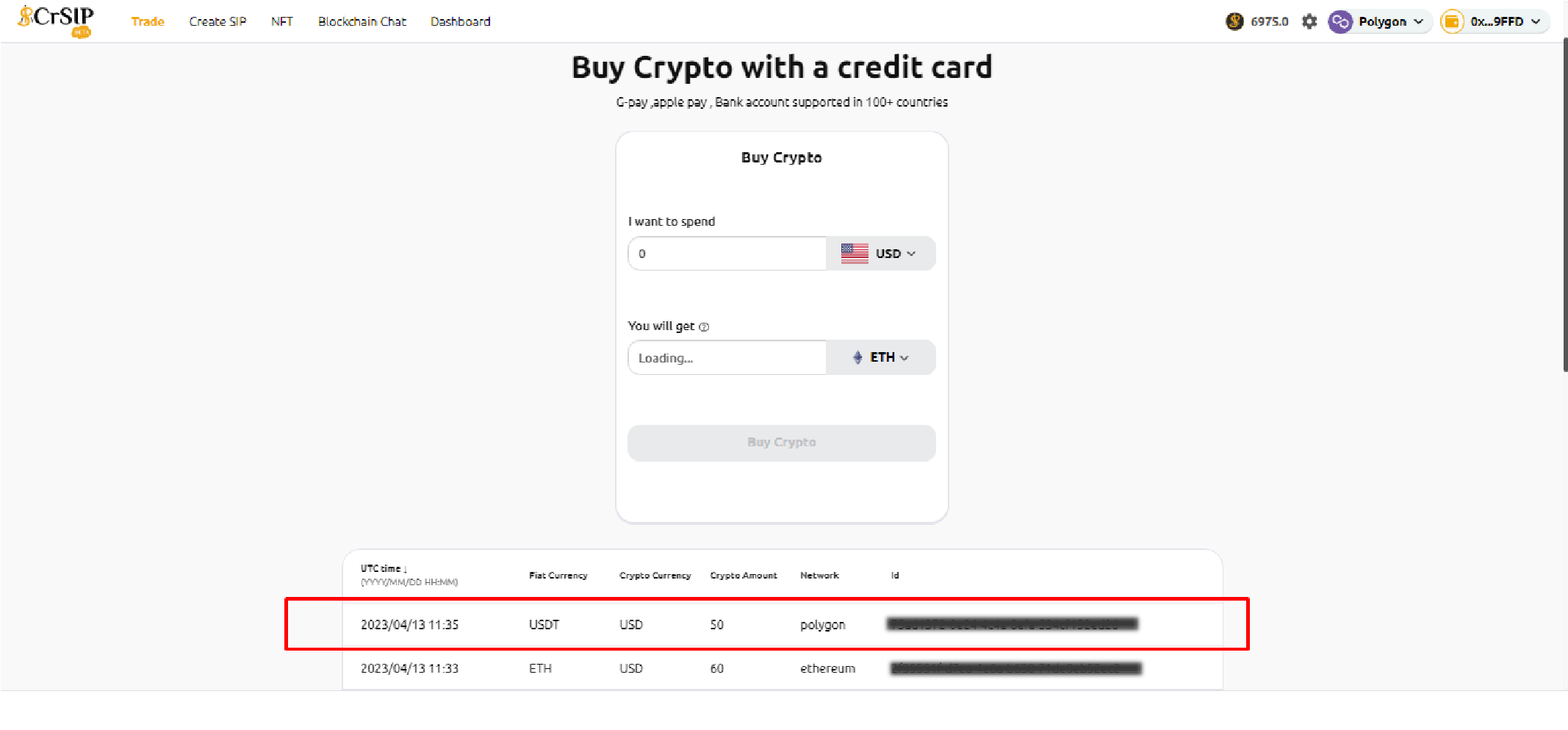
5. **Automation**: Crypto SIPs can be automated, allowing investors to set up recurring investments without the need for frequent manual intervention. This convenience can encourage disciplined saving and investing.
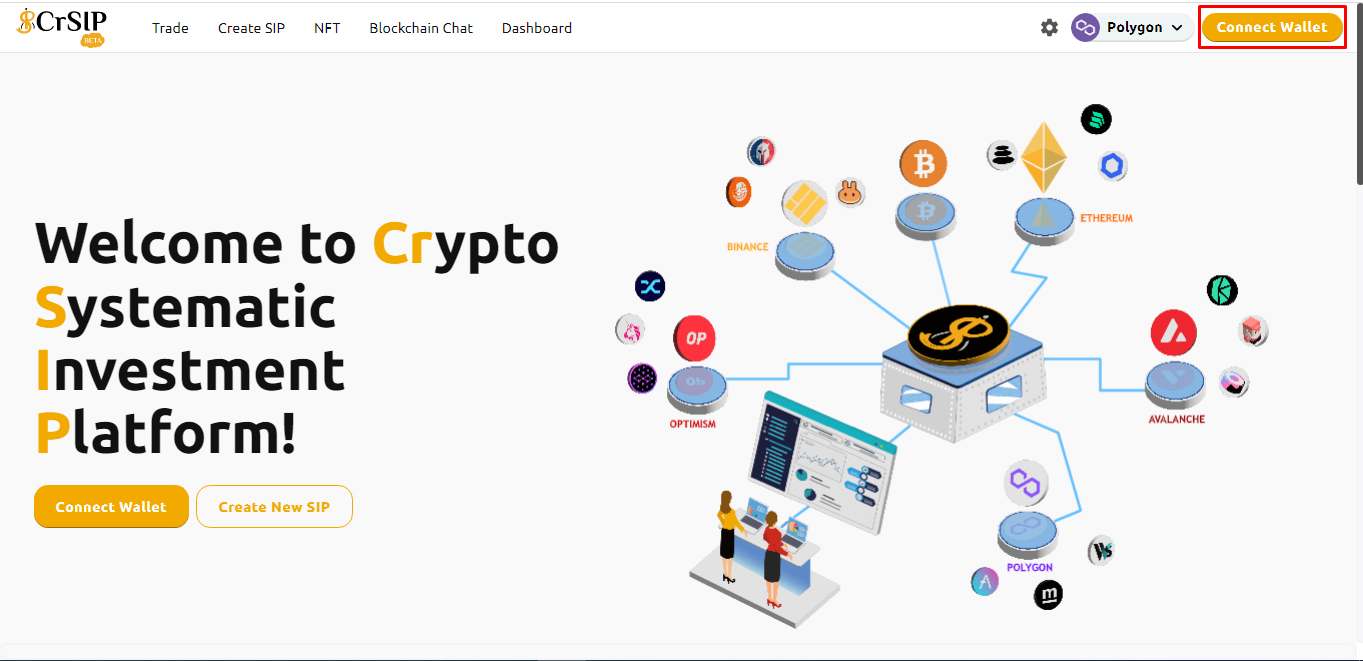
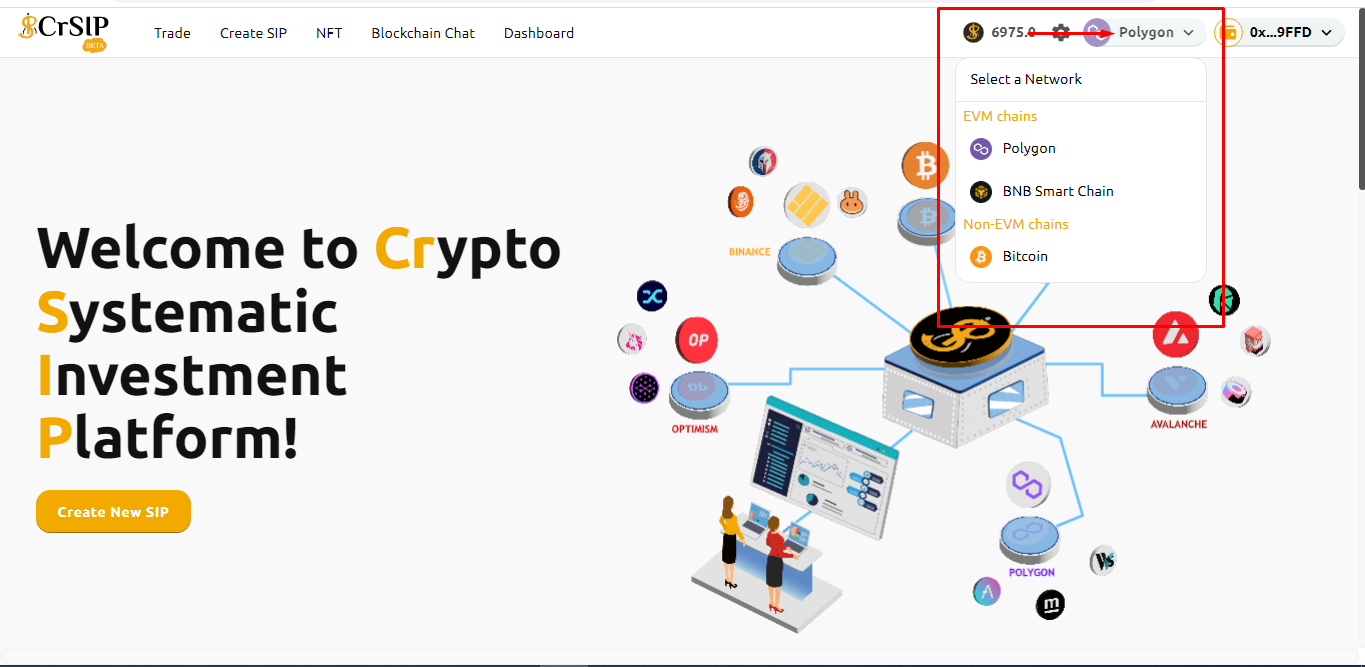
6. **Cost Averaging**: Regularly investing a fixed amount in cryptocurrencies can help investors avoid making impulsive decisions based on short-term market fluctuations and emotional reactions.
7. **Potential for Compounding**: Over time, the returns generated from your crypto SIP investments can compound, leading to significant growth in your portfolio.
8. **Liquidity**: Cryptocurrency SIPs typically offer high liquidity, allowing investors to buy or sell their holdings with relative ease compared to traditional assets like real estate or long-term fixed deposits.
9. **Accessibility**: SIPs in crypto can be accessible to a wide range of investors, including those with limited capital, as you can start with a small amount of money.
10. **Exposure to Emerging Technologies**: Investing in cryptocurrencies through SIPs allows you to gain exposure to blockchain technology and the broader crypto ecosystem, which could have significant implications for various industries in the future.&#x20;

It's essential to note that while crypto SIPs offer several advantages, they also come with risks, including the inherent volatility of cryptocurrencies and regulatory uncertainties. Before investing, it's crucial to conduct thorough research, assess your risk tolerance, and consider your long-term financial goals.&#x20;